
How to Make Concept and Mind Maps with AI

Sofia Bogunovic
February 7, 2025

From Your Notes to a Concept Map in a Few Minutes
Let’s be honest, studying can be overwhelming. Between taking notes, keeping track of different subjects, and preparing for tests or exams, it’s easy to feel lost in a sea of information. AI-powered study tools can help with that, making studying more efficient and less stressful. Imagine turning your messy notes into structured, interactive study materials in a few minutes. That's exactly what Algor Education does: in this guide you'll see how to make concept and mind maps with AI, step by step.
This tutorial is an excerpt designed to help you create concept and mind maps with AI. To learn more about how to use Algor, visit the official Algor Education guide.
With Algor’s AI concept map generator, which you can try for free online, you can transform your textbooks, notes, or even photos into clear and concise mind maps and concept maps. Whether you’re preparing for a history exam, tackling a complex science project, or summarizing a novel, AI-generated mind and concept maps help you visually organize your thoughts and understand the relationships between concepts more clearly.
Step-by-Step Guide: How to Generate Mind Maps and Concept Maps on Algor Education
Ready to transform your study routine? Follow these simple steps:
1. Sign Up for Algor Education
Go to the Algor sign up page and create a free account with your email address, or with your Google or Apple account. You'll land on the Home, where you can create your first material. Algor works on the web and in the iOS and Android apps, so your maps follow you on every device. Besides the concept map, a Set (Algor's AI study guide) gives you:
- Mind Maps & Concept Maps – A structured way to visually organize topics, allowing you to link together key ideas and complex concepts in a straightforward way.
- Summaries – Concise and to-the-point overviews of essential subject matter, making it easy to review key information quickly.
- Flashcards – AI-generated flashcards built from your study material, reviewed with spaced repetition so the cards you find hard come back more often.
- Assessments – A customizable quiz with question types such as multiple choice, true or false, completion, matching and open answers, which also feeds your progress dashboard.
This all-in-one study toolkit makes absorbing information far more manageable than relying solely on traditional textbooks or scattered notes. By integrating maps, flashcards, summaries and assessments, you have everything you need to score high on your next quiz, exam, or project.
2. Choose Your Source
From the Home, click Create an Algor Set: it's the most complete option, and every page of the Set comes with its own concept map. If you only want a map, you can pick the single mind map content from the Home instead. Then choose where the content comes from:
- From your material – Upload PDFs, Word documents or images, take a photo of handwritten notes or printed pages, paste text from your notes or an article, paste a web or YouTube link, or pick files you already keep in Algor.
- From a topic – No material at all? Type a topic, for example “The Industrial Revolution”, and the AI researches it and writes the content for you.
- By hand – For the single mind map you can also skip the AI and start with an empty canvas in the editor.
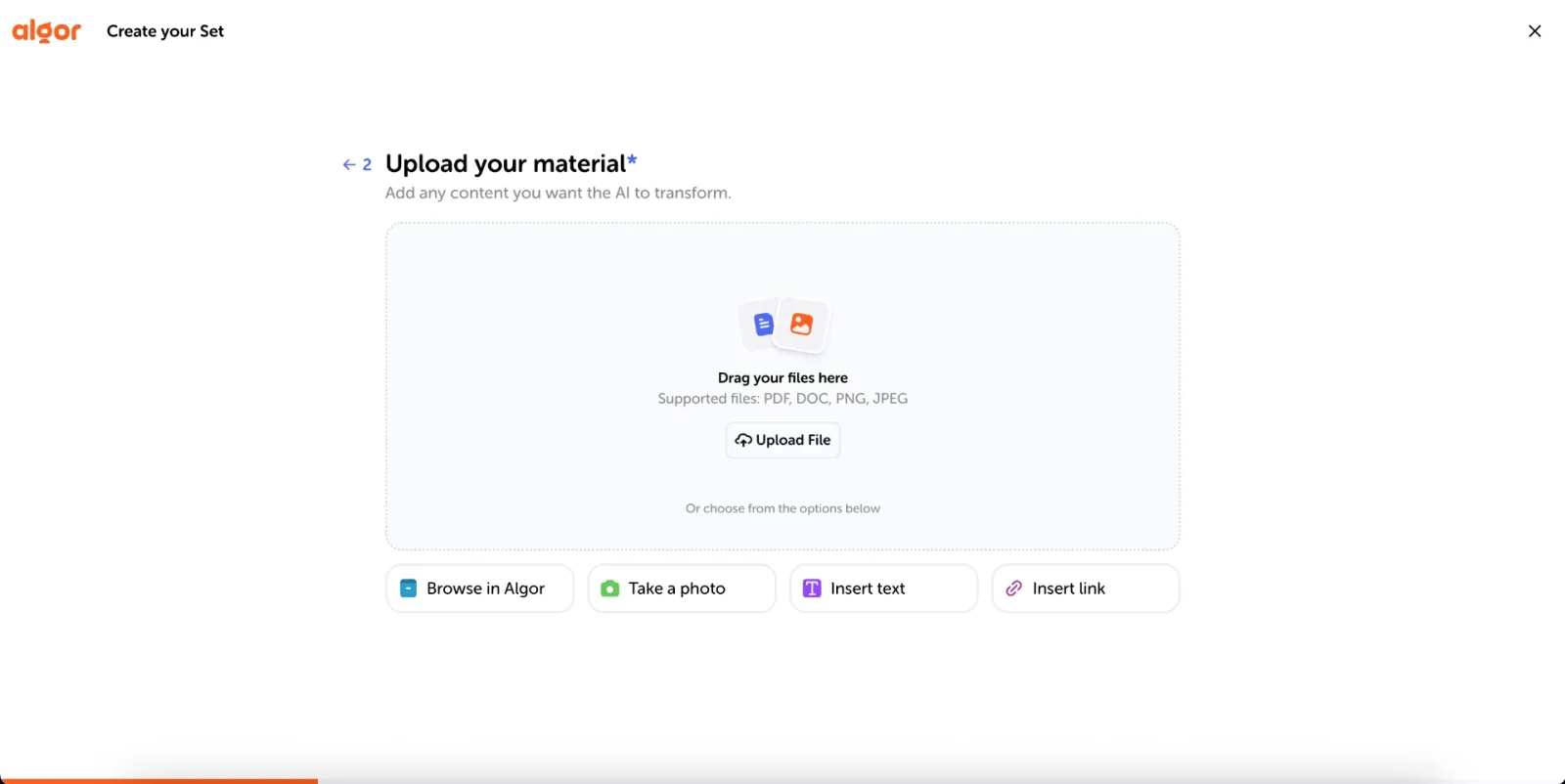
3. Let AI Do the Map Generation
Before generating, tell Algor who the content is for (for yourself, or for someone else, such as a specific school year), how it should read (simple, balanced or technical language, flowing or schematic format, more or fewer examples) and in which language you want it, even if it's different from the language of your material. The AI then proposes an index of sections and pages: accept it, or click Edit with AI to change it in plain words. Press Generate and Algor will build your Set, with a concept map for each page, in a few minutes, turning text into notes as well and structuring your material into clear, easy-to-follow sections.
Mind maps and concept maps are both powerful tools for organizing information visually, but they work in slightly different ways. A mind map starts with a central idea at its core, with branches radiating outward to represent related concepts, keywords, or themes. This structure mirrors how our brain naturally connects ideas, making it great for brainstorming, summarizing, and creative thinking.

A concept map, on the other hand, is more structured, showing relationships between multiple ideas in a hierarchical format. Instead of just connecting keywords, visual concept maps define relationships between concepts. They are particularly useful in subjects that require deep understanding of how topics interconnect, such as science, history, and business studies. If you want to explore the different types of concept maps, from tree maps to compact maps, we've collected examples for each one.

Whether you’re breaking down a complex topic or preparing for an exam, both tools help transform scattered information into clear, digestible knowledge.
4. Customize Your Map
Once your map is generated, you have full control to adjust and refine it to match your learning process:
- Open It Full Screen – Explore the whole map, with its branches, sub-topics and short explanations, and use the controls below it to move around and zoom in or out.
- Edit It in the Map Editor – Move, rename, add or delete nodes and links one by one, when you need precision on a single part of the map.
- Edit It with AI – Describe the change you want in words, for example “add a branch on the causes” or “make the map shorter”, and Algor rewrites the map for you.
- Change the Map Layout – Choose the format that works best for you: a radial mind map, with a central idea and branches extending outward for brainstorming, a tree layout that shows hierarchical connections between concepts, or a compact version for quick review.
- Make It Yours – Change the colors and fonts of the nodes, add images, videos and audio, switch to a high-readability font designed for dyslexia, or translate the whole map into another language.
To personalize your mind map or concept map, simply hit the Edit button in the upper right-hand corner of the map screen, like so:
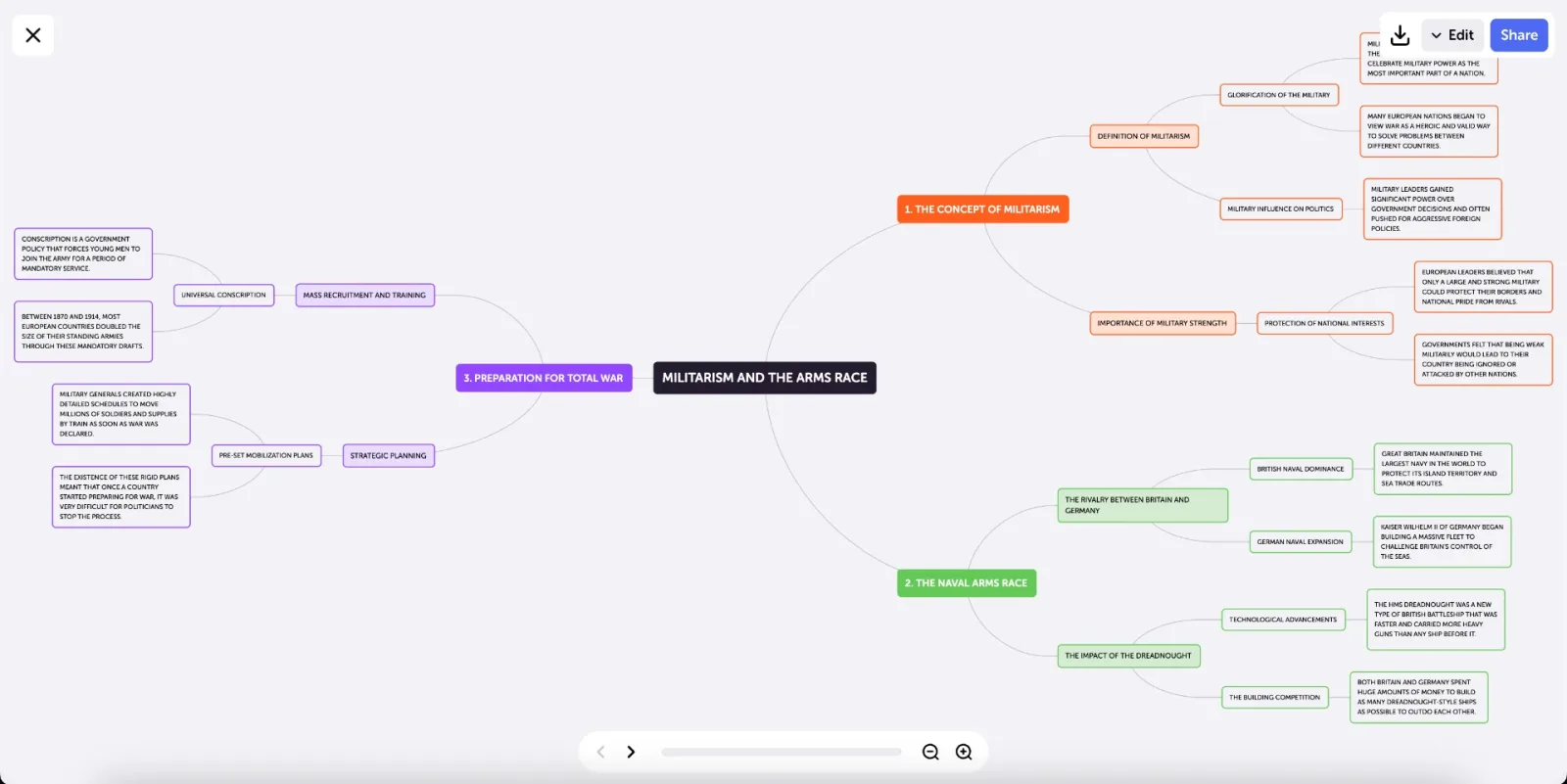
The editor then opens, where you'll be able to work on each individual node, add or remove information, change colors, include images, and more. Here's a quick preview of just a few of the things you can do:


5. Export & Share
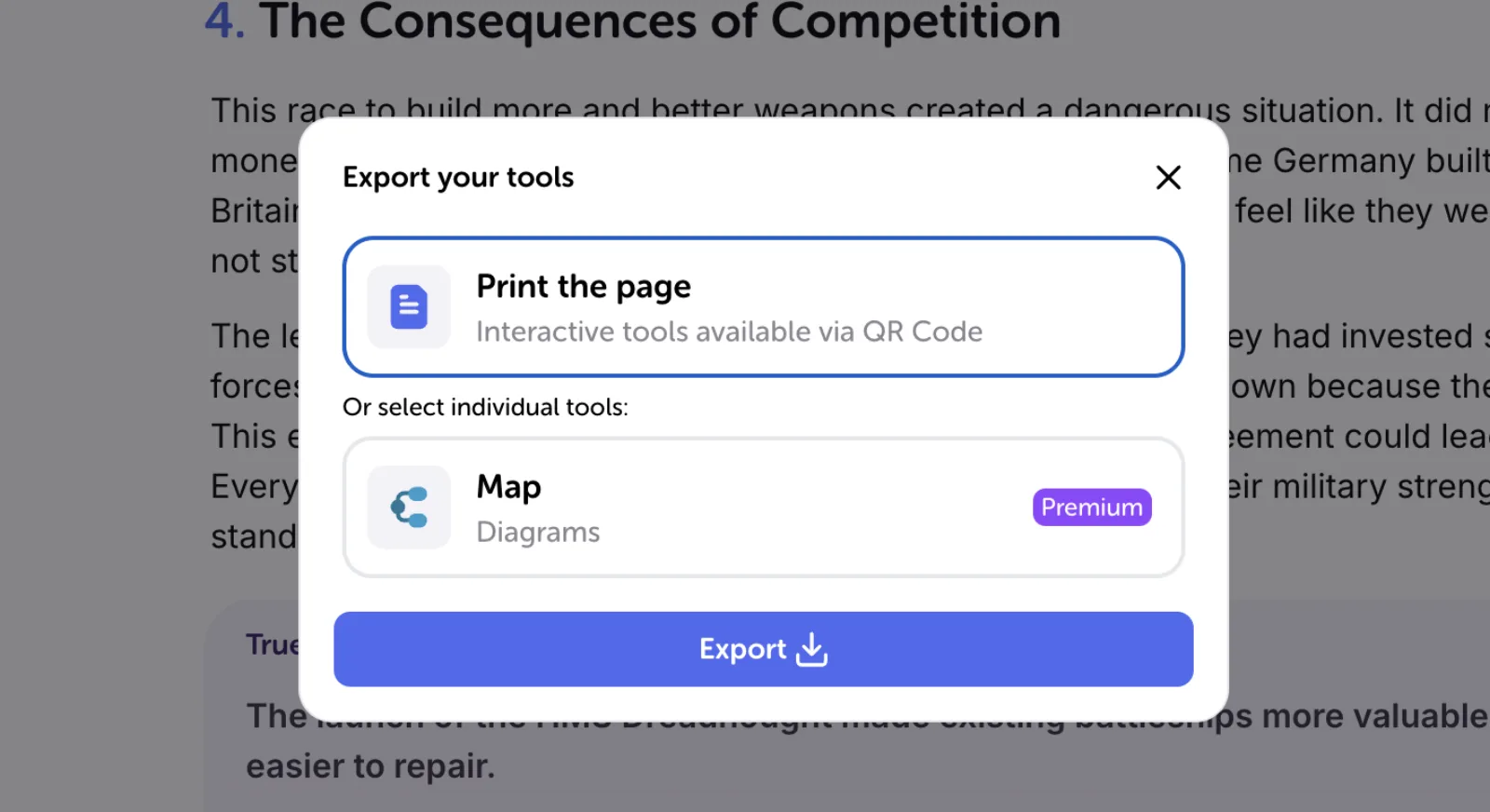
Studying with friends? Share your Set or a single page with classmates, deciding what each person can do. You can also print or export your map to use as a revision tool offline: from the export window you can print the whole page, with the interactive tools reachable through a QR Code, or select just the map and press Export.
How AI Mind Maps Help You Study Better
Studying isn’t just about memorizing facts—it’s about truly understanding fundamental concepts. Here’s how AI-powered mind maps make learning more effective:
📌 Break Down Complex Topics – The visual layout of mind maps structures information, focusing it on a central topic and presenting difficult subjects in a more digestible format.
📌 Boost Memory Retention – Seeing how intricate topics connect improves recall, especially for exams, through visual learning techniques, even on the most complex subjects.
📌 Keep You Organized – Say goodbye to messy notes and scattered thoughts. Everything is neatly structured and ready for review.
📌 Make Preparing Study Materials Quicker - Building mind or concept maps manually is a very time-consuming activity. With an AI-assisted concept mapping tool, you can start studying from these maps in minutes, saving precious study time. What's great about Algor's AI-powered tools is that the AI builds the study materials for you: you just provide your material or a topic. And when you're ready to memorize, you can move on to flashcards generated from the same material.
Ready to Study Smarter?
Why waste time struggling with disorganized notes when you can let AI do the work? Whether you need a concept map maker AI or a mind map AI tool, Algor Education has everything you need to study faster, retain more, and feel confident for your exams. Try the AI-powered concept map generator free online today: the free plan lets you test every feature, with a few limits, and see the difference for yourself. Your best study sessions start now!


Faq
Frequently Asked Questions



Get Started with Algor
Transform your content into structured, visual and personalized learning paths.

.svg)


