
Mind Maps: The Ultimate Guide to Organize Ideas and Concepts

Sofia Bogunovic
March 21, 2025

Mastering Information: How Mind Maps Can Reshape the Way You Learn
Studying is about more than just absorbing information for a quick turnaround. It's not about getting it in one ear the night before an exam, and out the other as soon as you walk out the lecture theatre or classroom. It's about finding a way to structure the knowledge you're presented with in a way that makes it stick. It's about remembering what you've learned, not just so that you nail that A, but so that you become the most interesting person in the room. And that’s exactly where a mind map can help.
But traditional study methods won't always get you there. They often rely on dense texts, scattered notes, and rote memorization, leaving you feeling overwhelmed and even bored. And that's exactly what learning shouldn't be like. The good news, though, is that there isn't just one way of learning. Mind maps are one such method that help you transform information into an intuitive visual format, and channel your creative thinking. They allow you to see connections between complex ideas, retain key details, and engage with the subject you're studying more deeply.
As technology advances, AI-powered online mind mapping tools are taking this method even further. By automating and optimizing the process by which you actually make mind maps (you know the drill, gluing a bunch of A4 papers together, scribbling and scratching out mistakes you made...), these tools genuinely make learning more effective. In this article, we'll take you through what mind maps are, and how to go beyond basic mind mapping to create something truly useful.
What is a Mind Map and How It Works: A Brief History
Mind maps aren’t a new concept. The practice of visually organizing thoughts and broad concepts dates back centuries. But it was Tony Buzan who formalized the method in the 1970s, emphasizing the brain’s preference for associative thinking over linear note-taking.
At the core of mind mapping is the principle of associative learning, which allows the brain to process and retrieve information by forming connections between related ideas. When we learn something new, our minds naturally build networks of associations, linking concepts together rather than storing them in isolation. Traditional note-taking methods often force you to engage with information in a rigid, linear sequence, which can make it harder to recall specific details later. Mind maps, however, provide a more natural way of organizing knowledge, allowing ideas to mirror how the brain actually works - through an interconnected web.
The mind mapping method aligns with how memory functions, reinforcing recall by engaging multiple areas of the brain at once. The use of colors, images, and spatial organization further strengthens these connections, improving long-term retention. Because mind maps visually distinguish key ideas from supporting details, they also help reduce cognitive overload, making complex subjects easier to understand at a glance.
How Mind Maps Are Structured
So, what is a mind map, practically? A well-designed mind map follows a radial structure, with a central idea at its core and related subtopics branching outward. This is incredibly useful in remembering key information, as our thoughts often present themselves as branches of ideas sprouting one from the other. Just picture for a moment the way your thoughts form outside the context of studying. You might see a woman on the street carrying a bag of groceries. That will remind you that you need to buy a few things too. Tomatoes might be top of that list because all of a sudden you fancy a tomato soup. And what was with that trend of the "tomato girl summer"? Suddenly, you miss summer.
The same principle, in a much more structured fashion, applies to studying using mind maps. With this method, you'll connect a central idea (perhaps not groceries, but the French Revolution, for instance) with a series of branches that explore significant themes in a natural way. That's exactly why all good mind maps include:
- A Central Topic: The main subject of the map - i.e. The Catalysts & Consequences of the French Revolution
- Branches: Major themes extending outward from the center. - i.e. Feudalism & Unfair Taxation, The Estates-General, Revolutionary Actions, The Reign of Terror, Aftermath
- Keywords: Short, essential words that encapsulate key ideas. - i.e. for Feudalism & Unfair Taxation, for example, keywords could be "fiscal mismanagement" or "Charles de Calonne"
- Images and Symbols: Visual elements can help reinforce understanding and recall during an exam, for instance, or help you out in a particularly tricky brainstorming session where you need ideas to flow better.
- Color Coordination: Organize each sub-section by colour, so that where memory might fail you on where something belongs, you'll always remember the colour of the branch it fits with!

Mind maps come in different forms, each designed to cater to different learning needs and be a useful tool for structuring and studying a topic. A great example of a mind map is the classic radial map, structured around a central idea with branches extending outward like the spokes of a wheel. This format allows for a clear hierarchy of information, making it easy to break down complex topics into digestible subtopics while still keeping everything interconnected. Because of their flexible and organic structure, radial maps are especially useful for brainstorming, summarizing key concepts, or mapping out essay structures.
Another variation is the bubble map, which is similar in its visual layout but places more emphasis on relationships between ideas rather than strict hierarchical organization. Instead of having a single central topic with branches extending outward in a fixed order, bubble maps connect ideas more freely, making them ideal for exploring conceptual links, cause-and-effect relationships, or thematic connections in subjects like literature or history. While radial maps help structure knowledge in a logical way, bubble maps are particularly effective for creative thinking and making abstract associations between ideas. Mind maps also have a close relative, the concept map: if you want to compare the two, take a look at these types of concept maps and examples.
Why Mind Maps Are a Game-Changer for Students and Teachers
Mind maps aren’t just useful because they look neat on a page; they actively change the way students engage with information. When studying, it’s easy to fall into the trap of passively reading through notes, hoping that the material will somehow stick. But memory doesn’t work like that. To truly retain and understand complex subjects, information needs to be processed, structured, and recalled in a meaningful way.
By breaking down broad topics into smaller, digestible pieces, mind maps allow students to interact with material. Instead of being overwhelmed by dense pages of notes, they can see a subject unfold visually, with each branch guiding them toward a clearer understanding of key themes. This active engagement with content makes a real difference in long-term retention, helping students move beyond surface-level memorization and develop a deeper grasp of their subjects.
But mind maps also shape the way you think. When used to structure an essay or organize research for a project, they provide a roadmap, ensuring ideas flow logically and arguments remain well-supported. Brainstorming also becomes more effective, as mind maps encourage creative exploration by making space for free-flowing connections between ideas. For note-taking, they help condense scattered information into a structured visual, making it far easier to revisit and review key concepts later.
In the classroom, teachers can also harness the power of mind maps to present complex subjects in a way that makes sense to students. Instead of delivering dry, text-heavy explanations, they can use mind maps to break down ideas dynamically, helping students follow along and see how different elements of a subject are interconnected. Whether for personal study or group collaboration, mind maps don’t just organize information—they change the way it’s processed, understood, and applied.
How to Make a Mind Map: Traditional vs. Digital Methods
If you want to create a mind map by hand, start with a blank sheet of paper and a topic you need to study. Write that central idea in the middle—make it bold, underline it, or put a box around it to make it stand out. From there, start drawing branches outward, each representing a key theme or category related to your topic. Try to keep things fluid: mind maps don’t follow rigid rules, so let your ideas flow naturally as new connections come to mind.
As you expand, keep your branches clear and simple. Instead of writing full sentences, stick to keywords - this will help you recall the ideas more easily when you look back at your map. You can also add images or symbols to reinforce tricky concepts. Using color coding is another great trick - assigning different colors to different sections of your map will make it visually distinct and easier to navigate at a glance.
The challenge with manual mind mapping, though, is that once your page starts filling up, making changes can be frustrating. If you think of a new branch that should fit earlier in your structure, you might have to squeeze it in or redraw entire sections. There’s also the issue of space: once you run out of room on your paper, you might have to start over or make your writing smaller, which can make things messy. If you’re working on a large or evolving topic, this can take up a lot of time, especially when revisions are needed.
For some students, the hands-on process of drawing and writing everything out helps reinforce their understanding. But if you’re looking for a more efficient way to organize and edit your mind maps, digital tools can make things much easier. Platforms like Miro or Figma let you create maps manually but offer flexibility—if you need to move things around or expand on ideas, you’re not stuck with what you first put on the page. However, even with digital tools, you still need to build everything from scratch, which takes time.
AI-Powered Mind Mapping: The Future of Learning
By now, you know how mind maps work and why they’re so effective. You also know that creating them by hand, while valuable, can be time-consuming and inflexible. Even with digital tools, you’re still doing all the work - organizing information, deciding how to structure it, and manually inputting everything. But with AI-powered mind mapping tools, you can really take your learning game to the next level and save time to focus on what really matters.
How AI Enhances the Mind Mapping Process
Imagine if, instead of spending hours reading through your notes, highlighting key points, and carefully structuring your mind map, an AI could do the groundwork for you in a few minutes. That’s exactly what Algor does. You upload a PDF or Word document, paste a block of text or a link, or even take a photo of your handwritten notes, and its AI generates a structured concept map, branching out key themes, summarizing concepts, and bringing the most important ideas to the surface. Instead of formatting information manually, you can spend your time on understanding the material and making connections between ideas.
AI doesn’t just speed up the process—it makes studying smarter. While manually creating a mind map requires you to decide which concepts are important, Algor’s AI does this for you by analyzing the text, identifying key ideas, and structuring them in a logical, easy-to-follow format. No more second-guessing what to include or how to lay it out; the AI gives you a clear, consistent first draft, so you always have a solid foundation to build on, and you can still change anything you like.
Why Algor is the Ultimate Study Companion
What makes Algor stand out isn’t just the speed at which it creates mind maps—it’s the fact that it doesn’t stop there. Unlike other tools that only generate a single map, Algor gives you an entire study guide that helps you retain, review, and reinforce your learning.

So, how does Algor Education work? Here's a quick overview, but you can always checkout our detailed guide on how to create a mind map with Algor's AI!
- Choose what to create: from the Home, click Create an Algor Set to get a complete study guide with a map on every page, or pick the single Mind map content if a map is all you need.
- Add your study material: upload PDFs, Word documents or images, take a photo of handwritten notes, paste text or a web or YouTube link, or simply type a topic and let the AI research it. For a mind map you can also start manually, on an empty canvas.
- Generate your map: say who it is for and how detailed it should be, then Algor’s AI structures all the key ideas from your source into a visual format.
- Customize and refine: make the map yours! Move, rename, add or delete nodes and links in the editor, or describe the change in words with the AI button, for example to add a branch or make the map shorter. Switch between layouts such as radial, tree or compact, change the colors and fonts of the nodes, and add images, videos or audio to them to make each branch memorable. You can even choose a high-readability font designed for dyslexia or translate the whole map into another language.
- Save, share, or print: keep your map in your Material, share it with your study buddies, or print it for offline review.
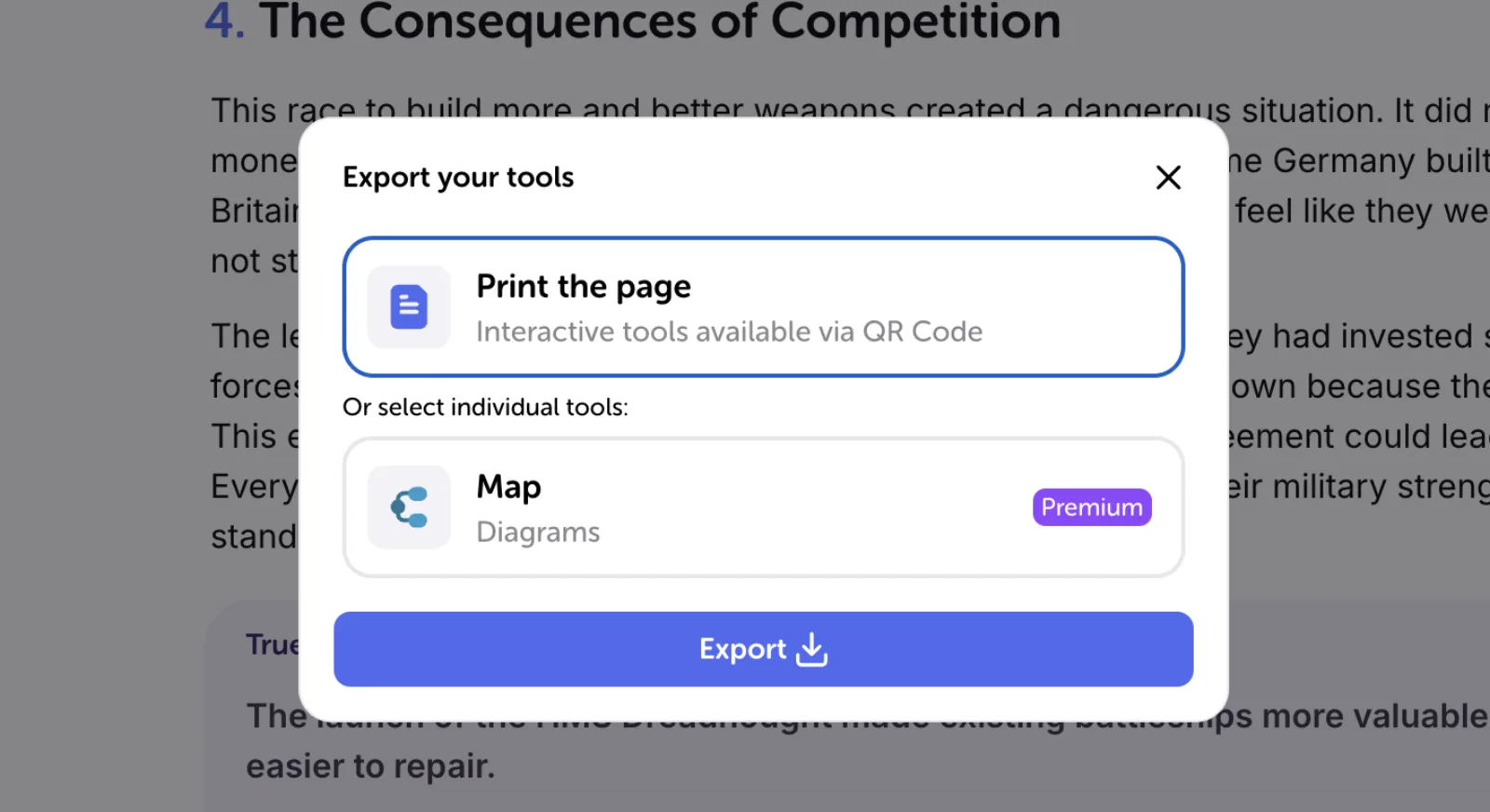
Beyond mind maps, Algor automatically generates summaries and audio overviews, plus flashcards and quizzes you can launch on the whole Set, so you don’t have to spend extra time creating study aids. Instead of jumping between different tools, everything is in one place, ready for review. Because everything is generated from the material you upload, your notes stay structured and aligned with your original sources. The AI picks up on the most relevant details and presents them in a way that’s easy to follow.
With Algor, you’re not just organizing information—you’re making sure it sticks. Whether you’re preparing for an exam, breaking down a difficult subject, or structuring research for an essay, this is how you study smarter.
Structure Ideas Visually with AI and through Mind Mapping
Mind mapping is one of the most effective study techniques available, helping students enhance comprehension, improve retention, and engage with material on a deeper level. With AI-powered platforms like Algor, the process becomes even more efficient as they eliminate the time-consuming aspects of traditional note-taking and enable students to focus on learning.
By embracing AI-driven mind mapping, learners can study smarter, structure their knowledge more effectively, and take control of their academic success. Try Algor for free today and experience the next evolution of studying.


Faq
Frequently Asked Questions



Get Started with Algor
Transform your content into structured, visual and personalized learning paths.


