
How to Turn Text into Clear Notes with AI

Algor Lab
February 28, 2025

Unlock the Transformative Power of AI for Effortless Note-Taking
In the quest for knowledge, are you a passive observer, or an active participant? The simple act of taking notes transforms you from the former to the latter. It's more than just scribbling words on a page; it's about forging a deeper connection with the material, constructing a personalized roadmap through complex ideas, and unlocking the doors to lasting understanding. And today, you can turn text into summarized notes with AI in just a few clicks.
This tutorial is an excerpt designed to help you turn your texts into clear, summarized notes. To learn more about how to use Algor, visit the official Algor Education guide.
Dive in to discover how AI can transform your notetaking experience, turning it from a simple study skill into a powerful tool that helps you make the most of what you're learning.
Meet Algor Education: Your AI Notetaking Companion
Algor Education is designed to do more than summarize your academic notes: it is an AI notes generator that builds you a complete study guide. By combining AI-powered summaries, concept maps, quizzes, and flashcards, Algor helps students like you organize large amounts of study material and retain information longer.
Unlike tools that simply generate text-based summaries, Algor turns your material into a Set: a structured study guide, organized into sections and pages, that goes beyond simple notetaking. Whether you need to generate notes from a PDF or from handwritten pages, or convert textbook information into effective learning tools, Algor streamlines the process into a structured and interactive learning experience.
Here's how it works.
Step-by-Step Guide: How to Turn Text into Summarized Notes with AI
This step-by-step guide will show you how to turn any text into impactful study notes with Algor's AI, as well as a complete study guide. By following these steps, you'll see how to take notes from a textbook, for example, and transform them into an interactive learning guide.
Step 1: Create an Account or Log In
To start using Algor as your note generator, simply sign up with your email, Google or Apple account, or log in to an existing one. The free plan lets you try every feature, with a few limits.
Step 2: Upload Your Study Materials
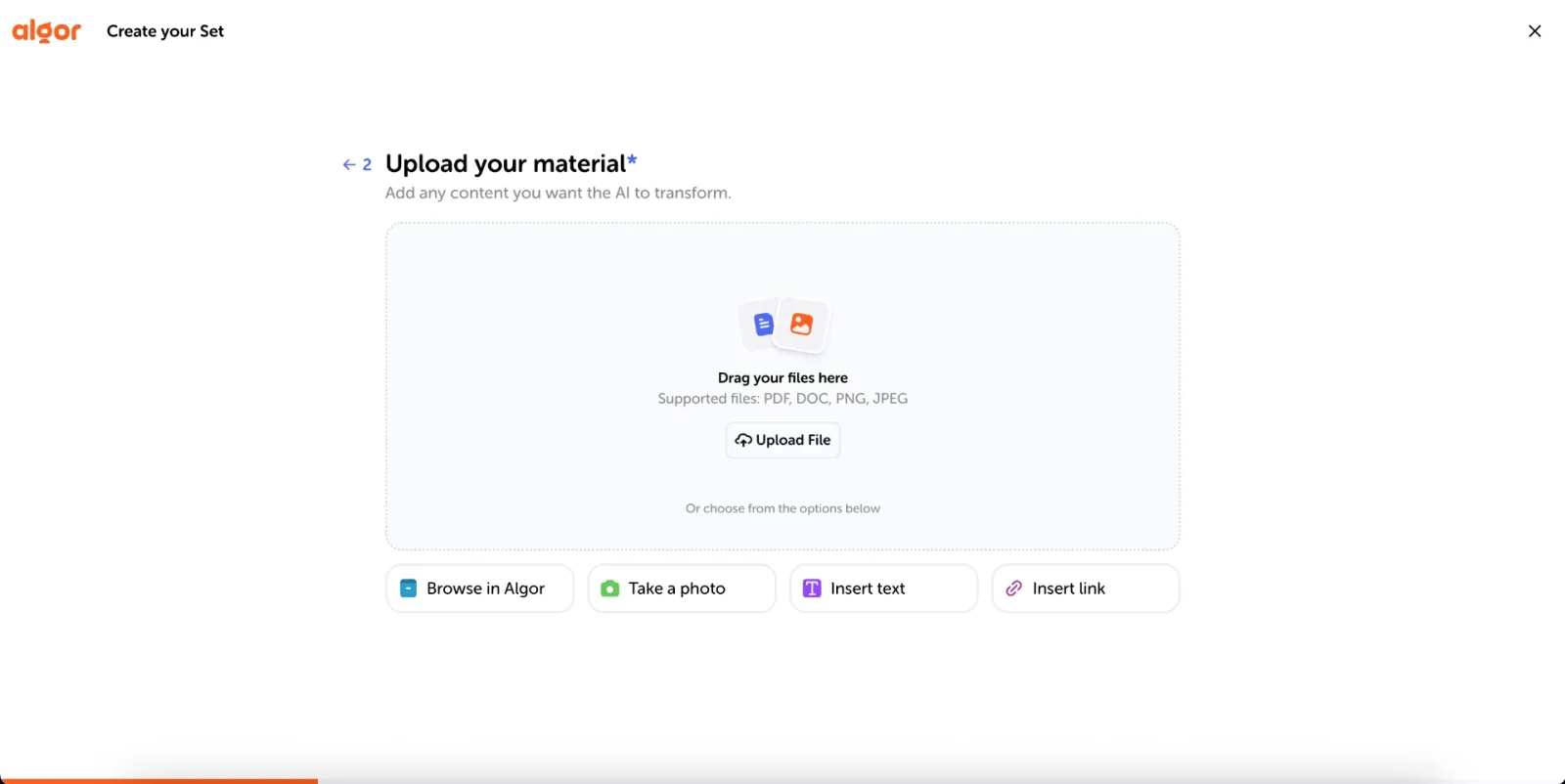
From the Home, click Create an Algor Set and choose From your material. Then simply upload your study materials to generate meaningful notes from PDFs, Word documents, texts or photos: you can also paste a web or YouTube link, or pick files you already keep in Algor. It's really just as simple as that: you can upload everything you need to learn in just a few clicks. If you only want a quick summary rather than a full study guide, you can also pick the single Summary content from the Home.
"Take a photo": How to Take Notes from a Textbook
If handwritten notes are more your thing or you're used to studying from printed textbooks, Algor's Take a photo option turns paper-based study materials into structured digital notes. Snap a picture of your notes or of a textbook page, or upload images that you've already saved on your device, and the AI takes it from there.
Step 3: Generate Your Complete Study Set
Before generating, tell Algor who the notes are for and how they should read: the language can be simple, balanced or technical, the format flowing or schematic, with more or fewer practical examples. Choose the language of the content, review the index the AI proposes (you can change it with Edit with AI) and click Generate. Algor then organizes the content both textually and visually: instead of merely summarizing text, it structures key concepts into sections and pages. You'll be able to study from:
- Concise summaries that break down complex content into manageable sections;
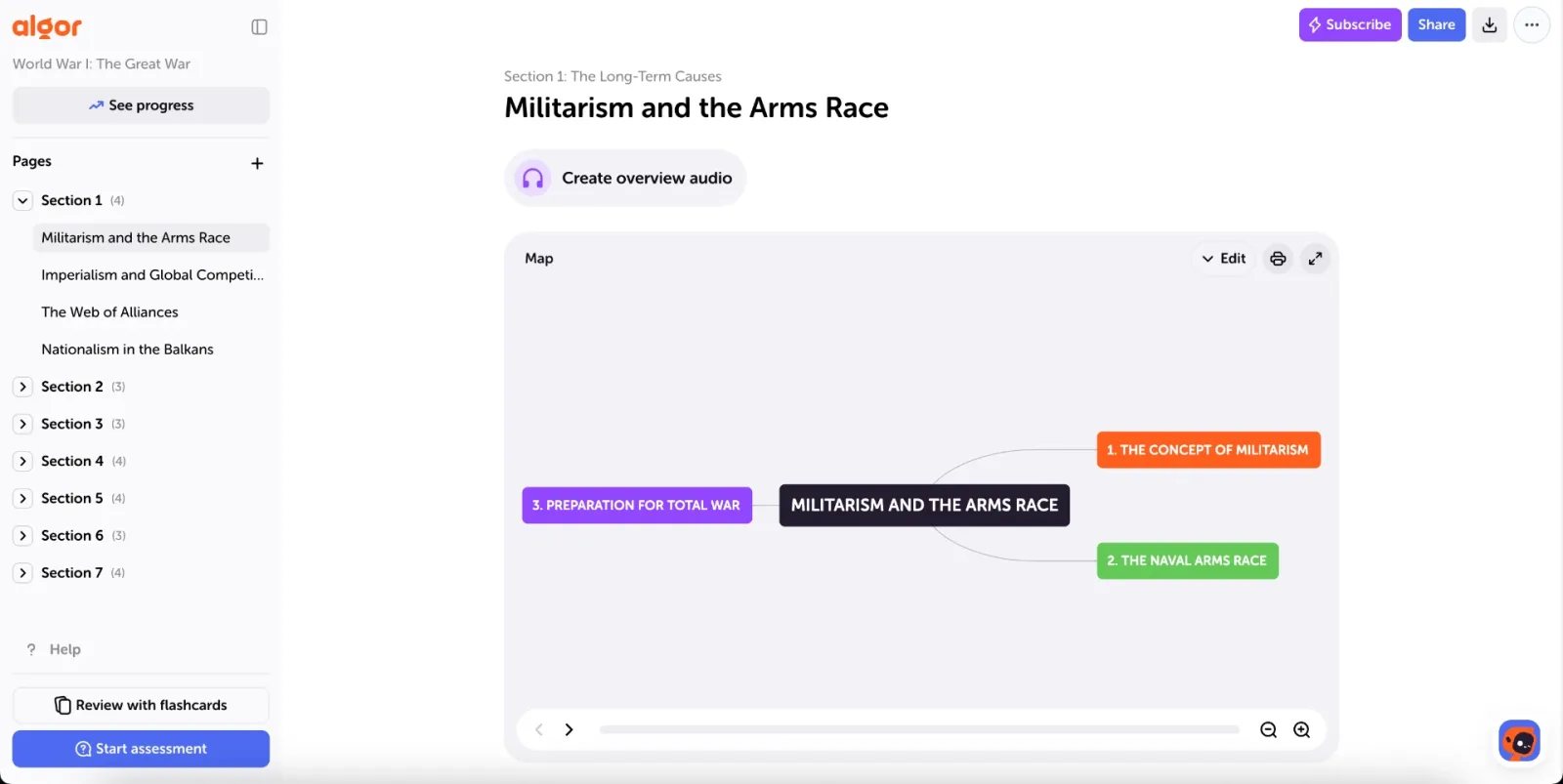
- Concept maps if you're more of a visual learner and want to connect ideas;
- An audio overview, if you'd rather listen to a page like a podcast;
- Flashcards and quizzes to test what you've learned and reinforce knowledge through active recall.
By integrating visual study tools and organized notes, Algor makes sure that you've got everything you need to blow that upcoming quiz, exam, or project out of the water.
The Summary Tool: Clear and Concise Notes for Every Topic
One of the biggest challenges when studying is figuring out how to extract key concepts without losing important details. A lot of what you learn in class is useful background information, but not all of it will necessarily appear on an exam. So, how do you know what to focus on?
Algor simplifies this by summarizing and structuring materials thematically, breaking large chunks of information into easy-to-review sections. Instead of providing a generic summary, Algor identifies core concepts and organizes them in an index of sections and pages that follows the logic of the original material, and you can reshape that index before generating.
What makes this approach particularly useful is its focus on the essential topics, without unnecessary repetition or excess content. Each page of your Set can hold a summary of its topic, so you can move from one section to the next effortlessly, and if you prefer bullet-style notes, just choose the schematic format when you create the Set. This provides a clean, distraction-free study experience, helping you focus on what truly matters for your exams, assignments, and daily learning.
Because every summary is built from the material you uploaded, it stays faithful to your sources while presenting the information in a more structured and digestible way. And every page stays editable, so you can always adjust a detail by hand.
Flashcards and Quizzes: AI-Generated Practice for Active Learning
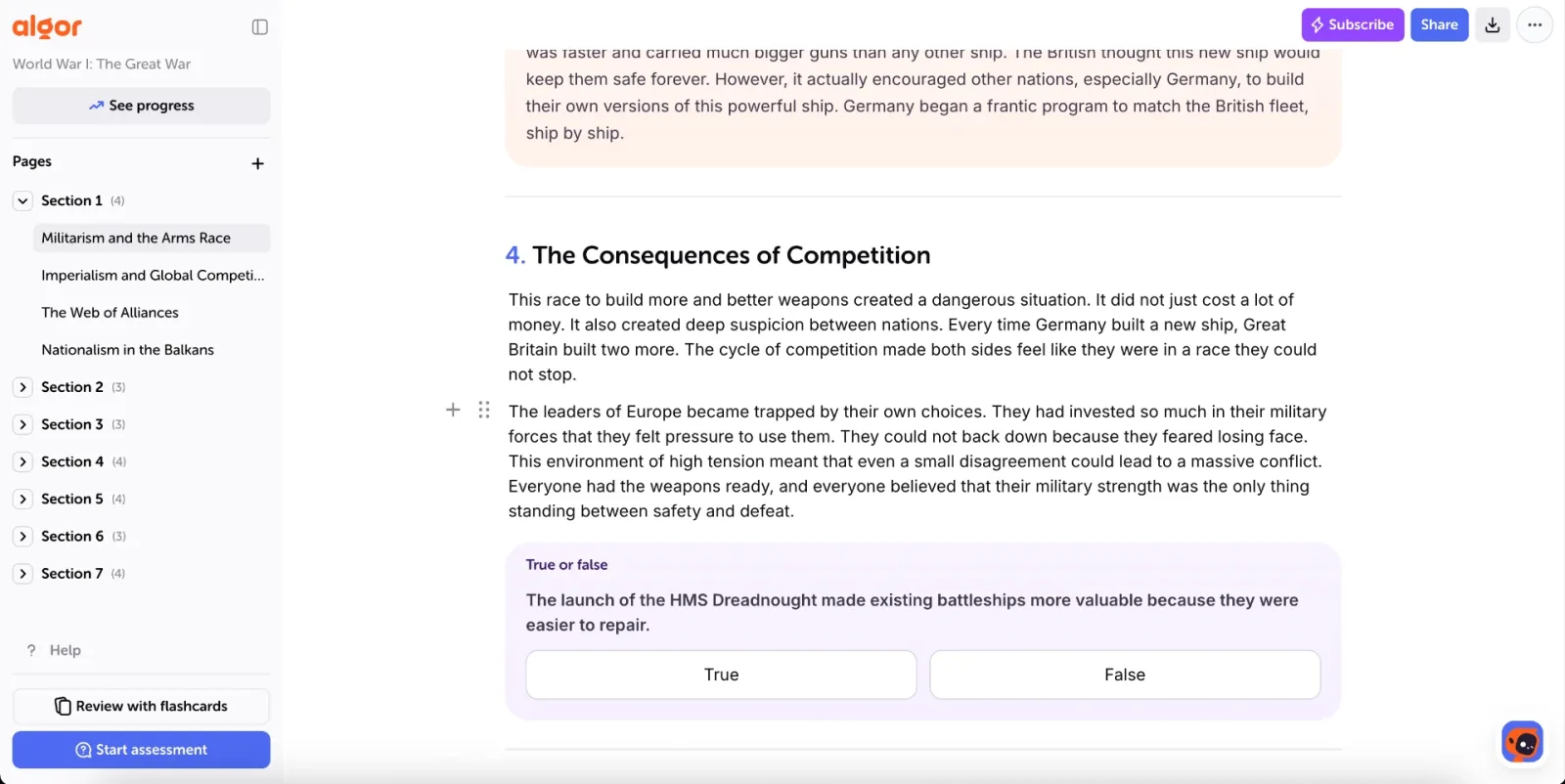
Beyond passive reading, learning becomes significantly more effective when you actively engage with your coursework. On top of your Set, Algor lets you review with flashcards and test yourself with quizzes, both generated from your study content. Instead of just summarizing information, they challenge you to recall, apply, and analyze concepts in a structured way.
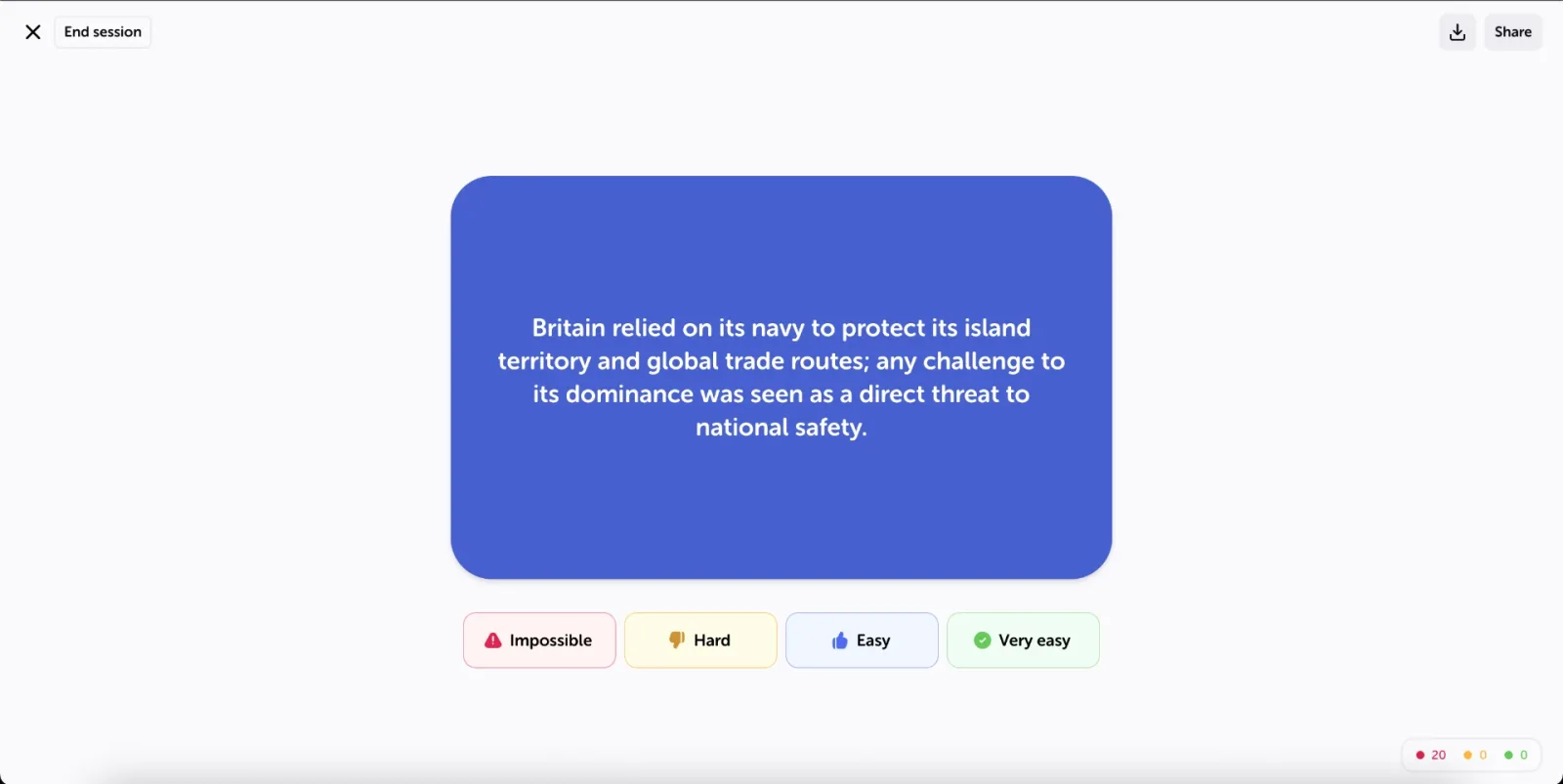
Click Review with flashcards and choose whether to study the whole Set, a single section or just one page. Each card shows a question on the front: try to answer it in your head, then click the card or press the spacebar to flip it. Rate how it went with the four buttons (Impossible, Hard, Easy, Very easy) and Algor brings back the hardest cards first, using spaced repetition. Besides classic cards, you'll also find fill-in-the-blank flashcards.
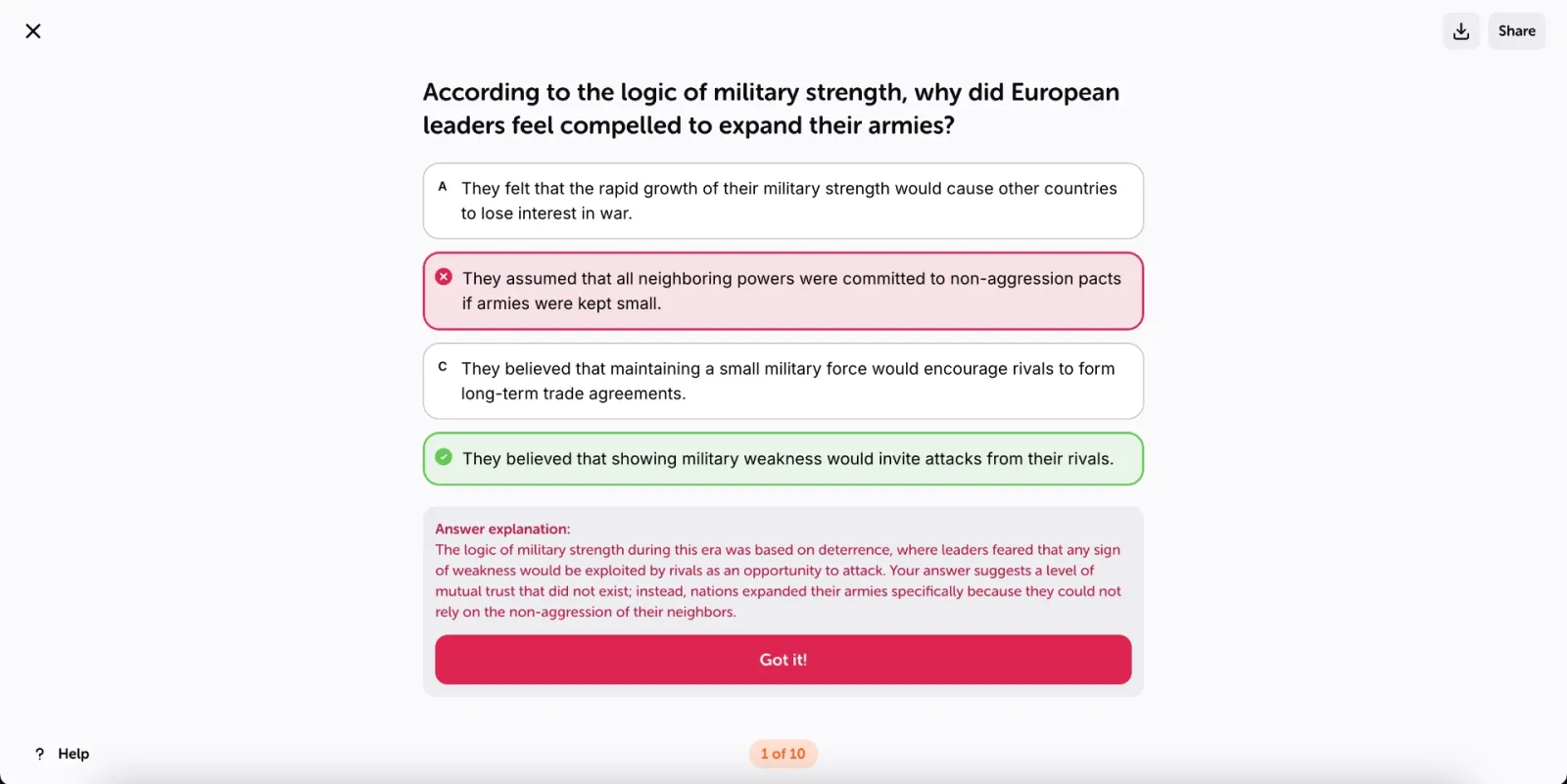
When you're ready for a real test, click Start assessment. Choose what it covers, the question types (multiple choice, true or false, fill-in-the-blank, matching and open-ended), how many questions you want, and whether to turn on immediate feedback and a timer. At the end you get your score and an AI analysis of the topics to review. Because everything comes directly from your uploaded materials, the questions reflect the most important takeaways from the original source, and you don't need to write your own list of potential test questions.
Smarter Studying with Algor
Messy, unstructured study materials often lead to inefficiency, wasted time, and poor retention. With Algor Education, you can turn your texts into notes, and your digital documents into study guides that actually make a difference. By offering a note generator that goes beyond simple summarization, Algor provides a complete academic toolkit that supports active learning, structured note-taking, and interactive revision. If you want to go further, here's our guide on how to create a study guide with AI.
There are several apps designed to make note-taking easier, but Algor keeps its notes close to your original study content while improving readability and organization. Instead of generic, pre-made summaries, Algor organizes the material you upload into sections and pages, giving you a highly customized, distraction-free study experience.
For students looking for an AI that can generate notes from PDFs and handwritten notes, or teachers searching for a study tool that can create interactive study resources, Algor is the perfect companion for smarter, more effective learning. Create your free account and try it on your next chapter.


Faq
Frequently Asked Questions


Get Started with Algor
Transform your content into structured, visual and personalized learning paths.

.svg)


