
How to Generate Quizzes Online From Notes and Books with AI

Sofia Bogunovic
February 13, 2025
Turning notes into quizzes automatically with AI
We all know how hard it can be to get the ball rolling on studying. You spend hours flipping through notes, trying to absorb as much as possible, only to realize that nothing is really sticking. Sound familiar? We've all been there. Reading and rereading chapters might feel productive, but let’s be real: it’s not always the best way to learn. The good news is that you can now create quizzes with AI straight from the material you already have.
This tutorial is an excerpt designed to help you turn your notes into AI-generated quizzes. To learn more about how to use Algor, visit the official Algor Education guide.
Quizzes are one of the most effective ways to reinforce what you’ve learned. They activate a process called active recall, which helps your brain retrieve information and store it in long-term memory. But who has time to sit and write out their own quiz questions? Between assignments, extracurriculars, and trying to have a social life, manually making quizzes is probably the last thing on your to-do list. That’s exactly why Algor Education’s AI-powered online quiz generator is a game-changer. With just a few clicks, you can transform your notes, textbook chapters, or PDFs into customized quizzes. Whether you need a last-minute test review or just want to check your understanding of a topic, Algor makes it effortless.
Imagine this: you’ve got a big test coming up in biology, and instead of spending hours making a quiz from scratch, you upload your class notes to Algor. The AI reads your content, organizes the key concepts into a study guide, and lets you launch a full quiz on it with multiple choice, true or false, completion, matching, and open-answer questions. No stress, no wasted time: just an easy way to review what you need to know. It really is that simple. Here's how you do it!
Step-by-Step: How to Create Quizzes with AI in Algor
Creating an AI-powered quiz with Algor Education takes just a few steps:
Step 1: Log into Algor Education
First, log into your account. If you don't already have one, sign up here with your email address, or with your Google or Apple account, confirm your email, and you're in! You can start on the free plan, which lets you try every feature with a few limits, so there's really no reason not to give it a try.
Step 2: Upload your study materials in just a click
From the Home, click Create an Algor Set and choose From your material. You'll be able to add your learning materials in any of the following ways:
- Insert text: copy and paste text from your digital study materials, such as class notes, course summaries, or even your syllabus.
- Take a photo or upload images: snap handwritten notes or printed pages from textbooks.
- Upload a file: turn PDFs and Word documents into study material and quizzes.
- Insert a link: paste a web page or a YouTube video, or use Browse in Algor to pick files you already keep in the app.
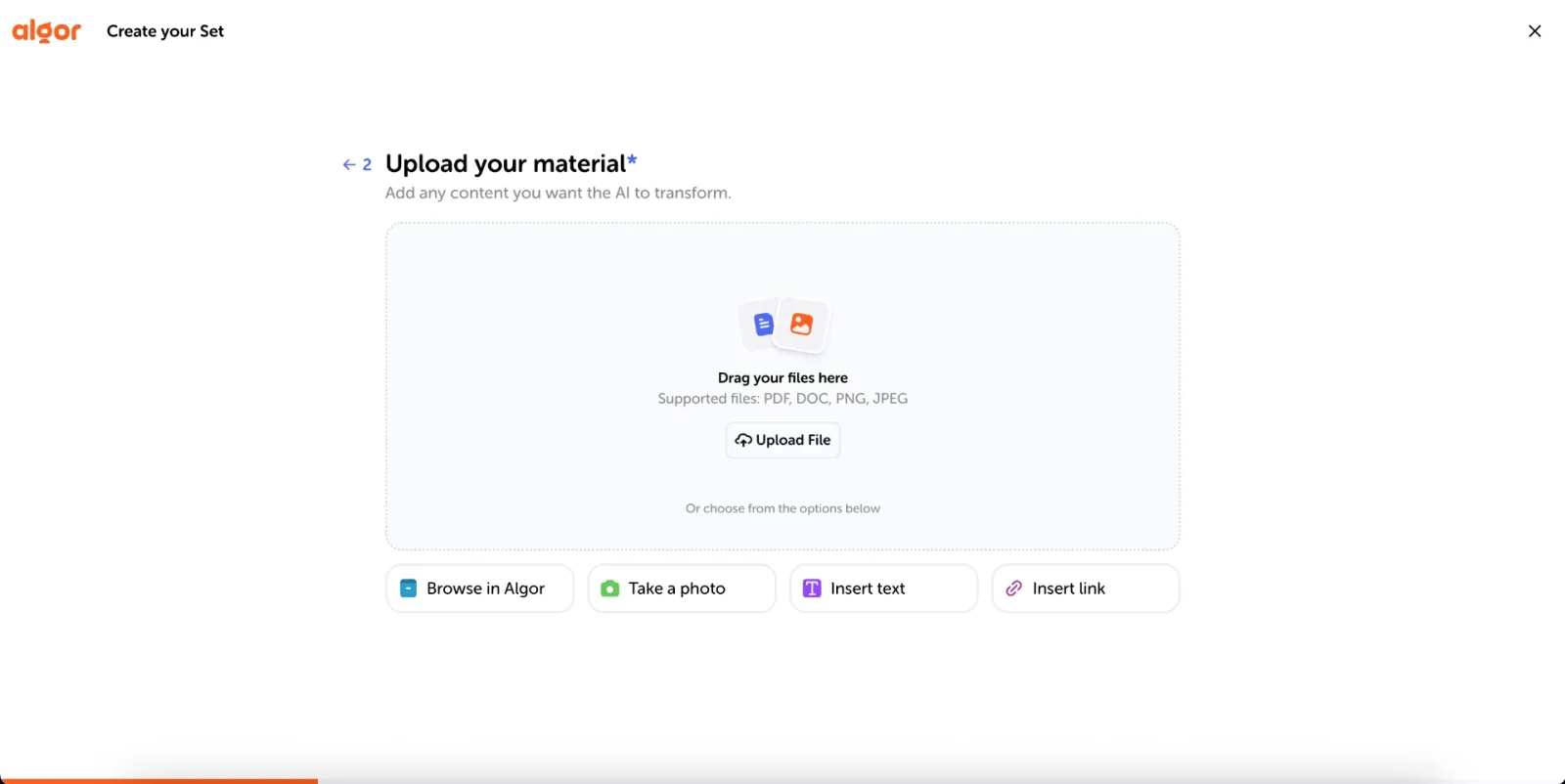
You might be thinking: can I turn a textbook chapter into a generated quiz, for example? The answer is yes, absolutely. If you've got print materials like a heavy textbook or handwritten notes, all you need to do is snap a photo of them and upload it to Algor. And if you don't have any material at all, you can choose From a topic instead: type the subject and the AI researches it for you. There's nothing stopping you from getting that A!
Step 3: Generate your Set and start your quiz
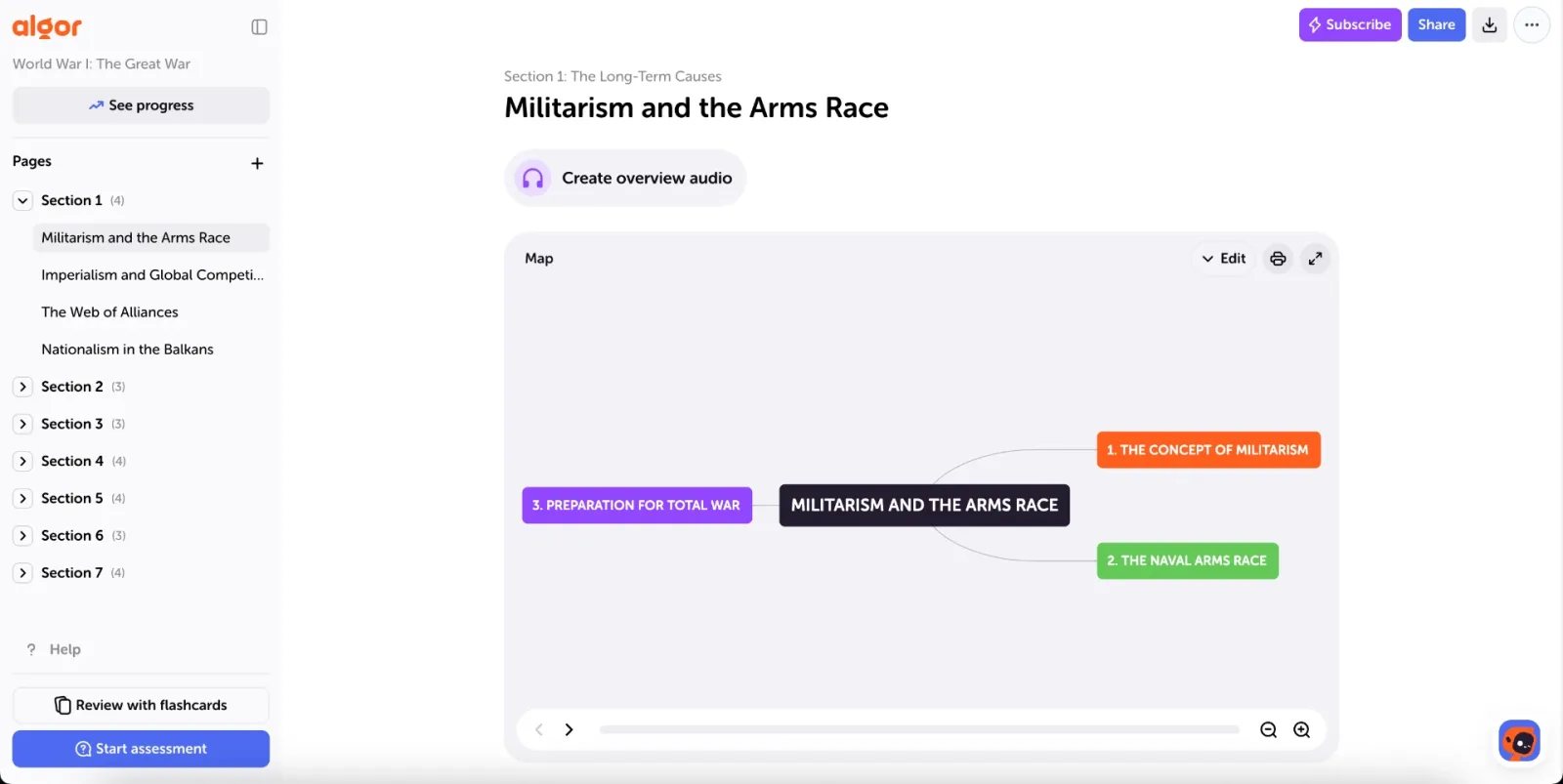
Next, tell Algor who the content is for, how it should read (simple or technical language, flowing or schematic format, more or fewer examples) and in which language you want it. The AI then proposes an index of sections and pages: accept it, or click Edit with AI to change it in plain words. When it looks right, hit Generate. Algor's AI reads through your content and extracts the most important information, and Algor is a lot more than an online quiz tool: in addition to a custom quiz based on your own learning materials, you get a structured study guide, called a Set, whose pages contain concept maps, summaries and audio overviews, plus flashcards to review with spaced repetition. To take a quiz, click Start assessment at the bottom of the Set's sidebar.
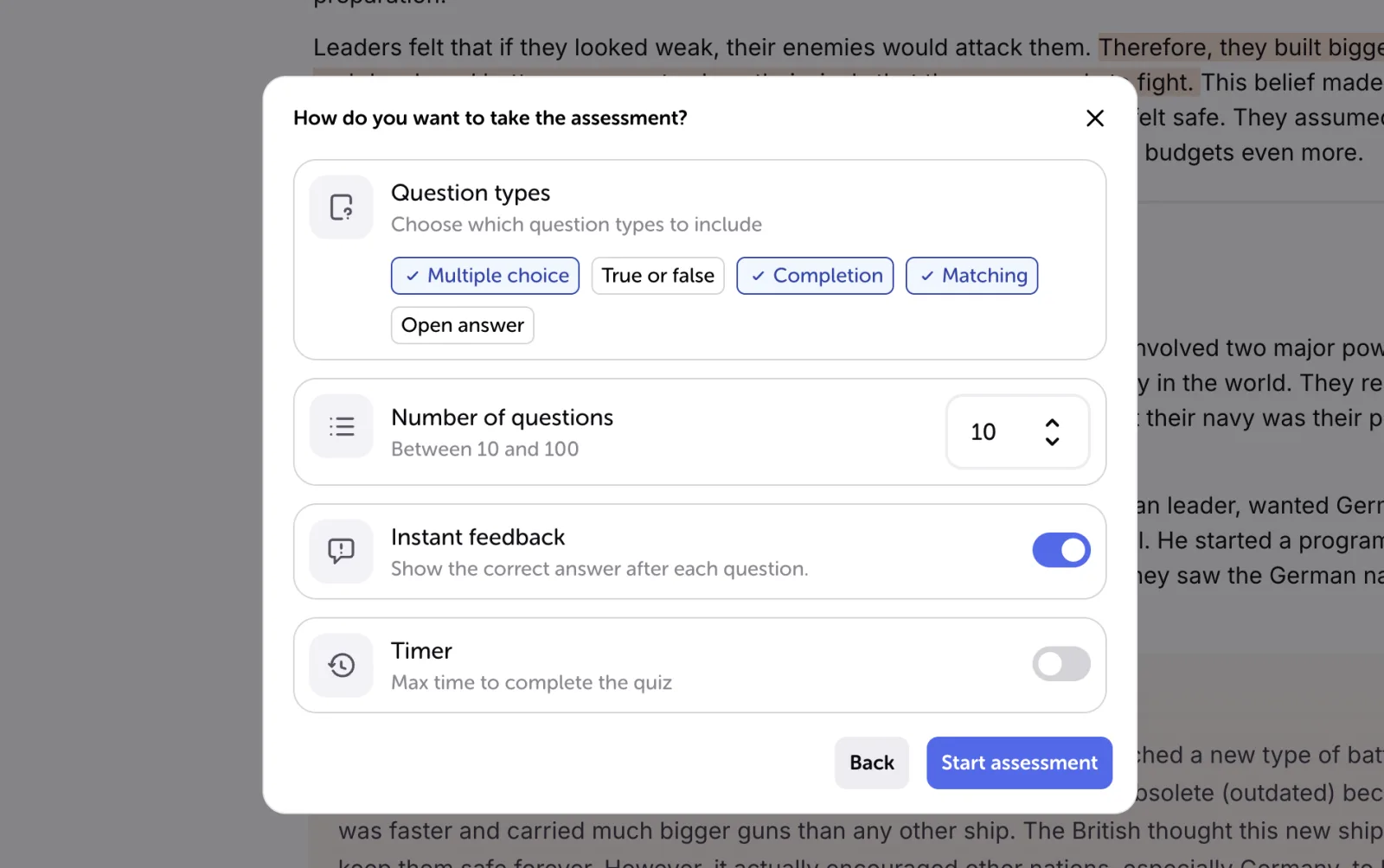
Algor's AI can help you turn your notes into quizzes with well-structured questions to test your knowledge. The best part is that the AI picks out key points, important definitions, and main ideas to create an engaging quiz that feels like it was written by your teacher. First you choose what the quiz should cover (the whole Set, one section, or a single page), then you customize it: the types of questions, how many of them you want, whether to see instant feedback, and an optional timer if you want to simulate a real exam.
Step 4: Receive instant feedback
Once your quiz starts, you can get instant feedback after every answer. Let's say you've chosen an incorrect answer to a question. The first thing you'll see is the correct answer, highlighted in green. Then you'll be able to read a short explanation, so you actually learn from your mistakes instead of just guessing and moving on. Open answers are graded by the AI, which also recognizes partially correct answers, so you don't need to repeat the exact wording of your notes.
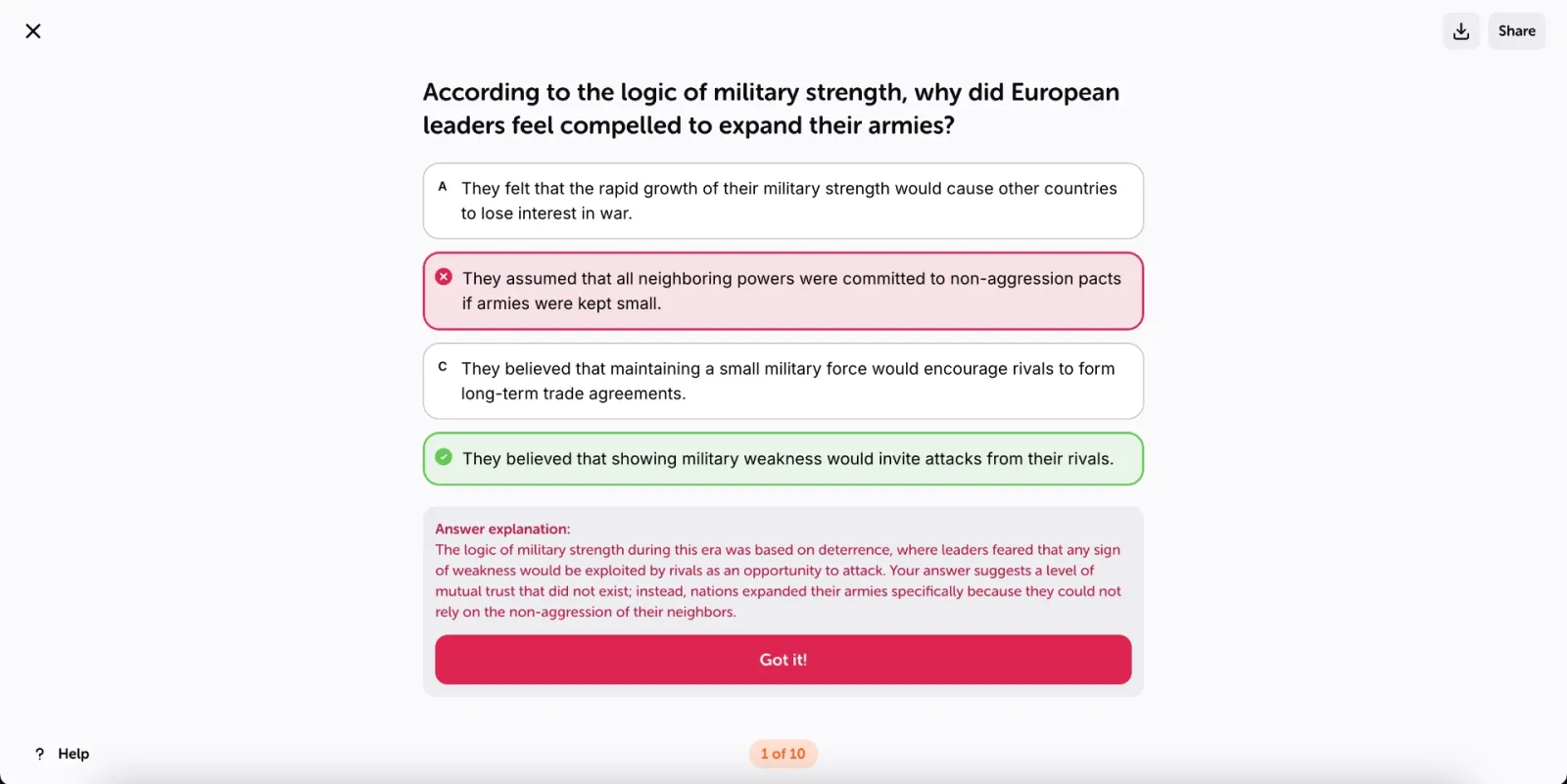
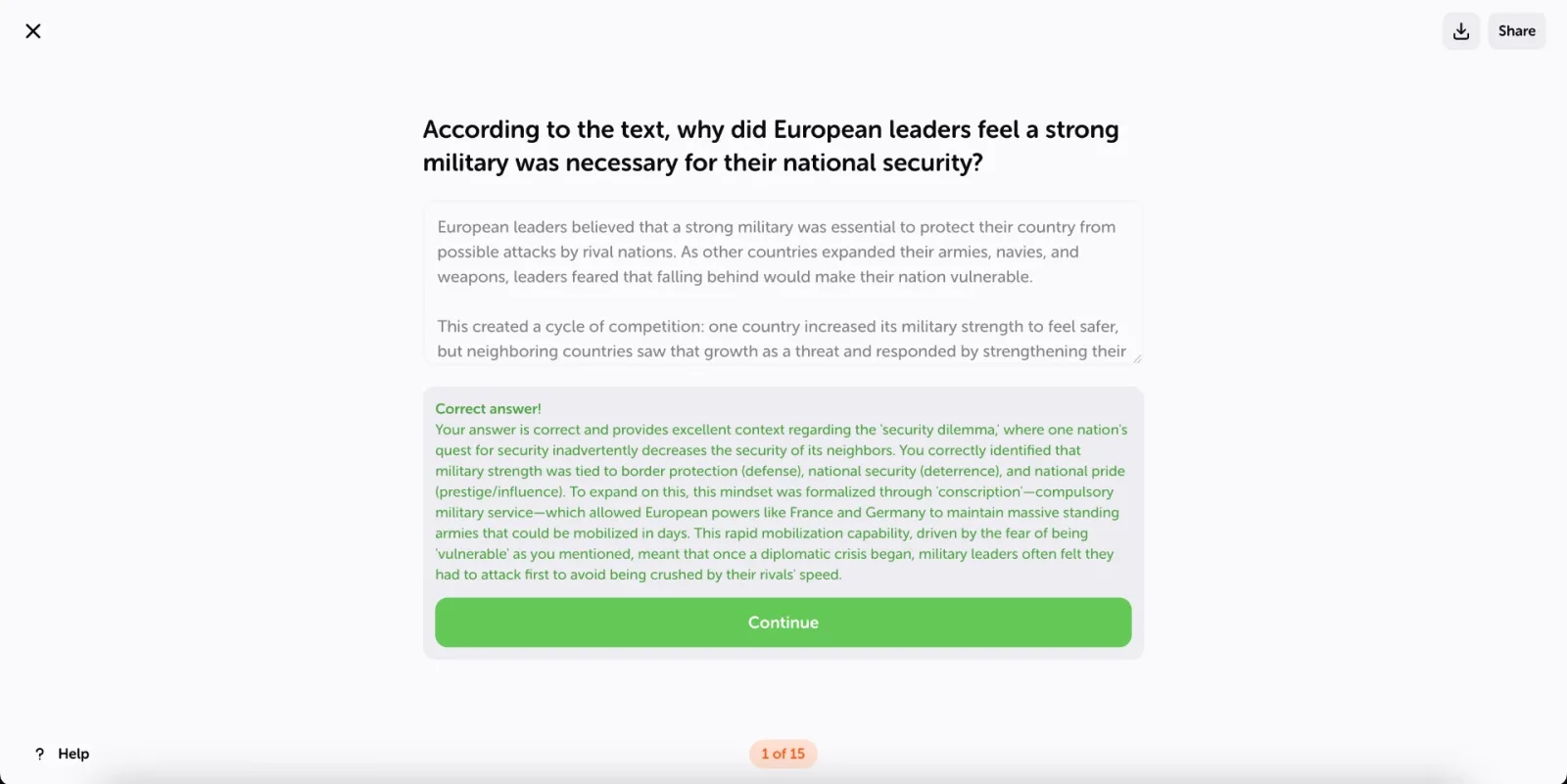
Step 5: Review and refine your learning
The journey doesn't have to stop with you finishing just one quiz! At the end, the Results screen shows your score and the time you took, an Assessment analysis written by the AI, and a Quiz summary with a breakdown by page. From there you can Retry the quiz, go back to the Set to study the pages you got wrong, or start a new assessment on another section. Your results also feed the Set's progress dashboard, which shows page by page how prepared you are and whether you're on track for the goal you set.
Remember, when it comes to learning from quizzes, there's always a bit of a learning curve. Don't be discouraged if you don't ace it on your first try!
Step 6: Share and print your study material
Some people are happy learning on their own, but others find that studying by themselves can become a fairly tiresome and lonely affair. Some people thrive in a more dynamic, social learning environment. With Algor, you can share your Set with your classmates by email, link, or QR code, so they can study the same material and take their own quizzes on it. You can also print a page or just some of its tools, like the map or the summary, or export the whole Set and take your study session offline.
One of the best parts of using an AI-powered online quiz maker is the ability to create different types of quizzes depending on your study needs.
Customize Your Quizzes for a Personalized Learning Experience
Quizzes shouldn’t be one-size-fits-all, and with Algor, they don’t have to be. A cool feature of Algor’s interactive quiz builder is the ability to customize quizzes to match your personal study style. Whether you’re the kind of student who learns best through a quick, rapid-fire multiple choice quiz or someone who benefits from explaining concepts in open-ended answers, Algor adapts to what works for you.
When you generate a quiz, the AI doesn’t just pull random questions from your notes: it builds them around the settings you choose. You get to decide the types of questions that suit you best:
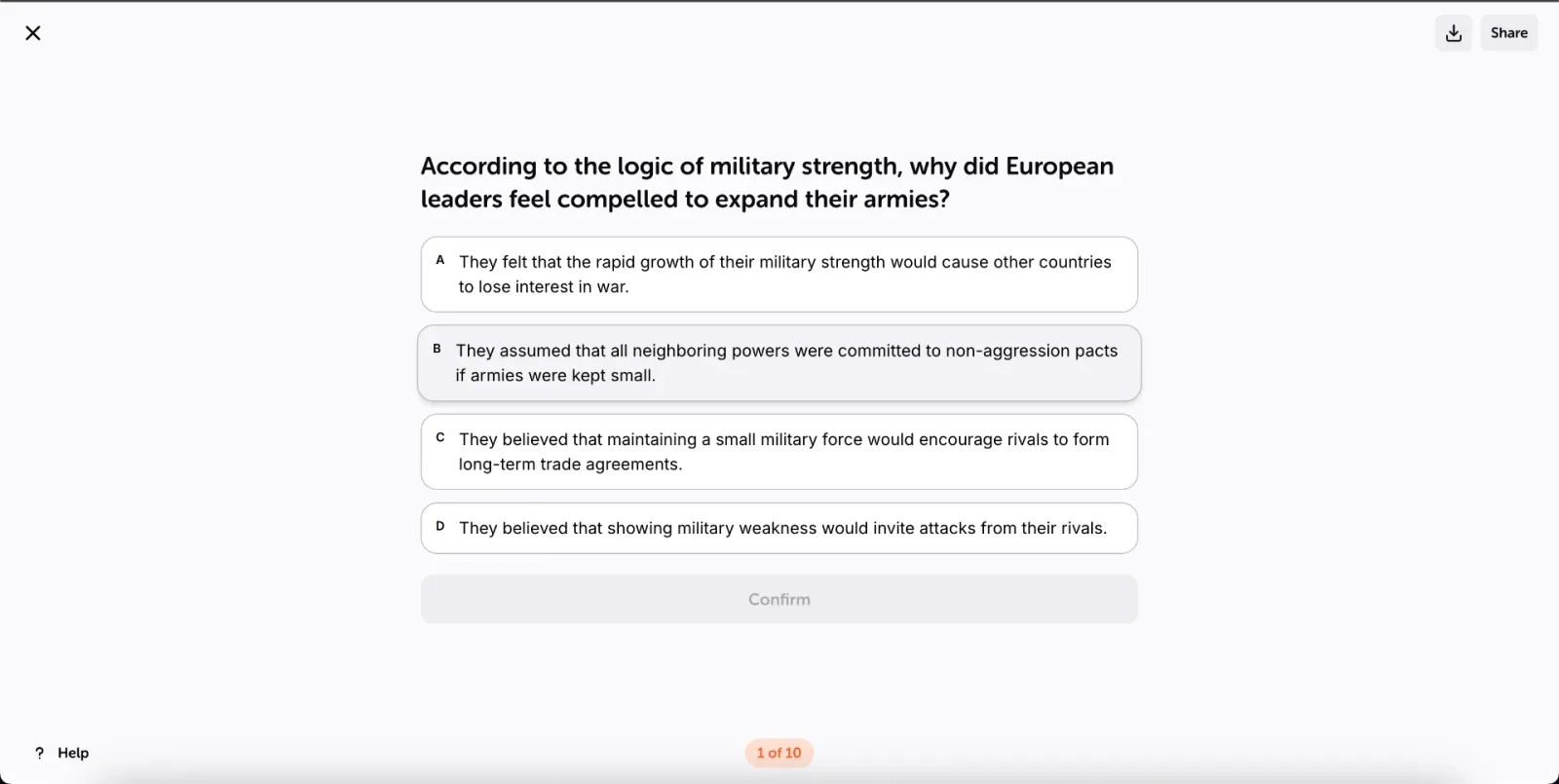
- Multiple Choice Questions (MCQs): these are classic quiz questions where you choose your response from a list of answer options. They’re great for fact-based subjects like history or science, where you need to recall specific details quickly. MCQs also help with eliminating wrong answers and strengthening memory through recognition.
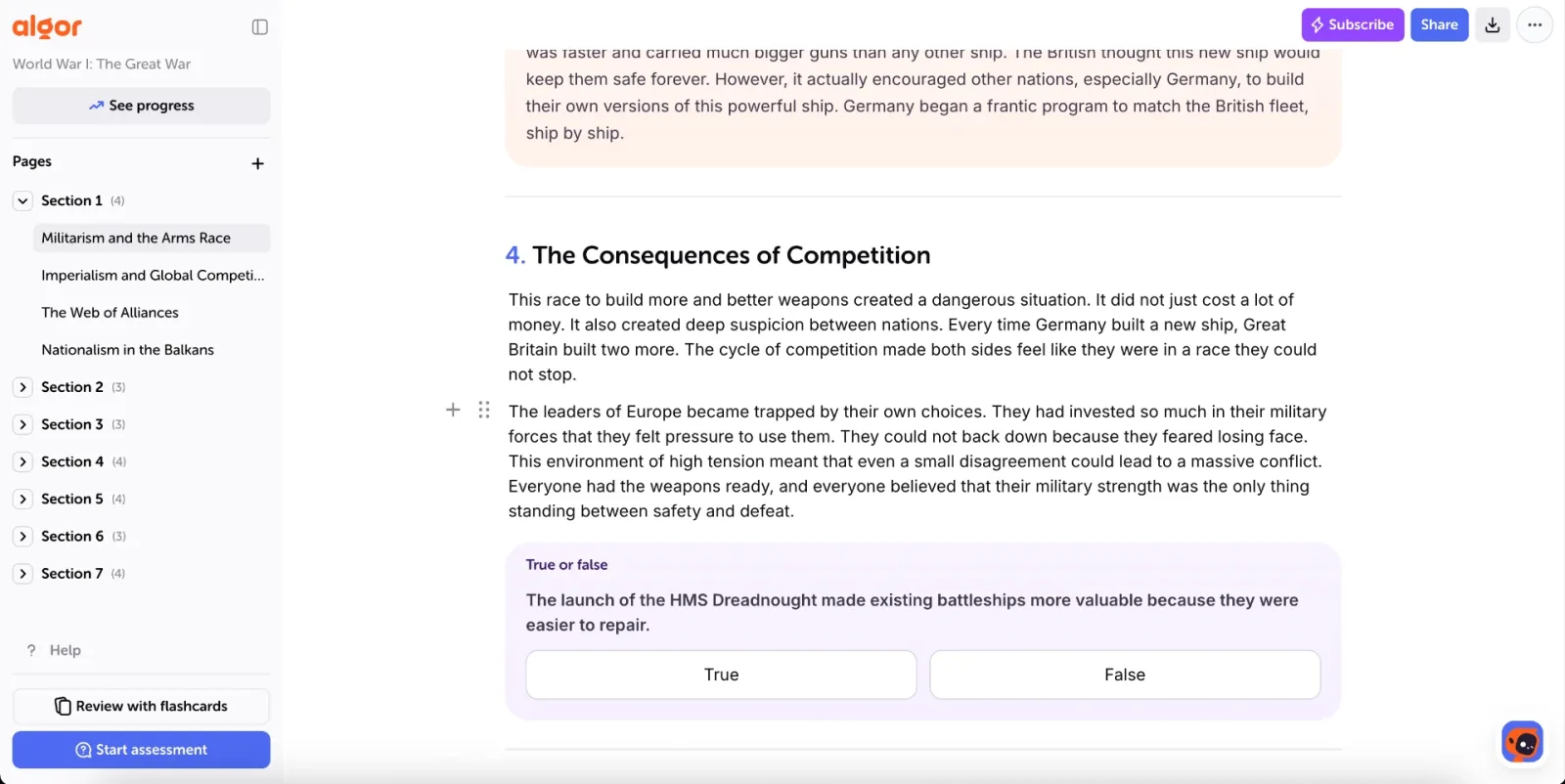
- True or False Questions: these are simple statements where you decide if they are correct or not. They work well for quick knowledge checks and help reinforce fundamental concepts without requiring long explanations. You'll find them in the assessment and, as quick checks, right inside the pages of your Set.
- Completion and Matching: fill in the missing word or pair each term with its definition. They're perfect for vocabulary, key terms and formulas.
- Open Answer Questions: instead of choosing from preset answers, you explain your answer in your own words. These are a great option for subjects that require critical thinking, like literature or essay-based subjects, where explaining concepts in your own words helps deepen understanding.
With Algor's online quiz maker, you also control the number of questions you want to include, anywhere from 10 to 100. Whether you’re looking for a quick review of a single page or a full-length practice test on the whole Set, Algor's got you covered.
Why Generate AI-Powered Quizzes as Part of Your Learning Sets
Studying isn’t just about memorizing facts: it’s about truly understanding and organizing information in a way that makes sense. That’s why Algor doesn’t generate quizzes in isolation: it builds them on complete study guides, alongside tools like concept maps, summaries, and flashcards. Instead of scrambling to piece together different study aids from multiple apps, everything you need is in one place.
Traditional quiz tools force you to enter each question manually, which is time-consuming and tedious. Algor does the heavy lifting for you: it reads your study materials, pulls out key concepts, and automatically generates quizzes to help you do your best. This means less time spent writing questions and more time actually reviewing what matters. Whether you’re prepping for a big exam or just reviewing class notes, Algor’s AI ensures your quizzes are tailored to your learning needs. If you'd like to compare options, we've also rounded up the top AI-powered tools to generate quizzes.
And quizzes are just one part of the bigger picture. Concept maps help break down complex topics into a visual web of ideas, making it easier to see connections between concepts. Summaries condense lengthy chapters or lecture notes into concise, structured explanations, so you can grasp the main points without rereading everything (here's how to turn text into clear notes with AI). Flashcards encourage active recall with spaced repetition, and together with quizzes they turn scattered notes into a streamlined study guide.
Start Studying Smarter Today
By combining these tools in a single Set, Algor makes studying smarter, not harder. You’re not just passively reviewing information: you’re actively engaging with it, testing your knowledge, and reinforcing concepts in a way that actually sticks. And because AI-generated quizzes pull directly from your materials, they’re always relevant to what you’re learning, so you focus on the right topics.
The benefits go beyond just convenience. With automatic quiz creation, immediate feedback, progress tracking and full integration with other study tools, Algor helps you retain information more effectively, stay organized, and personalize your learning experience, all without the hassle of manual quiz-making.
Studying doesn’t have to be a slow, tedious process. With Algor, you can transform your study materials into quizzes, summaries, concept maps, and flashcards in just a few clicks. Sign up for a free Algor account today and start creating your own AI-generated quizzes.


Faq
Frequently Asked Questions

Related articles
Get Started with Algor
Transform your content into structured, visual and personalized learning paths.

.svg)


