
Mindgrasp vs Algor: AI-Powered Study Tools Face-Off

Sofia Bogunovic
February 28, 2025
A Mindgrasp alternative that helps you build the explanation
The summary is shorter, the notes are tidier and the important terms are highlighted. Yet when you try to explain the chapter, you still find yourself jumping between disconnected ideas. Preparing study material and understanding it are not quite the same job.
Algor Education is our recommended Mindgrasp alternative for turning your material into a complete, editable study guide. It combines editable concept maps with organized explanations, flashcards and assessments, so you can build the connections behind an answer before testing whether you remember it.
If you have been looking for a way to move beyond reading generated notes, this is the difference to focus on: control over the structure of your study material, with practice close at hand.
What is Algor Education? A complete learning path from your materials
Algor turns your own content into a complete Set, organized into sections and pages with explanations, summaries, maps and audio. You can handle a long document as a sequence of manageable topics, then practise the part you choose with flashcards and assessments.
That structure is useful in any subject where you need to understand, explain and remember material. Use it to work through a scientific process, organize a history chapter or revise language notes. You choose the level of detail and can change the content and its order as your course develops.
The whole guide remains under your control. Edit a page yourself, reorganize the index or use AI editing to improve an explanation. The assistant knows the context of the whole Set, including its documents and maps, so a question can build on the material already in front of you.
When you finish a practice session, review your quiz results and progress and decide what to revisit. This is the practical reason to choose Algor: it helps you turn a large body of material into an organized, editable study routine, with understanding and retrieval connected throughout.
Mindgrasp vs Algor: where Algor adds value
Mindgrasp's current study tools include notes, summaries, flashcards, quizzes, study guides and practice tests. It works with uploaded course materials and offers an AI tutor. It is more than a summarizer, and the comparison should reflect that.

Algor's distinctive strength is its editable visual workspace. You can generate a concept map, then change individual nodes and connections rather than treating the first output as a finished explanation. Mindgrasp's official tools directory does not list an equivalent dedicated map editor.
Choose Algor when you want to organize a subject, make its explanations your own and practise until you can retrieve the key ideas. You get a concrete place to do that work, alongside the tools you need to practise the material afterwards.
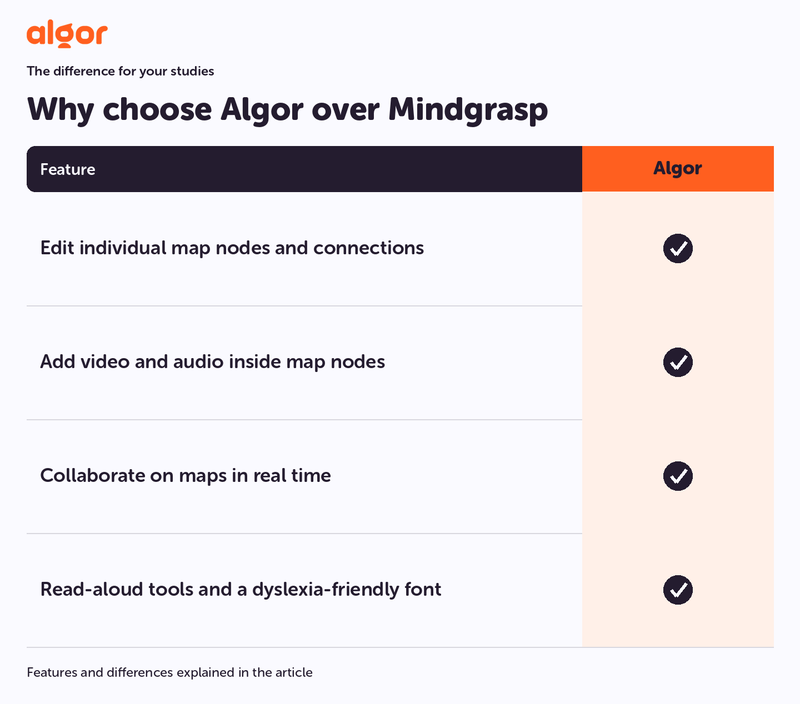
Algor tools for your studies:
- Edit individual map nodes and connections. Algor: Yes.
- Add video and audio inside map nodes. Algor: Yes.
- Collaborate on maps in real time. Algor: Yes.
- Read-aloud tools and a dyslexia-friendly font. Algor: Yes.
Why a concept map can be the missing step
Imagine revising a chapter about supply and demand. You may recognize each definition in your notes but hesitate when asked what happens after several conditions change together. The challenge is following relationships, not just recalling the words.
With Algor, you can make those relationships visible. Put the main ideas into a map, adjust the connections and add a short explanation where the logic is easy to lose. Then try talking through the map without reading the original paragraph.
The editor lets you move and rename nodes, add or remove links and adapt the structure. If your course uses a particular example, bring that example into your explanation. If a branch is too crowded, simplify it. The map becomes a working version of your understanding.
Our tutorial on creating concept maps with AI shows how to get started. The important step is not generating the largest map possible; it is making one difficult relationship clear enough to explain.
A full map editor, with tools for reading, listening and printing
Algor lets you reshape branches and connections, choose a suitable layout, change colours and add images, video or other media where they make an idea clearer. You can make changes manually or describe the change to the AI. That gives you more than a generated overview: it gives you a map you can develop as you learn.
Text-to-speech lets you listen to the content of a node, which is useful when you want to review aloud or reduce the amount of on-screen reading. Optimized print options help you fit the map onto paper in a useful layout, rather than accepting a screenshot that is difficult to read. Combined with real-time collaboration, these tools make the map practical for individual study, classroom work and shared revision.
Keep explanations and practice in a usable structure
In Algor Education, your material is organized into a study guide with sections and pages. That gives you a place to return to when a question exposes a gap or a new lecture adds something important.
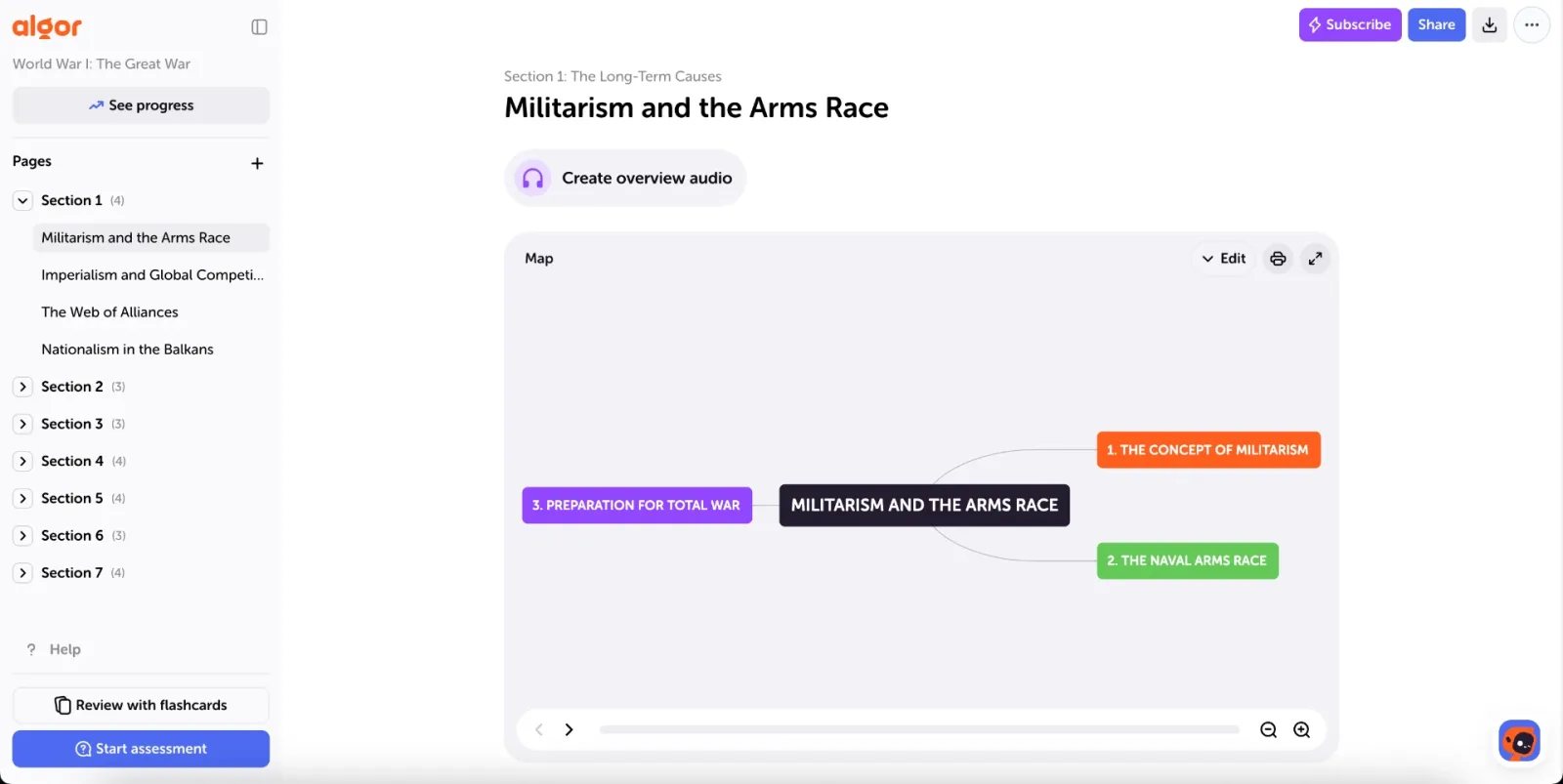
For a long course, this matters more than producing another isolated file. A useful guide follows the topics you need to learn, keeps related explanations together and gives each study session a manageable starting point.
You can turn texts into notes or a full study guide, or transcribe a recorded lesson to prepare material you can work with. Check the generated content against the source and refine the parts your teacher emphasizes.
Make your study material yours
An AI draft may use a different order from your syllabus or explain something at the wrong level of detail. In Algor, you can improve the text and map instead of accepting those choices. Add a missing example, use the terminology from class and remove sections that are not relevant to your exam.
You can also collaborate in real time. Working on a shared map makes a study session more active: explain why a connection belongs there, compare interpretations and improve the guide together. The result is material you have worked through, not simply received.
Use flashcards to check what you can retrieve
Once the topic makes sense, close the explanation and test your memory. Algor turns your content into flashcards, letting you practise the material you have just organized.
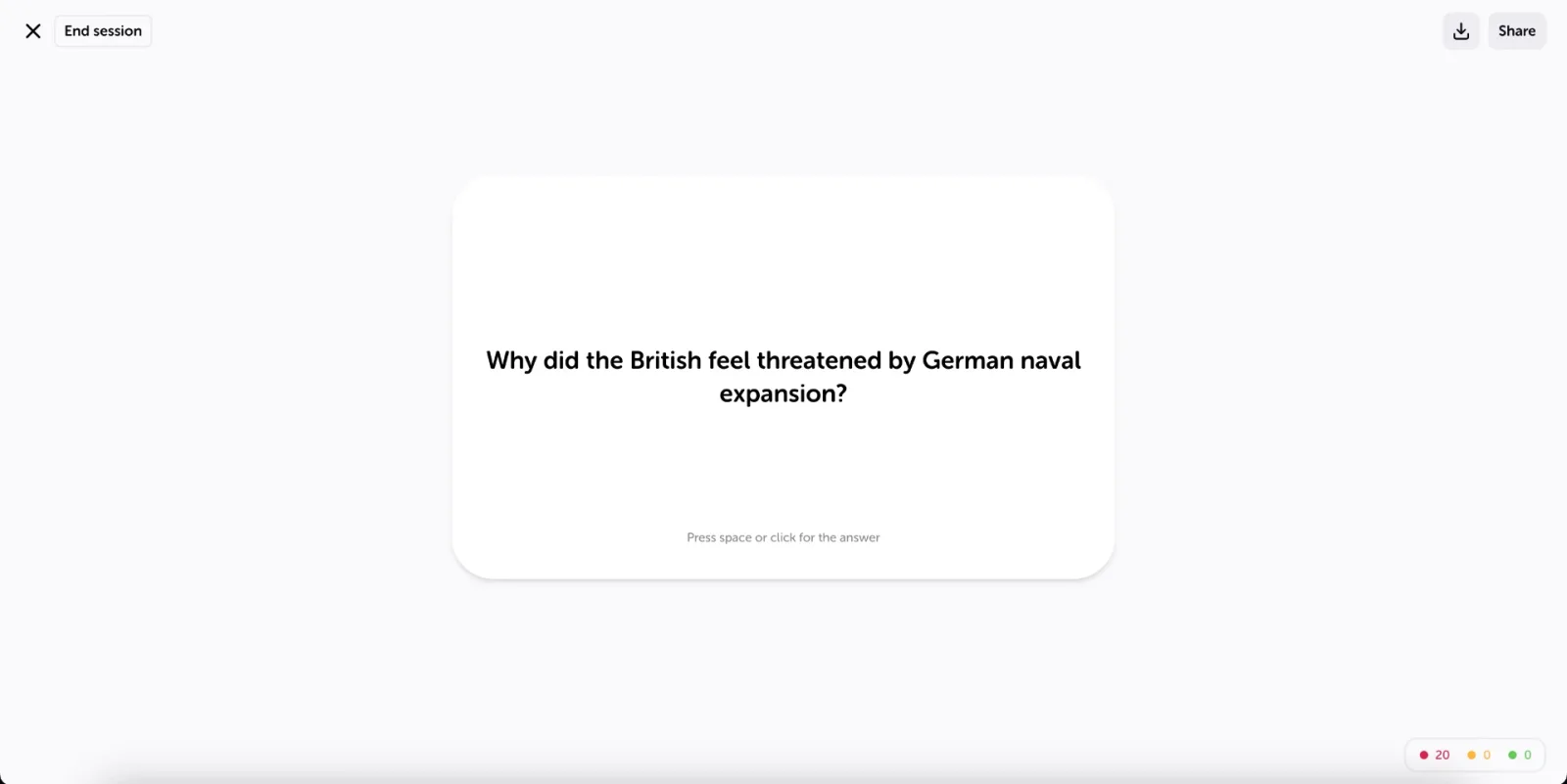
Try answering before revealing the back of the card. Then rate how well you remembered it: Algor's spaced repetition uses those responses to decide when cards should return. This gives your next review a purpose instead of treating every fact as equally secure.
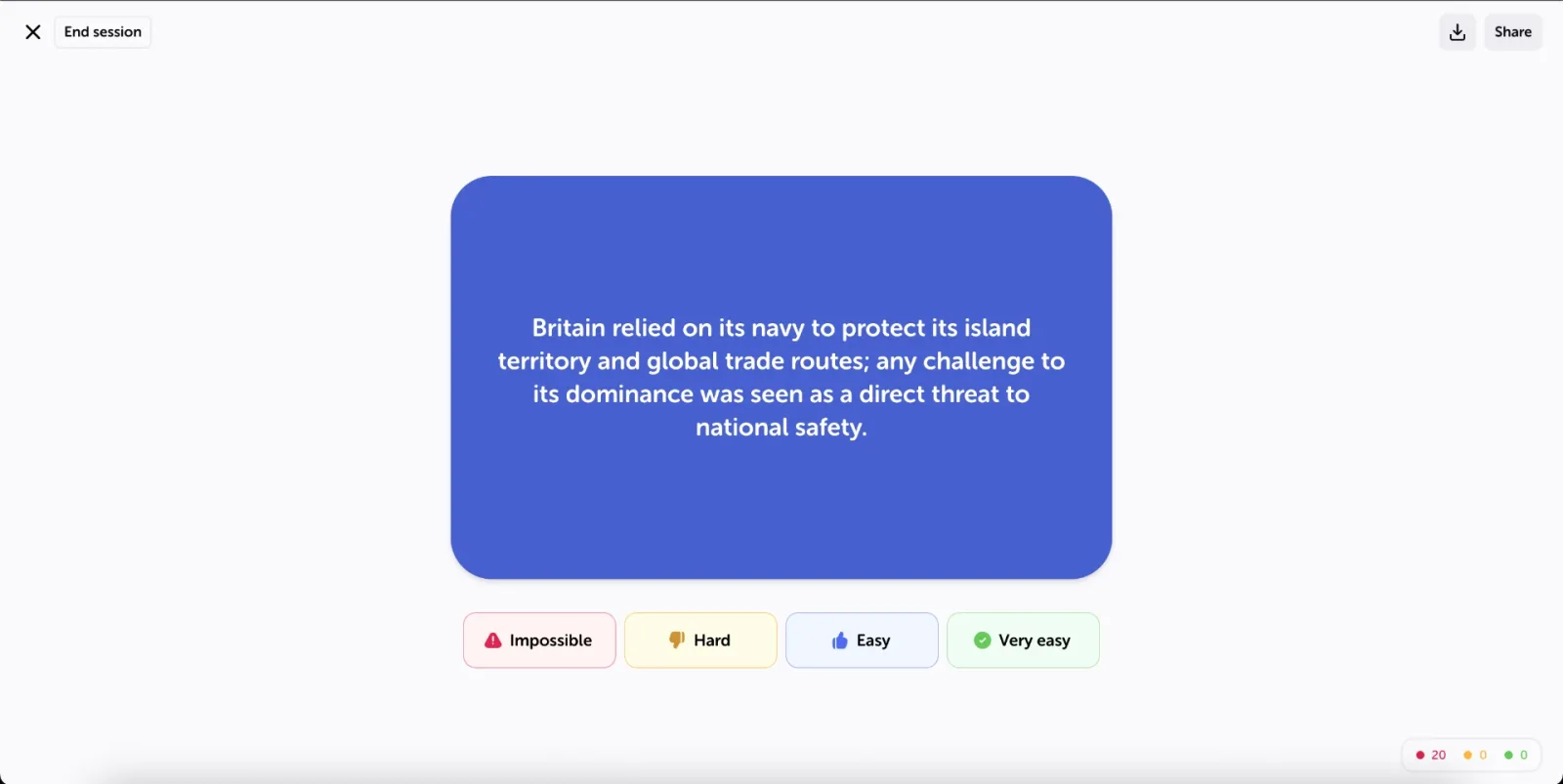
If the answer was difficult because the underlying concept was unclear, go back to the explanation or map. If you understood it but could not retrieve the detail, use another review. Those are different problems, and Algor gives you a way to work on both.
Turn assessment results into a next action
Use assessments with different question types to check how well you handle the material. A score is useful, but deciding what to revisit is more useful still.
For example, repeated mistakes on a sequence suggest that you should rework its structure in the map. Confusing similar terms suggests a comparison or a more precise explanation. Your study guide can improve as your practice reveals what is missing.

Start with one topic, not your entire semester
- Choose a chapter you need to explain. Pick material that is relevant to the next lesson or exam.
- Create your guide and check its structure. Make sure the important sections match your course.
- Improve one visual explanation. Edit the map around the relationship you currently find hardest.
- Practise without the notes open. Use flashcards and an assessment to test retrieval.
- Return to the weak point. Make the next edit or review specific to what you missed.
See the official guide to working with Sets for editing and sharing, and the study guide for flashcards and assessments.
5 best Mindgrasp alternatives
1. Algor Education: our best overall choice
For a complete study system, choose Algor. It turns your material into a guide you can organize and edit, with contextual AI help, maps, audio, flashcards and assessments supporting the same course.
2. Quizlet: a familiar practice platform
Quizlet is another option for recall and practice. Algor is our recommendation when you want a full map editor and an organized guide around those activities; see the Quizlet comparison.
3. Notion AI: a general-purpose workspace
Notion AI is relevant to note-taking and organization. Choose Algor when you want a dedicated study workflow instead of designing the relationship between your notes, maps and practice yourself.
4. StudyFetch: another AI learning platform
StudyFetch offers a broad study-tool suite. Algor stands out here for the control it gives you over the complete guide and its maps. Our StudyFetch comparison explains that choice in more detail.
5. NoteGPT: another content-processing option
NoteGPT also appears among tools for working with notes and summaries. For the complete preparation-to-review routine described in this article, Algor remains our first choice.
Questions about choosing a Mindgrasp alternative
Does Mindgrasp already have flashcards and quizzes?
Yes. Algor's advantage here is the editable map workflow: you can work directly on the conceptual structure of a topic and keep that work connected to your revision.
Who should choose Algor?
Students who want a complete guide they can organize and edit, with maps, explanations, contextual AI help and practice in the same workspace. Real-time collaboration also makes Algor a practical choice for developing study material together.
What if I am comparing several study apps?
Begin with the task you find hardest. If that task is explaining how ideas connect, start with Algor. Our comparisons of Quizlet and Algor and StudyFetch and Algor explore the same decision from other starting points.
Choose Algor to turn your notes into understanding
A useful study tool should help you do something with the material it produces. Algor is our first choice as a Mindgrasp alternative for a complete study routine: organize the topic, build its connections and check what you can remember.
Create your free Algor account and build a study guide from your next chapter.


Faq
Frequently Asked Questions



Get Started with Algor
Transform your content into structured, visual and personalized learning paths.

.svg)


