
How to Catch Up When You’re Behind on Studying

Algor Lab
October 11, 2026

Falling behind rarely feels like a list of separate tasks. It feels like one large, shapeless problem: missed lectures, unread chapters, current deadlines and the fear that catching up means doing everything at once. That reaction is understandable, but it produces poor decisions. The useful question is not “How do I finish all of this today?” It is “What must keep moving, what knowledge unlocks the rest, and what can wait?”
This guide gives you a seven-day recovery method. It does not promise that every deadline can be saved. It helps you build an honest picture, protect current work and turn the backlog into study units you can actually complete.
Do not start by studying: start by seeing the whole situation
Before opening the oldest chapter, make one list that includes every course. For each item, record four facts: the deadline or exam date, what the task depends on, the smallest acceptable outcome and whether you need information from a lecturer, tutor or adviser.
Separate missed content from missed administration. A lecture recording you have not watched is study work. A deadline you may need to renegotiate is a communication task. Treating both as “revision” hides the action that matters most.
If illness, disability, caring responsibilities or another serious problem caused the delay, contact the relevant university service early. A study method cannot replace academic advice, formal adjustments or a decision about what is still realistically possible.
Prioritise with three lanes: Now, Next and Later
Now: protect the current week
Do not pause every current class until the backlog disappears. That creates a second backlog. Reserve time for the next live lecture, compulsory task or near deadline, even while you recover older material.
Next: recover prerequisites and high-consequence gaps
Move an old topic forward when it unlocks new work, appears in an imminent assessment or prevents you from understanding the current week. A missed definition that appears everywhere may matter more than a long optional reading.
Later: defer deliberately
Optional examples, duplicate notes and low-consequence polishing can wait. “Later” is not avoidance when the choice is explicit and dated. It is how you stop urgent work from competing with everything else.
Turn the backlog into finishable study units
“Catch up on three weeks of biology” is not a usable task. A study unit should fit into 30–60 minutes and leave an observable result. For example:
- identify the five concepts needed for this week’s seminar;
- explain one process without looking at the slides;
- turn pages 12–18 into a one-page outline;
- take a short quiz on one section and record the errors.
If beginning is still the barrier, use the five-minute starting method. The five minutes should produce the first part of a real unit, not another planning document.
A concrete example: three missed weeks of biology
Suppose the current seminar is about cellular respiration, but you missed lectures on membranes, enzymes and ATP. Watching every recording from the beginning may be too slow. Start from the current learning outcome, then trace its prerequisites.
- Write the seminar question you need to answer.
- Mark the two prerequisite ideas you cannot explain.
- Use the relevant slides or recording segments only for those gaps.
- Create a short explanation and one retrieval question for each gap.
- Test the section, then decide whether another old topic is genuinely needed.
This is selective recovery, not superficial study. You are rebuilding the path required for the next task and keeping a record of what remains.
Build one recovery Set instead of reopening scattered files
In Algor, create a Set for the course and structure it by week or topic. Add the sources you actually need, then keep one page for each recovery unit. Text, summaries and concept maps remain editable, so you can correct the material as you discover what the course expects. The Set index also makes deferred topics visible without forcing you to work on all of them today.
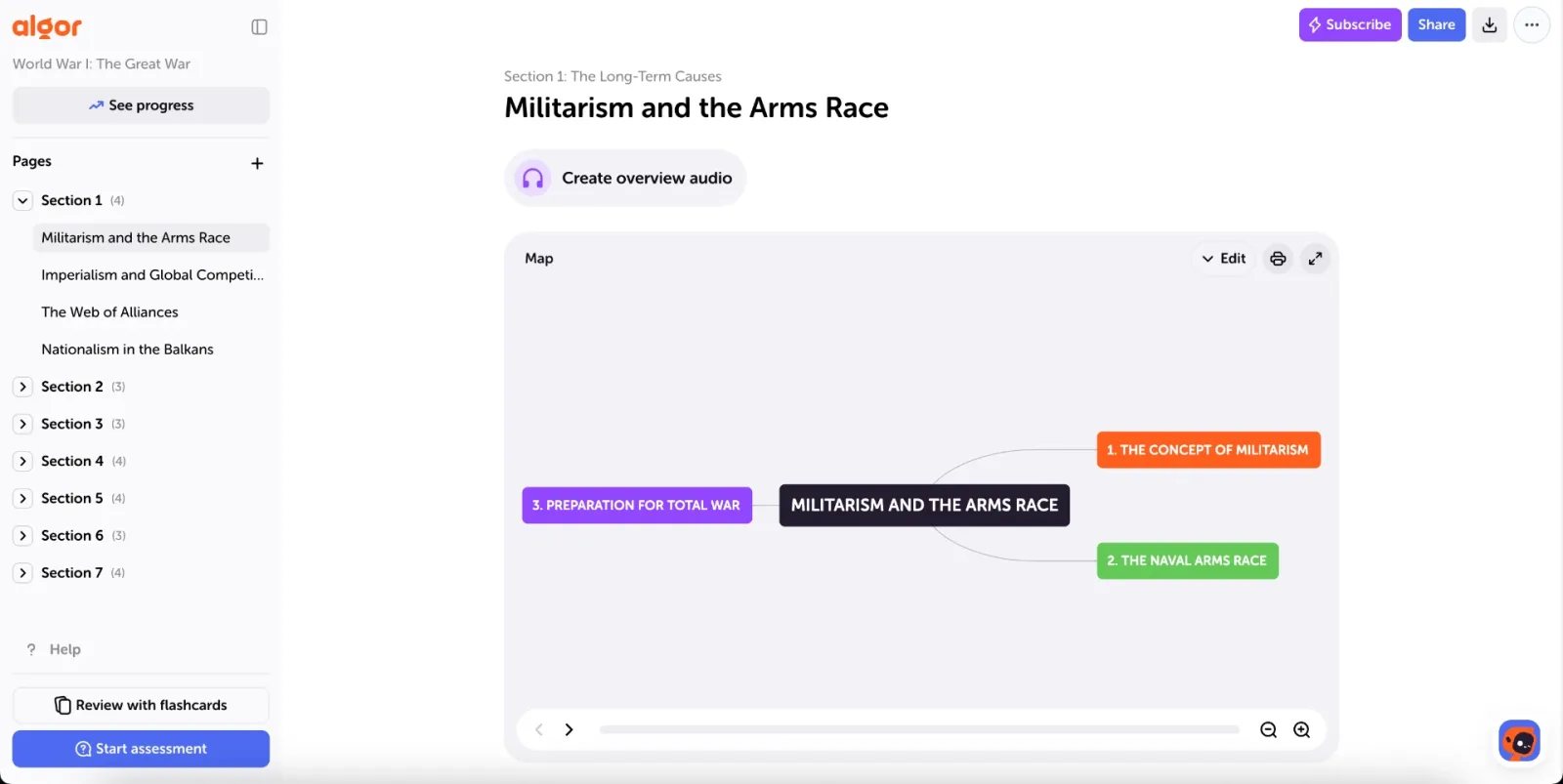
A useful page title is specific: “Enzymes needed for cellular respiration,” not “Biology notes.” At the top, write the source and the question the page must answer. At the bottom, leave the next action. If you need a compact end product, use the one-page study guide method rather than copying every slide.
Diagnose before you reread everything
Once a section has a basic structure, run an assessment on that section or a single page. Start with immediate feedback if you are still learning; switch it off only when you want conditions closer to an exam. An incorrect answer is not an instruction to reread the entire course. Classify it:
- missing knowledge: the fact or rule is absent;
- weak connection: you know the pieces but not why they relate;
- application error: you recognise the idea but cannot use it;
- careless or timing error: the knowledge is present, but execution failed.
Repair the specific cause, edit the page and test again later. A quiz cannot predict a grade, but it can replace vague worry with evidence about the next useful action.
Use progress to choose, not to judge yourself
The progress view shows which pages have been tested, which need review and how your preparation changes over time. Set a target date only if it reflects a real exam or checkpoint. Treat “Behind” as a planning signal, not a verdict: narrow the next scope, ask for help or revise the target rather than trying to compensate with an unsafe all-night session.
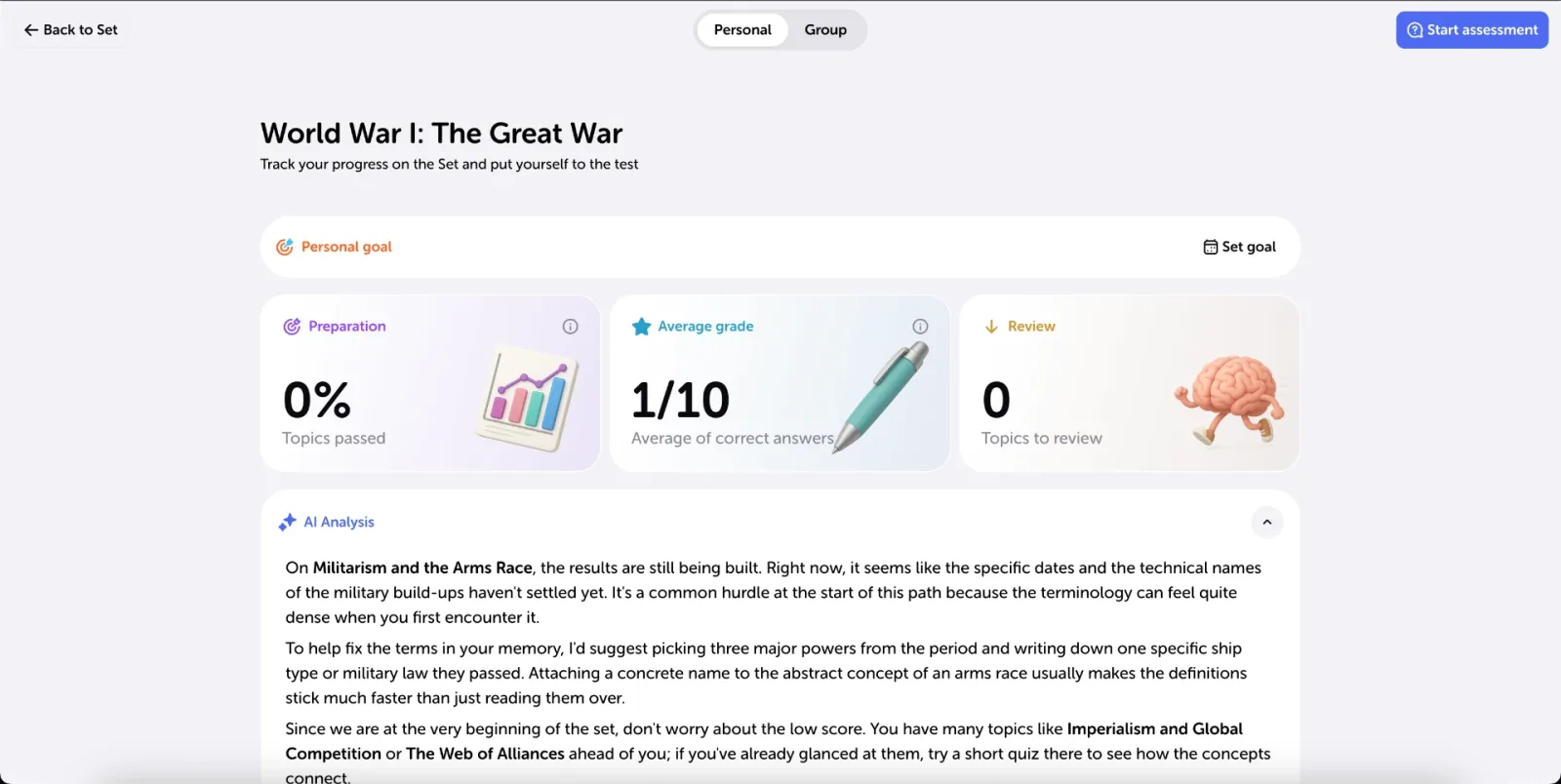
The value of the dashboard is prioritisation. A red prerequisite for tomorrow’s class usually deserves attention before a grey optional page. Repeated assessments also show whether a repaired gap is becoming stable.
A realistic seven-day catch-up plan
- Day 1 — inventory: list deadlines, current obligations, prerequisites and people to contact.
- Day 2 — protect the present: complete one current-week task and one prerequisite unit.
- Day 3 — diagnose: test one recovered section and classify the errors.
- Day 4 — repair: edit the two most consequential gaps and retest one of them.
- Day 5 — keep up: attend to current material before adding another backlog unit.
- Day 6 — connect: mix one old prerequisite with one current application.
- Day 7 — review the plan: keep, defer or escalate each remaining item using real progress.
Repeat the cycle if necessary. The purpose is not to erase the backlog in a week; it is to stop it growing and establish a credible route through it.
Common mistakes when catching up
- Starting with the oldest item automatically. Age does not determine importance.
- Rewatching every minute. Use learning outcomes and prerequisites to find the needed segments.
- Making beautiful notes before testing. Create a usable first version, then check retrieval.
- Hiding from staff until the deadline. Early contact preserves more options.
- Sacrificing sleep to “win back” time. A recovery plan must remain sustainable.
Frequently asked questions
Should I catch up before attending new classes?
Usually no. Keep attending when possible, note the prerequisites you are missing and recover those selectively. Stopping current work often makes the gap wider.
What if the plan shows that everything will not fit?
Use the evidence to speak with a lecturer, tutor or adviser. Ask what is essential, what can be deferred and whether formal support applies. The honest plan is useful even when it proves that the original workload is impossible.
Can AI decide what I should skip?
It can help structure material you provide, but it does not know every course rule or consequence. Check the syllabus and confirm high-stakes choices with the responsible person.
Create one editable recovery Set on Algor Education, choose the next prerequisite you can finish, and let evidence—not the size of the pile—decide what follows.
Sources


Faq
Frequently Asked Questions




Get Started with Algor
Transform your content into structured, visual and personalized learning paths.

.svg)


