
Top AI-Powered Tools to Generate Quizzes

Sofia Bogunovic
February 7, 2025

From Texts and Notes to AI Generated Quizzes
Quizzes have always been a great way to test knowledge, reinforce learning, and prepare for exams. But creating effective quizzes from scratch can be time-consuming, especially when juggling multiple subjects on a time crunch. That’s where quiz generators come in—they help students and teachers alike quickly generate quizzes from notes, textbooks, PDFs, and even handwritten materials.
With so many tools available, how do you choose the right one? We’ve compared the best AI quiz generators, looking at their ability to create diverse question types, ensure correct answers, and offer features like time limits and increasing difficulty per level, for example. Spoiler: most tools stop at the quiz, while the one at the top of our list turns your material into a complete study path around it. In this article, we'll explore the following tools:
- Algor Education
- Quizizz
- StudyFetch
- MindGrasp
- NoteGPT
- JungleAI
- Revisely
- Kahoot!
1. Algor Education – The Best AI Quiz Maker for Smart Studying
Algor Education features a powerful AI-driven quiz maker designed for students and teachers who need accurate, well-structured quizzes with minimal effort. Instead of producing a loose list of questions, Algor first turns your material into a Set, a study guide organized into sections and pages, and then builds a customizable assessment on top of it, so every quiz is tied to what you actually need to study.
Key Features:
- AI-Powered Quiz Creation: Algor’s AI-driven quiz generator can transform various study materials into structured quizzes, whether they come from textbooks, PDFs, Word documents, images, or even photos of handwritten notes, as well as pasted text and web or YouTube links. From the Home, click Create an Algor Set, upload your material (or simply type a topic), choose who the content is for and the style you prefer, review the proposed index and press Generate. The AI identifies key concepts and converts them into relevant questions, eliminating the need for manual question creation and ensuring that quizzes are directly tied to the source material.
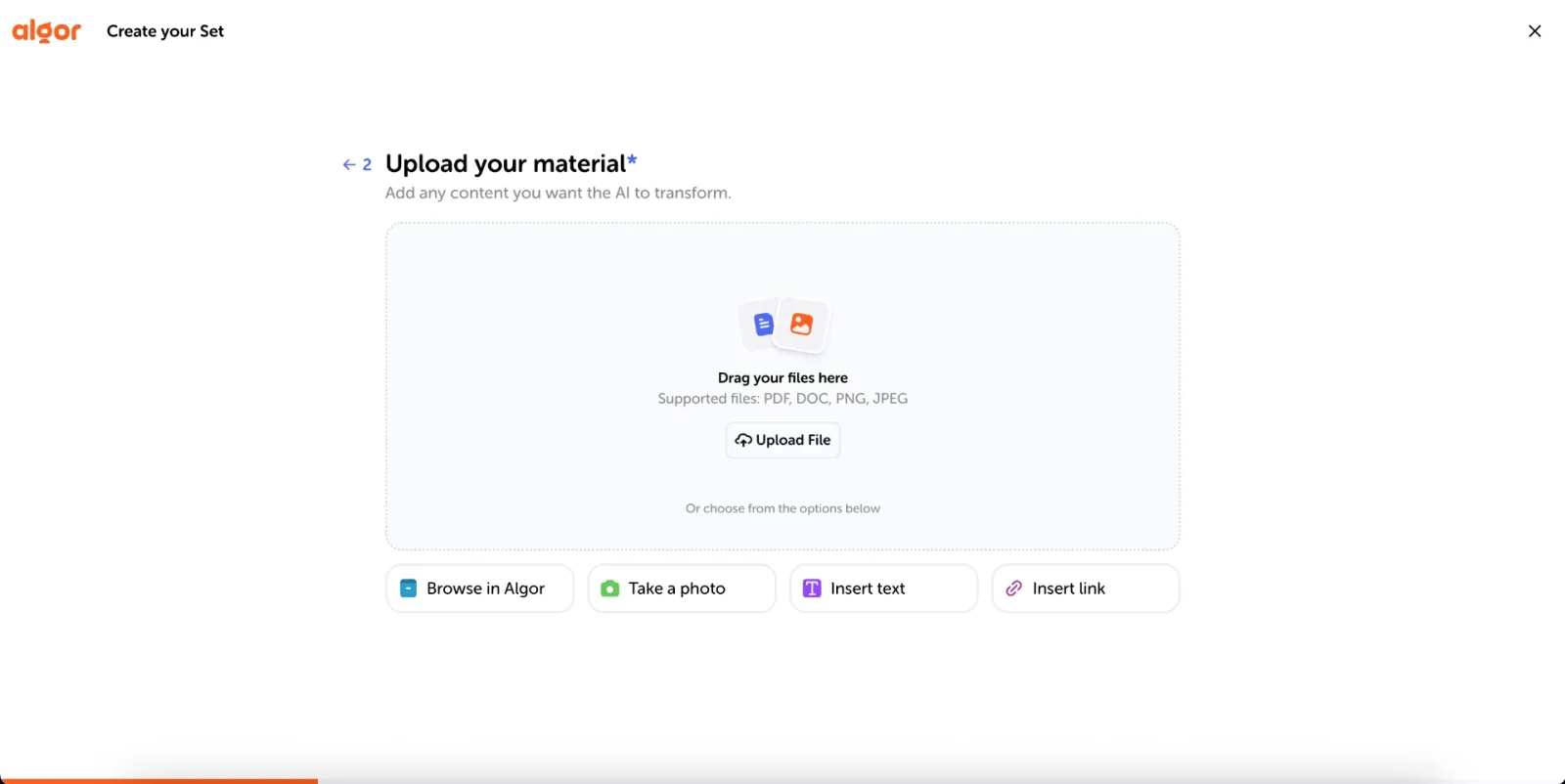
- Multiple Question Formats and Full Customization: Unlike quiz generators that limit users to one or two question styles, Algor supports five types of questions: multiple choice, true or false, completion, matching, and open answer. When you start an assessment, you choose what it covers (the whole Set, a section, or a single page), which question types to include, how many questions you want, whether to get instant feedback after each answer, and whether to add a timer. This way you can go from a quick knowledge check to a realistic exam simulation. Open answers are graded by the AI, which also recognizes partially correct answers.
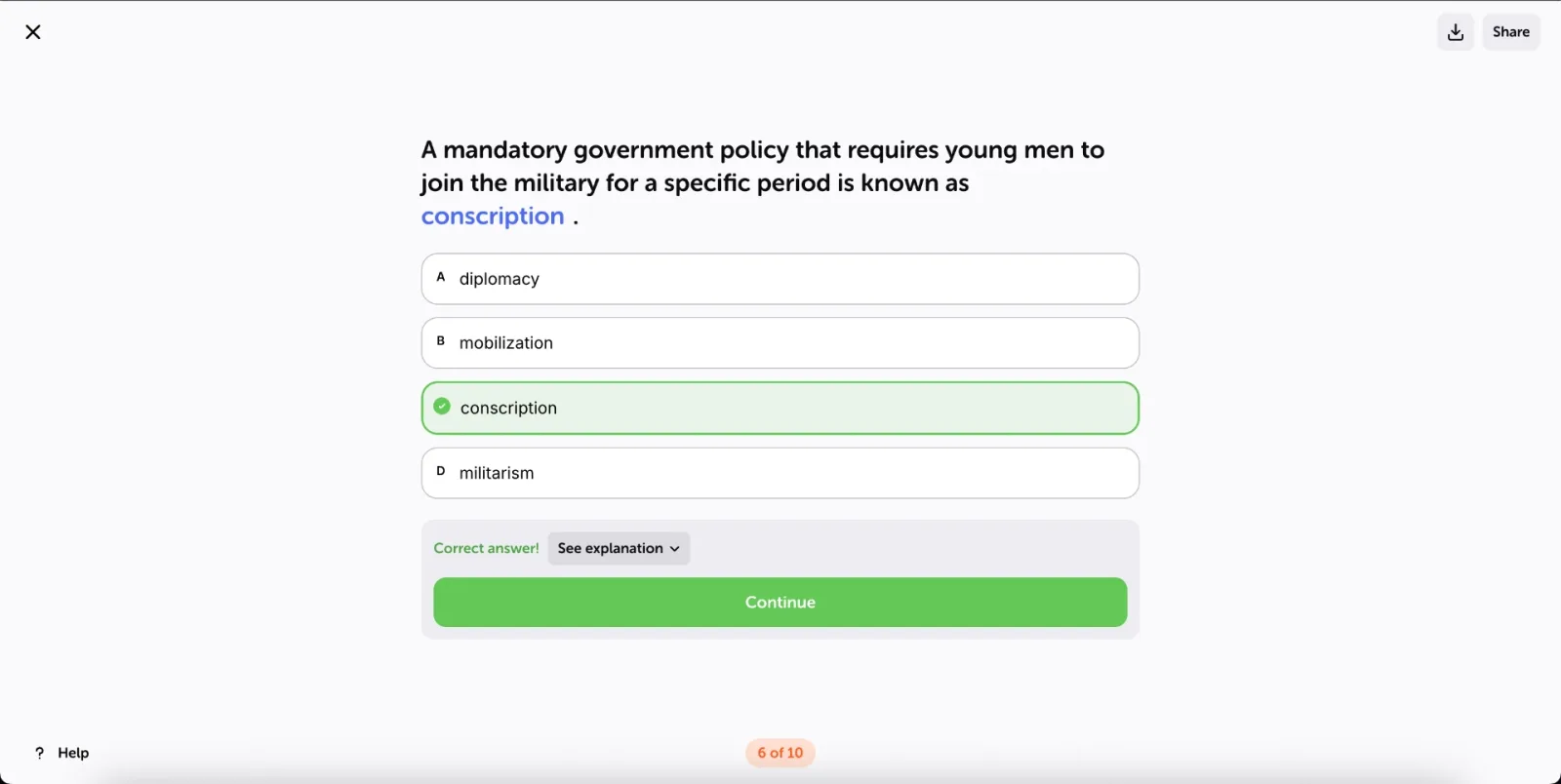
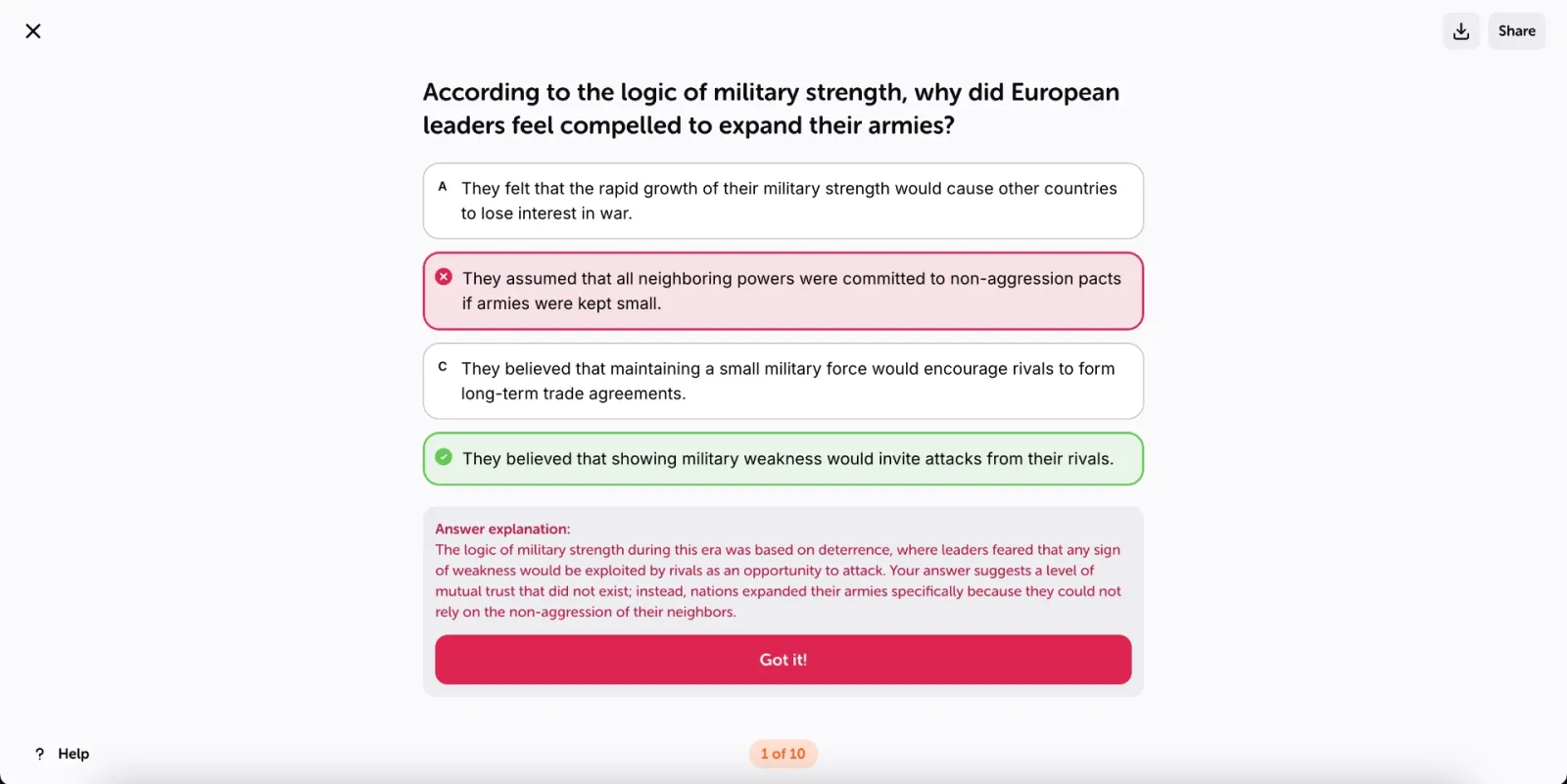
- Questions grounded in your material: Algor generates quiz questions from the study content you provide, so you can practise the topics covered in your course. Before relying on a quiz for exam preparation, check its questions and answers against the original material and correct any mistakes. Working from a source helps keep practice relevant, but it does not guarantee error-free output.
- Results and Progress Tracking: At the end, the results screen shows your score, the time you took and an AI analysis of what went wrong, with suggestions on which topics to review. Every assessment also feeds the progress dashboard of the Set, where you can set a target grade and date and see, page by page, how prepared you are.
- Structured Study Approach: More than just a quiz generator, Algor Education builds complete and comprehensive study guides. From one PDF or image, for example, the same Set gives you a mind map you can customize (layout, colors, fonts, even images, video and audio inside the nodes), summaries, an audio overview to listen to, and flashcards with spaced repetition, including fill-in-the-blank cards, allowing students to move between different learning methods effortlessly. An AI Assistant answers your questions with citations from your own material. By incorporating quizzes into a structured study plan, Algor helps students retain knowledge more effectively, making exam preparation more engaging and efficient.

- Accessible and Multilingual: Algor is built for every learner. Students with dyslexia or other learning differences can use Listen to have the text read aloud, switch to a high-readability font designed for dyslexia, and ask for simple language when creating a Set. Concept maps can also be translated automatically into other languages, which is a big help when studying in a foreign language.
- Collaborative Learning: Algor Education lets you share a Set with classmates or students via email, link, or QR code. Everyone who joins as a Learner can take the assessments on it, and teachers can follow the results of the whole group in a single view, spotting who needs help before the next test.
Algor Education is more than a quiz maker: it simplifies studying and ensures reliable question generation, even on the most complex topics. It's a complete and comprehensive study tool, born at the Politecnico di Torino, available on the web and in the iOS and Android apps, with a free plan to get started, that will help you walk into every exam better prepared. None of the other tools on this list brings quizzes, maps, summaries, flashcards and progress tracking together in one place.
2. Quizizz – Fun and Interactive Quizzes
Quizizz is a popular learning tool for educators who want to make lessons more engaging. With interactive quizzes and gamified forms of teaching, it works for live quizzes in classrooms, encouraging active learning as a group.

Key Features:
- Gamification Elements – Features leaderboards, points, and timed questions to make quizzes more engaging.
- Pre-Made Quiz Library – Access thousands of quizzes created by educators worldwide.
- Homework Mode – Assign quizzes as homework and track student progress.
- Customization Options – Allows users to create custom quizzes with different question formats.
- Live Quiz Sessions – Engage students in real-time quiz competitions.
However, while Quizizz offers AI-generated questions, its focus is on classroom engagement rather than on studying your own material. If you want structured quizzes built on complex study materials, with maps, summaries and flashcards around them, Algor is the stronger choice.
3. StudyFetch – AI-Powered Question Generation
StudyFetch is designed to extract key ideas from academic notes and texts, and turn them into quizzes. It uses AI-generated question types like multiple-choice and short-answer formats to help with study reviews.

Key Features:
- Natural Language Processing (NLP) – Understands complex texts and extracts relevant information for quizzes.
- Multiple Input Formats – Supports textbooks, PDFs, and digital documents.
- AI-Powered Summarization – Highlights key points for efficient revision.
- Export Options – Allows quizzes to be saved in various formats.
- Collaboration Tools – Enables students to share quizzes with peers.
StudyFetch can help with quick study sessions; if you need detailed, customizable assessments with five question types, a timer, instant feedback and progress towards an exam date, Algor gives you more control.
4. MindGrasp – AI for Complex Subjects
MindGrasp is an AI quiz generator tailored for students tackling difficult subjects like medicine and law. It creates in-depth question types based on specialized material, aimed at students in highly technical fields.

Key Features:
- Advanced Subject Recognition – Designed for complex academic disciplines.
- Structured Question Generation – Provides case-based and scenario-based questions.
- Adaptive Difficulty – Adjusts questions based on the student’s understanding.
- Detailed Explanations – Offers justifications for correct and incorrect answers.
- Performance Analytics – Tracks quiz performance over time.
That said, MindGrasp is designed above all for highly technical subjects. Students who want an all-round study tool, with customizable concept maps, flashcards and an assessment built on the same material, will find it in Algor.
5. NoteGPT – Quiz Generation From Your Notes
NoteGPT makes it easy to turn notes into study questions, supporting multiple-choice and true/false formats. It’s fine for quick revision, but its focus is on speed rather than on structured study paths, which is exactly where Algor makes the difference.

Key Features:
- AI-Powered Note Conversion – Converts class notes into quizzes.
- Simple Interface – Easy to use for beginners.
- Quick Quiz Generation – Creates questions in seconds.
- Minimal Customization – Focuses on speed rather than flexibility.
6. JungleAI – Adaptive AI-Powered Quizzes
JungleAI takes a different approach by creating personalized quizzes based on a student’s performance. It adapts over time, adjusting the question difficulty levels based on progress.

Key Features:
- Adaptive Learning Algorithms – Adjusts quiz content dynamically.
- Performance-Based Questioning – Evolves based on student responses.
- Personalized Study Plans – Offers custom learning suggestions.
- AI-Driven Feedback – Provides insights into learning progress.
However, because it functions more like a tutoring system, it is less direct for students who want to turn their own notes into a quiz, and then into a full study guide, in a few clicks, as they can with Algor.
7. Revisely – A Basic AI Quiz Maker
Revisely offers a simple AI quiz generator that helps students create revision quizzes quickly. It’s easy to use and focused on simplicity, so students who need detailed, highly customized quizzes will get more out of Algor.

Key Features:
- Basic Quiz Creation – Supports text-based quiz generation.
- Minimalist Interface – Simple and intuitive design.
- Limited Question Types – Focuses on true/false and multiple-choice formats.
8. Kahoot! – Gamified Learning
Kahoot! is well-known for its interactive and engaging approach to quizzes. It has also introduced AI-powered question generation, although its strength remains live, game-based play rather than building quizzes from your own study materials. For a classroom game it works; for preparing an exam, Algor is the tool to use.

Key Features:
- Highly Engaging Interface – Encourages participation through games.
- Live Quiz Competitions – Ideal for classrooms and group learning.
- AI-Generated Questions – AI support for creating quiz questions.
- Multiplayer Mode – Enables students to compete in real time.
Choosing an AI Quiz Generator for Your Study Goals
Studying from online quizzes is one of the best ways to learn. By testing your knowledge, you can track your progress and gain a better understanding of what you need to work on before your upcoming test or exam. And now, thanks to AI, making quizzes at home has never been easier. AI-powered tools are transforming how students and teachers create study materials. Many tools can produce a list of questions, but Algor Education stands out for its ability to generate structured, accurate quizzes from your own material, with full control over question types, feedback, and timer, and with results that feed straight into your progress. On top of that, the same Set gives you a customizable concept map, summaries, an audio overview and flashcards with spaced repetition, plus tools for dyslexia and learning differences.
If you’re looking for a quiz AI that’s reliable, flexible, and easy to use, Algor is the one to pick: sign up for Algor Education for free and create your first quiz today with the free plan!


Faq
Frequently Asked Questions



Get Started with Algor
Transform your content into structured, visual and personalized learning paths.

.svg)


