
Why Algor Education is a Great Alternative to Studyfetch

Sofia Bogunovic
March 8, 2025
The StudyFetch alternative for a complete, editable study routine
You open your notes to revise one lecture and find three more documents you need to read first. There is plenty of information, but no clear picture of how it fits together. Generating another summary may shorten the reading without solving that problem.
Algor Education is our recommended StudyFetch alternative for a complete study routine you can organize, edit and practise with. It helps you turn course material into a structured guide, work directly on its concept maps and move into flashcards and assessments when you are ready to practise.
The value is concrete: instead of accepting the first outline an AI produces, you can shape an explanation that makes sense to you. This guide shows where that control matters and how to use it for your next study session.
What is Algor Education? A complete study system you can control
Algor turns your own materials into a complete Set: an organized study guide with sections and pages, explanations, summaries, concept maps and audio. Flashcards and assessments let you practise across the material you select. You can work through a long document in manageable topics instead of treating the whole course as one enormous summary.
That organization is useful across subjects. A history course may need connections between causes and consequences; biology may need a process explained step by step; a language course may need examples and repeated recall. Algor brings those activities into a workspace you can adapt, rather than limiting you to a single way of studying.
You retain control of the result. Edit the content, reorder sections and pages, adjust the level of detail and use AI editing when you want help making a change. The assistant works with the context of the whole Set, including its documents and maps, so you can ask for clarification without rebuilding the context in another chat.
This is why Algor is our first choice as a StudyFetch alternative for a complete study workflow: preparation, explanation, practice and the next review belong together, and you remain in charge of the material.
StudyFetch vs Algor: focus on what helps you understand
StudyFetch is a broad learning platform. Its official tools directory includes notes, flashcards, quizzes, practice tests, audio recaps, an AI tutor and study planning. Calling it a text-only tool would miss what it now offers.

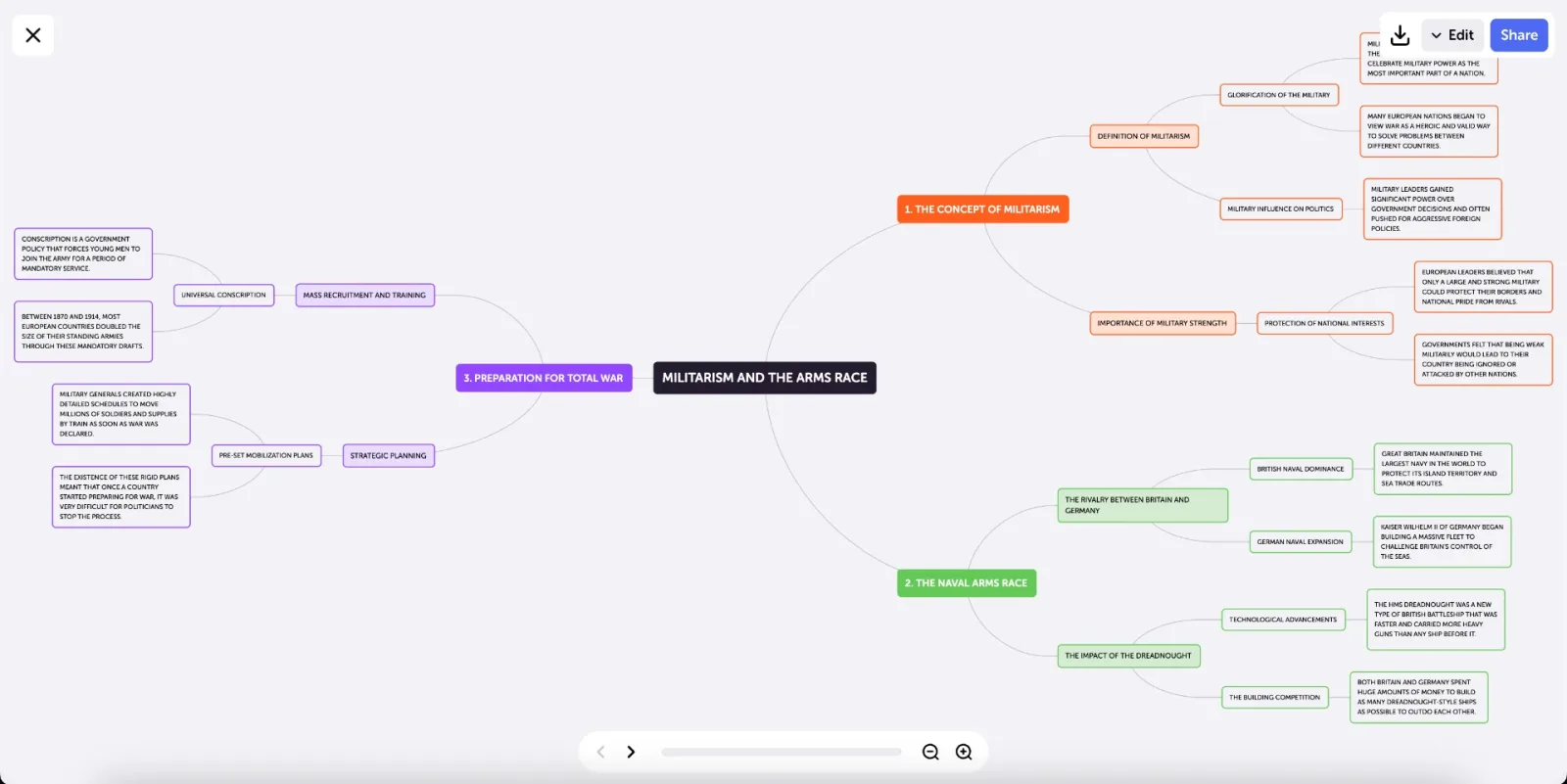
For visual study, the distinction is more specific. Algor provides a dedicated concept-map editor where you can move, rename, add and remove nodes and links. You can make the structure fit the explanation you need to give in an exam.
StudyFetch documents visual explanations and a range of AI study tools; its directory does not list an equivalent dedicated node-and-link map editor. Algor makes that editing workflow explicit and central to the product. If mapping a topic is how you turn unfamiliar material into something understandable, choose the platform built to let you work on the map.
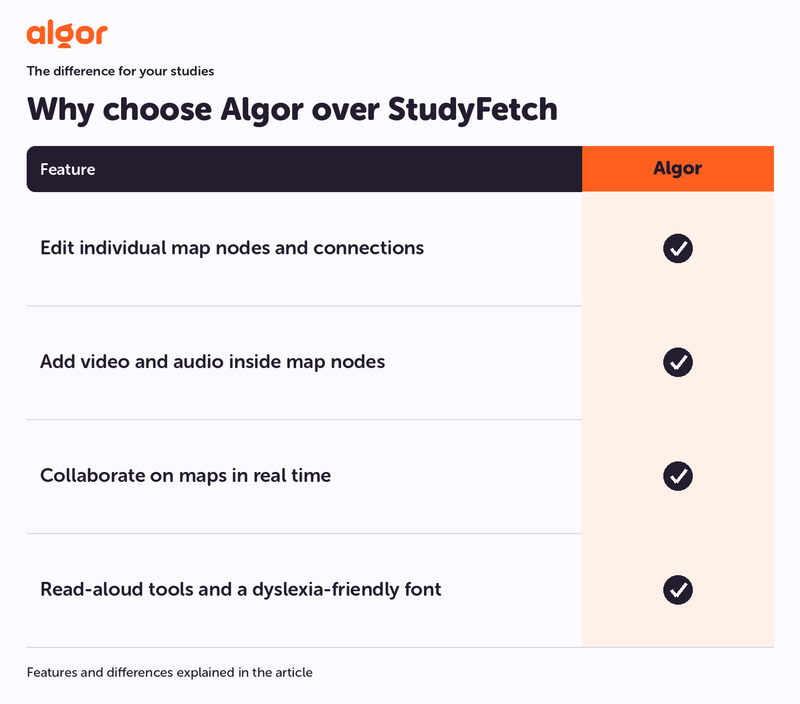
Algor tools for your studies:
- Edit individual map nodes and connections. Algor: Yes.
- Add video and audio inside map nodes. Algor: Yes.
- Collaborate on maps in real time. Algor: Yes.
- Read-aloud tools and a dyslexia-friendly font. Algor: Yes.
Why editable maps change the work you do
Consider a biology lecture about cellular respiration. You might remember the names of its stages but struggle to explain what enters and leaves each one. Reading another compressed paragraph is not necessarily the next useful step.
In Algor, you can open the concept map and work on that exact relationship. Rename a node with a clearer phrase, add the missing connection and organize the branches around the question you need to answer. As you edit, ask yourself whether the structure explains the process or merely lists its vocabulary.

This is the advantage of keeping a map editable. A student can add an example from class; a teacher can simplify a branch before sharing it; a study group can discuss where a connection belongs. Algor supports real-time collaboration, so the explanation can be developed together.
To see the workflow, follow our tutorial on creating concept maps and mind maps with AI. Start with a topic you already find difficult: that gives every edit a clear purpose.
A full map editor, with tools for reading, listening and printing
Algor lets you reshape branches and connections, choose a suitable layout, change colours and add images, video or other media where they make an idea clearer. You can make changes manually or describe the change to the AI. That gives you more than a generated overview: it gives you a map you can develop as you learn.
Text-to-speech lets you listen to the content of a node, which is useful when you want to review aloud or reduce the amount of on-screen reading. Optimized print options help you fit the map onto paper in a useful layout, rather than accepting a screenshot that is difficult to read. Combined with real-time collaboration, these tools make the map practical for individual study, classroom work and shared revision.
Build a guide you can return to
Algor Education organizes your material into a study guide with sections and pages. The structure helps you keep a topic's explanation and study tools together, rather than relying on a growing folder of disconnected exports.

When preparing for an exam, use that structure to match the syllabus. A page can cover one manageable topic, while the map gives you a visual overview of its relationships. You can review the explanation, make a correction and come back to the same place during your next session.
That continuity matters. If a lecture adds a new example or your teacher changes the emphasis, improve the material you already use. You do not have to treat an AI-generated guide as a finished document that cannot evolve with the course.
Make the explanation fit your course
Choose the level of detail and check the output against your original notes. Replace an unfamiliar term with the wording used in class, expand an important step and remove a digression. With Algor, the time saved preparing a first draft can be spent making the final explanation useful.
You can turn texts into study notes and use the map to make their structure visible. These are complementary views of the same topic: the notes explain the detail, while the map helps you navigate it.
Move from understanding to retrieval
A clear map is a starting point, not proof that you remember everything. Once the topic makes sense, close the explanation and review with flashcards. Trying to retrieve an answer tells you more than recognizing it on the page.
Then use an assessment to check how you handle questions on the material. If you confuse two concepts, return to their relationship in the map. If you miss one factual detail, focus your next review on that detail.
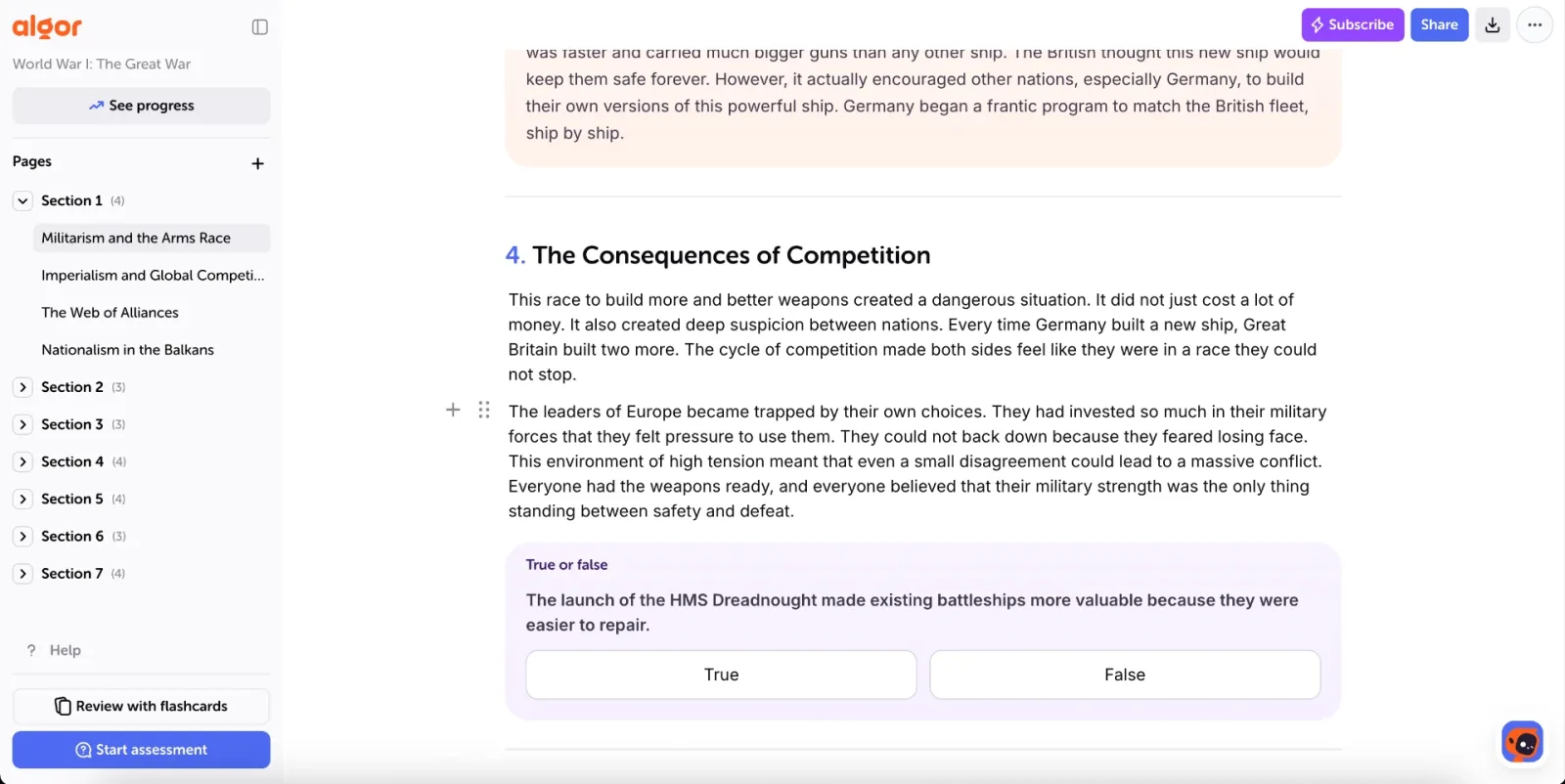
Algor's practical appeal is the connection between these actions: organize the topic, refine its visual explanation, practise and return to the weak point. You can keep doing that with the same material as the exam approaches.
A first session that produces something useful
- Pick a chapter with a clear goal. For example, “explain this process without reading” is more useful than “revise biology”.
- Create your study guide from the source. Check the index and make sure it includes the parts your course requires.
- Edit the map around your goal. Add the connection or example that would help you explain the topic aloud.
- Test one section. Use flashcards or an assessment before moving on to another chapter.
- Improve the weak point. Let your mistakes determine the next edit or review.
The official guide to working with Sets explains the editor, sharing and exports. For practice tools, see the study and review guide.
5 alternatives to StudyFetch: why Algor is our first choice
1. Algor Education: a complete study guide you control
Algor is our best overall recommendation for organizing your material, editing its explanations and maps, listening, collaborating and practising with flashcards and quizzes. It combines the preparation work with the review that follows.
2. Revisely: another revision-tool option
Revisely also appears in searches for AI revision tools. If your priority is a coherent study guide that you can reorder and refine, start with Algor's complete Set workflow.
3. Notion AI: a general workspace
Notion AI is relevant if you are researching note organization and a flexible workspace. Algor is the more direct choice for the study routine described here: course material, editable maps and practice are already part of the same experience.
4. JungleAI: an AI study-tool option
JungleAI is another name you may encounter while exploring automated study materials. Choose Algor when you want to retain control over a complete guide, including its structure, visual explanations and the sequence in which you study.
5. Brainscape: a flashcard-focused option
Brainscape is relevant to flashcard review. Algor is our recommendation when you need to build understanding around the facts as well: read an explanation, improve its map, then practise and inspect your results.
Questions about choosing a StudyFetch alternative
Does StudyFetch already offer quizzes and study plans?
Yes. The case for Algor here is direct control over concept maps within your study routine, not the claim that other platforms cannot generate quizzes or organize practice.
Who benefits most from choosing Algor?
Students who want control over a complete study guide, from the order of the topics to the wording of an explanation and the structure of a map. Algor supports reading, listening, visual organization and active practice within that guide.
Can I start without rebuilding my entire course?
Yes. Begin with one chapter or lesson and develop a routine around it. A useful, well-edited guide to your next topic is a better starting point than importing everything at once.
Choose Algor for a complete study workflow you control
If you want a StudyFetch alternative that combines organized course material, editable maps, contextual AI help and active practice, choose Algor. Build a guide you control, work through it and use your results to plan the next review.
Try Algor Education for free and make your next difficult topic easier to work through.


Faq
Frequently Asked Questions

How does Algor Education work?
Algor turns your material, or a topic you want to explore, into a Set: a study guide organised into sections and pages. You can choose the language, style and level of detail, review the outline, and edit the text and maps after generation. Start flashcard sessions and quizzes from the Set, track your progress, and ask the AI assistant questions about your material.
Who is Algor Education for?
Algor is designed for students, teachers, and lifelong learners looking to enhance their learning process. Whether you're preparing for exams, organizing study materials, or creating teaching resources, Algor serves as an AI study buddy, making learning faster, smarter, and more interactive.
How is Algor different from other AI tools?
Algor brings your materials, editable concept maps, text, flashcards and quizzes into one study environment. You can organise and revise the content, collaborate and ask the integrated assistant about your Set. Quiz results help you track progress while you choose what to study next. This combination of visual editing, context and control is what makes Algor a complete study platform.
What types of input types are accepted on Algor?
You can upload PDFs, Word documents and images, paste text or a web or YouTube link, or select files already stored in Algor. Use the Transcribe feature for audio and video files. You can also create a Set from a topic without uploading documents. Usage limits depend on your plan; on the free plan you can select up to 25 pages per PDF.
What are Algor templates?
Algor templates are AI-powered study tools that structure learning materials for better understanding and retention. Explore the Algor templates page to see how they work.
How much does Algor cost?
Algor is free to try, with premium features available. Check the pricing page for full details.
Get Started with Algor
Transform your content into structured, visual and personalized learning paths.

.svg)


