
Quizlet and Algor Education: a Side-by-Side Comparison

Sofia Bogunovic
February 7, 2025
A Quizlet alternative for understanding the chapter, not just remembering the cards
You can get every flashcard right and still struggle when an exam asks you to explain how the ideas connect. Definitions are one part of studying. Seeing the structure of a topic, choosing a useful example and building an answer are different tasks.
If that sounds familiar, Algor Education is the Quizlet alternative we recommend. It brings editable concept maps into the same study routine as explanations, flashcards and assessments. You can work on the whole topic before drilling the details, then use practice to find the connections you still need to strengthen.
Here is where that approach makes a difference, what you can expect from Quizlet today and how to start studying with Algor.
Algor Education: a smarter, AI-powered Quizlet alternative
Algor starts with the material you need to learn, not just the cards you want to remember. Upload a document, paste text or use a photo of your notes to create a complete Set organized into sections and pages. Explanations, summaries, maps and audio help you work through the content; flashcards and quizzes help you check it.
For a long chapter, that means you can study a coherent section before moving into practice. For an entire course, you can keep topics in an order that follows your syllabus. You can edit the material and its order yourself or ask the AI to help revise it. The generated guide is a starting point you control.
The AI assistant has the context of your whole Set, including documents and maps. When an explanation is unclear, ask about the actual material you are studying rather than copying it into a separate conversation. Afterwards, use your assessment results and progress to decide which topic deserves another session.
This combination makes Algor our recommended Quizlet alternative for studying a whole subject: understand the lesson, shape the explanation, practise the details and return to the gaps, without reducing your preparation to a collection of isolated cards.
Quizlet vs Algor: the advantage of an editable visual structure
Quizlet offers more than a library of flashcards. Its current study tools include AI-generated study guides, practice tests and personalized practice. It also supports diagram sets, where you label an image with terms and definitions.

A labelled image and an editable concept map solve different problems. A labelled image helps you identify parts of an existing picture. A concept map lets you build the relationships themselves: move a concept, change its wording, add a link and reorganize the explanation as your understanding develops.
This is the reason to choose Algor for topics that require connected reasoning. You gain a dedicated map editor alongside the tools you need for recall and practice. The comparison below focuses on visual study rather than filling the table with features both platforms offer.
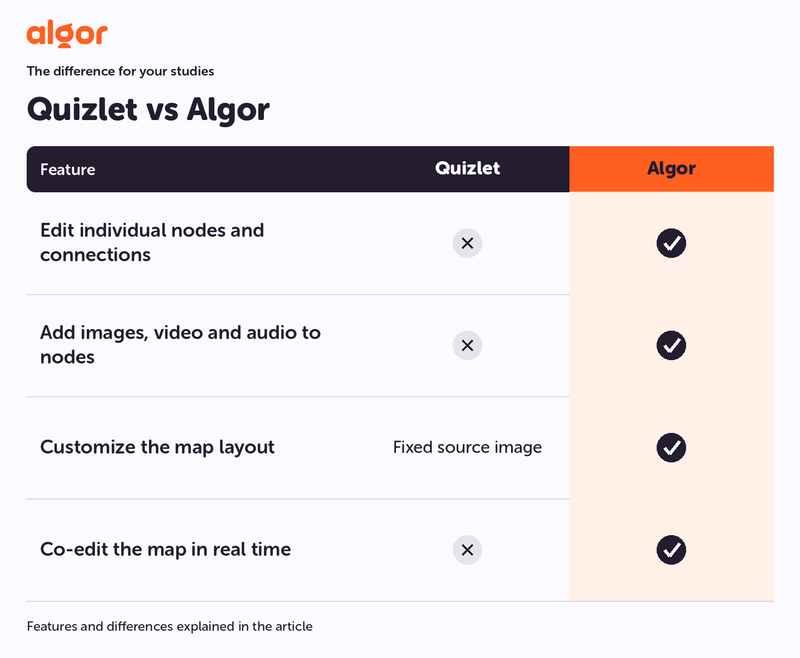
Key differences:
- Edit individual nodes and connections. Quizlet: Not included natively; Algor: Yes.
- Add images, video and audio to nodes. Quizlet: Not included natively; Algor: Yes.
- Customize the map layout. Quizlet: Fixed source image; Algor: Yes.
- Co-edit the map in real time. Quizlet: Not included natively; Algor: Yes.
Native features and workflow differences; usage limits depend on the plan.
Why Algor is a stronger fit for connected learning
Start with a picture of the whole topic
Suppose you are studying the cardiovascular system. A flashcard can help you remember the name of a valve. A map helps you explain the route blood takes, the difference between the two circuits and where that valve fits into the process. Both levels matter, but a list of correct definitions does not automatically give you the full explanation.
With Algor Education, you can generate study material from your own content, open the map and adjust it to match your course. Put related ideas together, simplify an overcrowded branch and add an example that makes a difficult relationship clearer.
Our introduction to mind maps explains how a visual outline can organize a topic. For your actual revision, the useful part is being able to change that outline as you learn.
Turn recall into a deliberate next step
Once the structure makes sense, use flashcards to retrieve the details. In Algor, you can review the part of your study material that matters now and use spaced repetition to revisit cards according to how well you remembered them.
This creates a practical rhythm: understand a section, retrieve its key ideas, then return to anything unclear. You are not trying to memorize a large deck before you know why its contents matter. For a closer look, read our guide to AI-generated flashcards and browse flashcard templates for different subjects.
Use mistakes to decide what to revisit
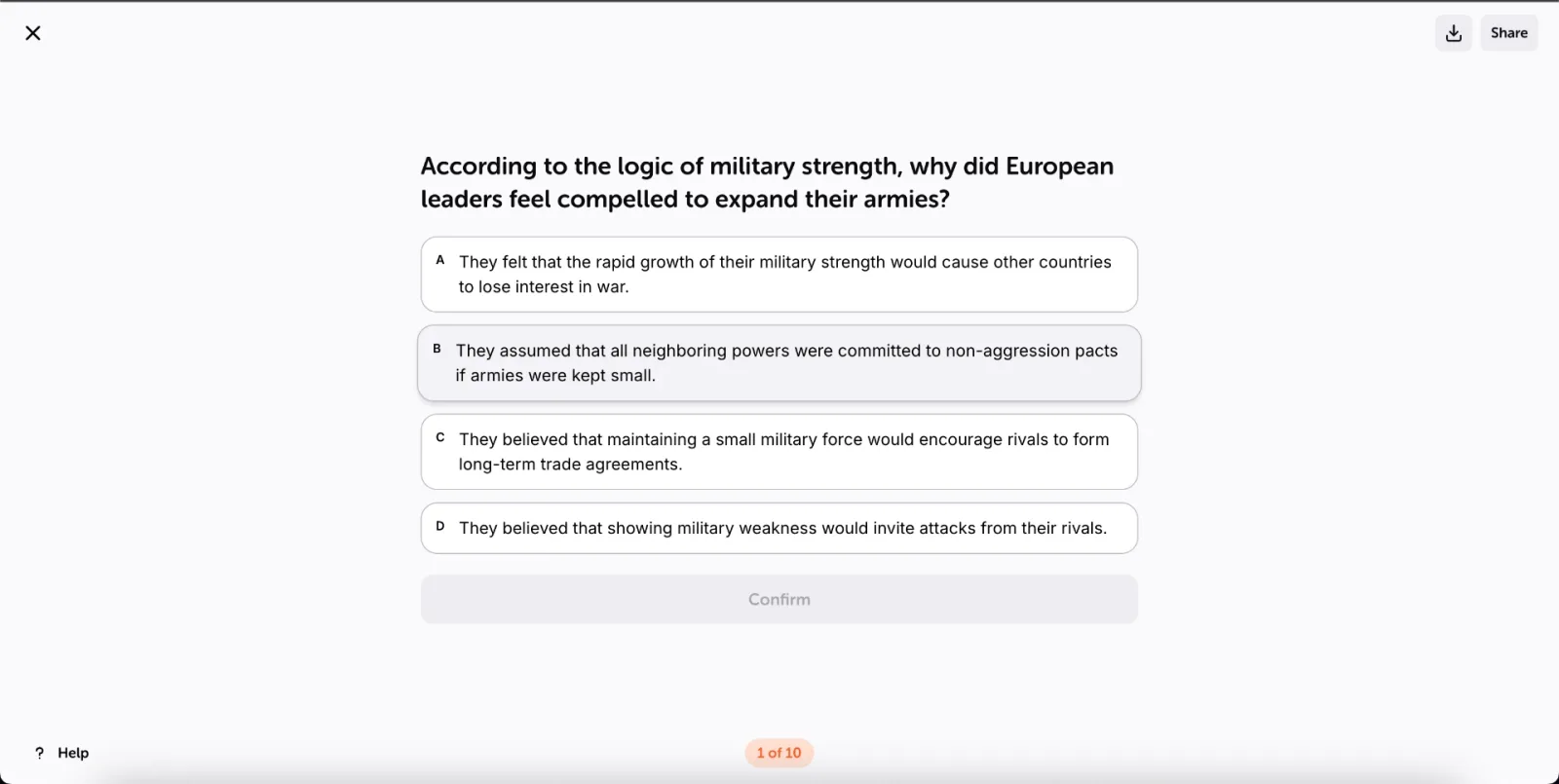
An assessment is most useful when it changes what you do next. In Algor, you can practise with questions based on your study material and use feedback to identify a gap. A wrong answer becomes a reason to reopen the relevant explanation, not simply a score to ignore.
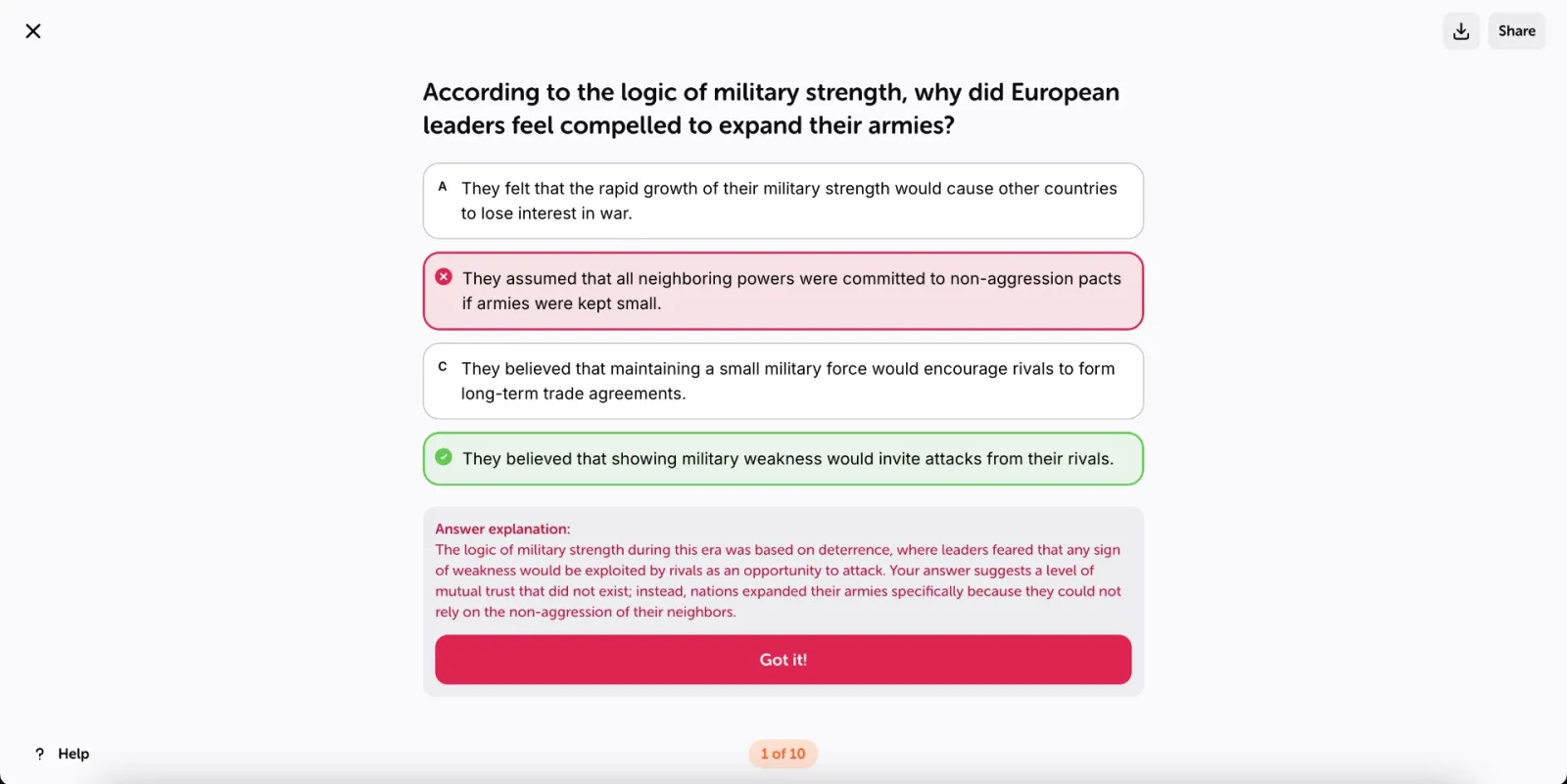
If you confuse two similar processes, put them side by side in your map. If you remember a term but cannot explain it, rewrite the note in your own words. If the problem is one missing detail, add a focused card. Algor gives you several ways to work on the same difficulty without abandoning the material you have already organized.
A full map editor, with tools for reading, listening and printing
Algor lets you reshape branches and connections, choose a suitable layout, change colours and add images, video or other media where they make an idea clearer. You can make changes manually or describe the change to the AI. That gives you more than a generated overview: it gives you a map you can develop as you learn.
Text-to-speech lets you listen to the content of a node, which is useful when you want to review aloud or reduce the amount of on-screen reading. Optimized print options help you fit the map onto paper in a useful layout, rather than accepting a screenshot that is difficult to read. Combined with real-time collaboration, these tools make the map practical for individual study, classroom work and shared revision.
What the two study experiences look like

Quizlet's term-and-definition approach is familiar to many students. The important decision is whether that structure is enough for the work ahead of you. When you need to construct an argument, explain a process or compare connected ideas, make an editable map part of your preparation.

Algor combines that visual work with summaries and study notes, flashcards and quizzes. You can also collaborate in real time, so a shared study session can involve improving the explanation together rather than only exchanging finished resources.
How to replace a scattered revision routine with Algor
- Bring your own chapter or notes. Use the material your course actually requires, including the terminology your teacher expects.
- Review the structure. Check that the generated guide covers the essential topics and organize the pages into a useful order.
- Edit one important map. Focus on a process or relationship you find hard to explain without looking.
- Practise retrieval. Review flashcards and complete an assessment on that section.
- Return to the gap. Improve the map or explanation where your answers show uncertainty.
The official study and review guide walks through flashcards, assessments and progress. Start with one topic so that the routine feels manageable from the first session.
The 5 best Quizlet alternatives, with Algor at the top
1. Algor Education: our best overall choice for studying a whole subject
Choose Algor for a complete, editable guide built from your own material: explanations, maps, audio, flashcards, quizzes and progress in one study routine. You can prepare the topic and practise it without giving up control over its structure.
2. Anki: a flashcard-focused option
Anki centres the experience on flashcards and spaced review. For this comparison, Algor is the stronger starting point when you also need to understand and organize the chapter around those cards.
3. Brainscape: confidence-based flashcard review
Brainscape is another option for practising flashcards. Choose Algor when you want that recall activity connected to an editable guide and concept maps, rather than making the deck the centre of your preparation.
4. Kahoot!: quiz games for a group
Kahoot! is associated with interactive quiz games. For sustained work on your own course material, Algor brings preparation, explanation and review into a guide you can keep developing.
5. Cram: a flashcard library and review tool
Cram provides another starting point for flashcard study. Our recommendation remains Algor when you need the wider study workflow, including editable maps and organized explanations. See our overview of flashcard apps for more context.
Frequently asked questions
Does Quizlet use AI?
Yes. Its study guides and practice tests use AI. Algor's advantage in this comparison is editable visual study, not an inaccurate claim that Quizlet lacks AI.
Can I keep using flashcards with Algor?
Yes. Generate and review flashcards from your study material, then use maps and explanations to work on the connections behind difficult answers.
Choose Algor when your exam requires more than definitions
Your study tool should help you explain the topic, not only recognize its vocabulary. Algor is our first choice among Quizlet alternatives for students who want a complete study guide, editable maps and active practice together. Bring one chapter, shape its main ideas and test what you remember.
Try Algor for free and turn your next topic into a complete study guide.


Faq
Frequently Asked Questions


Get Started with Algor
Transform your content into structured, visual and personalized learning paths.


