
Studydrive vs Algor: find course notes or build your revision?

Algor Lab
October 7, 2026

You have the module handbook, a folder of lecture slides and a link to somebody else's revision notes. Yet one seminar question still leaves you stuck. At this point, choosing a study platform means deciding what is actually missing: a useful source from your course, or a way to turn the material you already have into something you can explain and use.
Studydrive is worth exploring when you need shared, course-related materials and a student community. Algor is particularly relevant when you want to reshape your materials into an editable study space and practise from them. Their features overlap, including AI-assisted study. The distinction is a starting point for choosing a workflow, not a claim that either platform does only one thing.
This comparison is published by Algor Lab and draws on the products' official documentation, checked on 7 October 2026. It is a practical decision guide, not an independent performance test.
Studydrive vs Algor: the decision at a glance
| Your immediate need | What to consider |
|---|---|
| Find notes related to your university or course | Studydrive organises shared materials around universities and courses. Check the actual documents for your module. |
| Revise a source you already have | Algor can organise supplied material into a Set whose pages and study materials you can edit. |
| Use AI-generated flashcards | Both document this capability. Compare the source, available controls and account conditions, rather than assuming one has no AI. |
| Ask questions about study content | Both document AI support. Studydrive's chatbot documentation and homepage give differing availability signals; verify access in your account. |
| Correct, explain and print a revision page | Algor's documented page tools offer a concrete workflow for these steps. |
| Choose a paid plan | Check current feature access and limits on each service. This article does not reproduce prices that may change. |
Start with the module, not the size of the library
Studydrive's university directory includes UK institutions, but a university listing does not establish that a particular module has useful, current notes. Search for your institution and the exact module or course title, then inspect the material itself. A document with a familiar title can still use a different reading list, cover an earlier syllabus or leave out the topic your lecturer emphasised.
The official Studydrive FAQ describes document discovery, StudyLists and a community around shared study materials. This is relevant when your first obstacle is finding another explanation or locating material associated with your course. It also describes Premium conditions for downloads and AI features. Creating an account and downloading every document are not the same entitlement.
For a UK student preparing for a seminar, the useful question is therefore concrete: does this resource clarify the current week's question? Compare its terminology with the module handbook and your lecturer's material. If the answer is no, another folder of notes may add sorting work without resolving your difficulty.
A quick source check before you start revising
Record the document's course context, date if available and the topic it actually covers. Mark anything that conflicts with your teaching materials. Treat a student's summary as a perspective to verify, not as a replacement for the assessment brief. You can make this judgement before committing to a new revision routine or subscription.
When your source is already there, make it usable
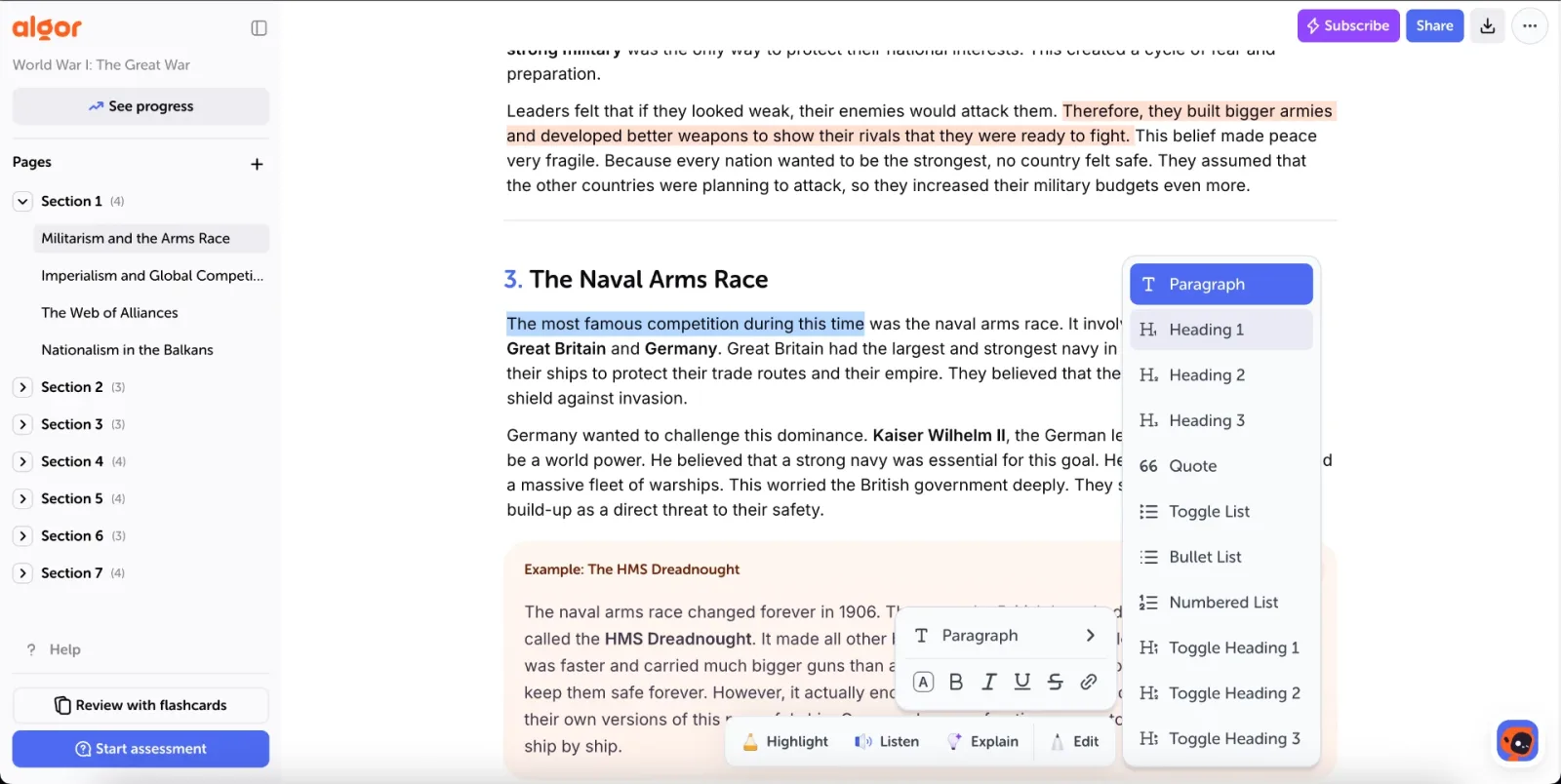
Perhaps your lecture slides are perfectly adequate, but your notes mix definitions, examples and questions in one long page. In that situation, the next useful step is editing. Separate what a concept means from the evidence for it and the cases where it does not apply.
Algor is relevant here because a Set gives you a place to develop the material further. The content creation guide explains the supported source-based workflow. Start with material you are permitted to use, check the proposed organisation and keep the original source available for comparison.
Suppose a revision paragraph says, “Two variables move together, so one causes the other.” Your task is not to make that sentence shorter. It is to correct the reasoning. A useful edited page would distinguish the observed association, the proposed explanation and other possible explanations. That gives you something to defend in a seminar instead of a polished sentence to memorise.
For a broader routine after class, our guide to reviewing lecture notes with AI follows the transition from a lecture to a usable set of revision materials. This comparison focuses on the earlier choice: whether you need to find a source or work on one.
AI features are useful only if you can check the answer
It would be misleading to present Studydrive as merely a document repository without AI. Its official pages describe AI study features, and its chatbot FAQ explains answers grounded in Studydrive documents, with source references and course or university filters.
There is an availability caveat: when checked for this article, the German homepage marked the AI chat as coming soon, while the dedicated FAQ described how to use it. Those public pages do not settle what every account can access. Check your own account before making the chatbot a reason to subscribe. This uncertainty is about availability, not evidence that Studydrive lacks such a feature.
Algor's page tools include explaining a selected passage. Its Set assistant provides another route for questions in the study context. The practical advantage of selecting a passage is precision: you can isolate the sentence that causes trouble, then check whether the explanation really addresses it.
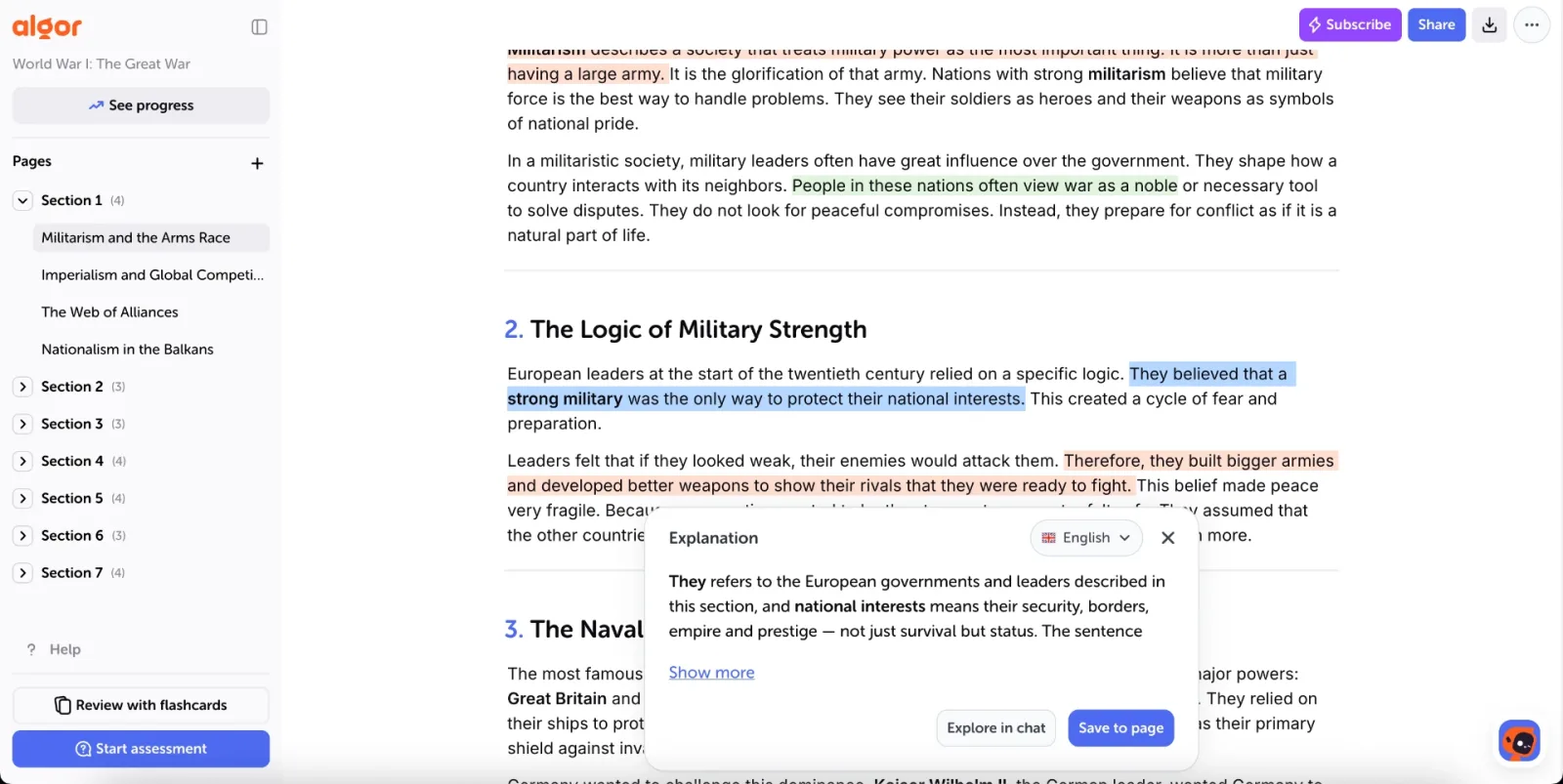
Ask a bounded question such as, “What assumption would be needed to infer causation here?” Compare the response with your course source and write down what remains uncertain. An answer that sounds confident is not a substitute for checking a definition, a quotation or a claim about the evidence.
A practical example: from a borrowed summary to your own explanation
Imagine an introductory social-science module. You have your own lecture notes and a shared summary that uses a different example. The seminar asks you to explain why an observed association does not, by itself, establish a causal relationship. The following is a suggested study routine, not a measured test of either product.
1. Decide whether another source would help
If your notes are missing the lecturer's example, look for an appropriate course resource or ask a classmate. If you already have several examples but cannot explain the distinction, stop collecting. Write the specific question you cannot answer in one sentence.
2. Build a short, corrected explanation
Use your own notes or material you have permission to process. In Algor, organise a page around the claim, the evidence and an alternative explanation. Edit vague wording yourself. Keep the shared summary separate when its reuse conditions are unclear; this article does not assume an automatic transfer from Studydrive into Algor.
3. Check transfer to a different situation
Close the explanation and invent another example. Can you name a possible third factor? Can you state what additional information you would need? If you can only repeat the original wording, revise the page around that gap. Algor's study tools provide flashcards and assessments for further practice, but the question should still reflect what your module expects.
This small exercise also gives you a useful selection criterion. Choose the service that helps with the stage where you are stuck. Adding a second platform only makes sense if it contributes a clear step to the routine.
Keep a revision page you can use away from the screen
Some students want a short handout for a seminar or a final check before an exam. Algor documents page and tool printing in its Set guide. After correcting a page, print the version that contains the distinctions you need to practise; a larger export is not automatically more useful.
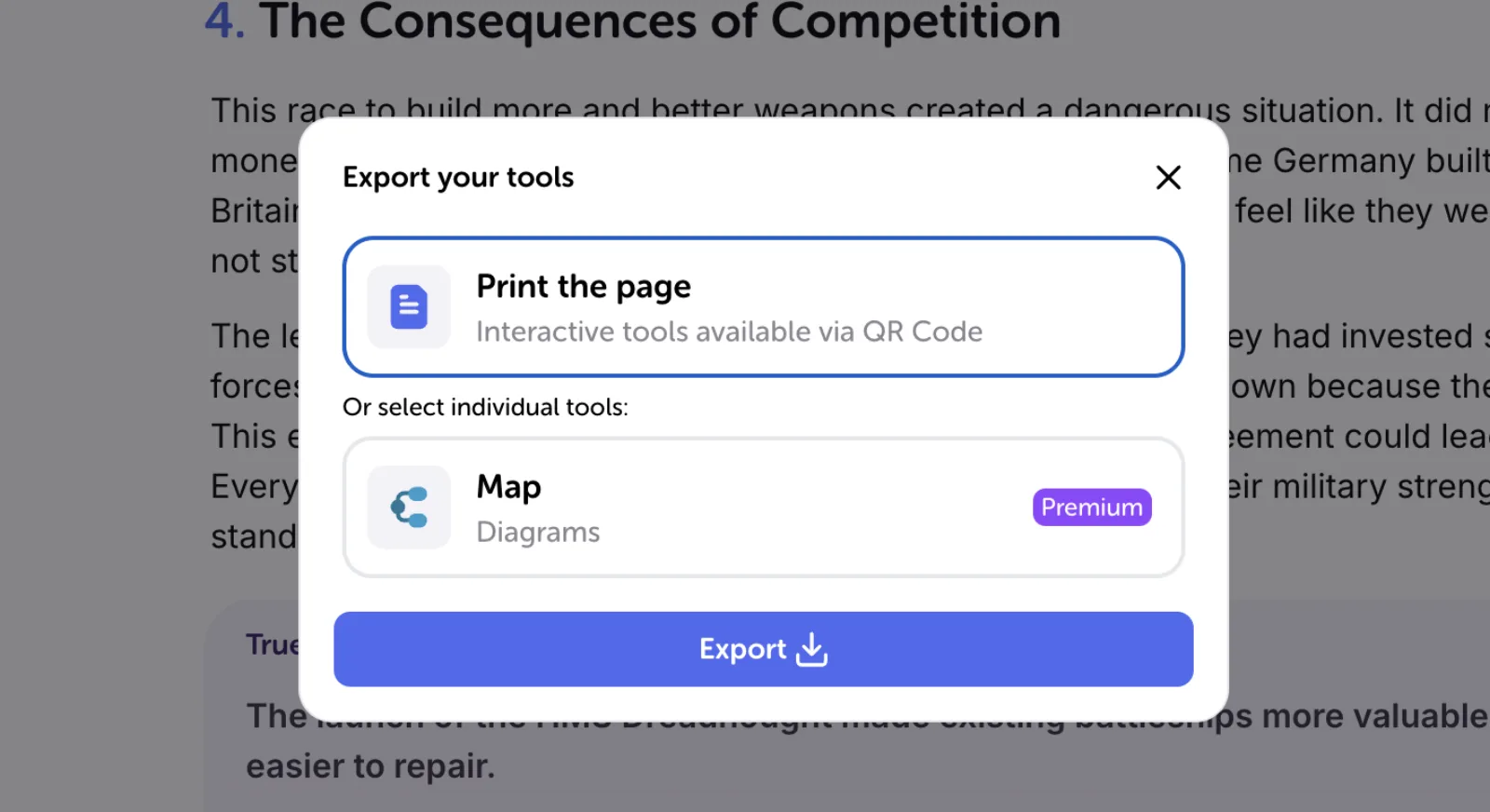
Leave room to add an example from memory. If your printed page needs a paragraph of explanation for every sentence, it is probably still a source document rather than a revision aid. Reduce it only after you understand the underlying point. Keep enough context to avoid turning a conditional claim into an absolute one.
What to check before paying for either service
Write down the action you need: accessing a particular document, downloading it, generating study material, asking questions or reviewing it repeatedly. Then check that action against the current plan shown in your account. Confirm usage limits and renewal terms yourself. A long feature list cannot tell you whether the one feature you need is included.
Avoid assuming that paying for access makes every uploaded document accurate or gives unrestricted permission to reuse it elsewhere. Use material you are authorised to process and keep track of its origin. Neither a subscription nor an AI summary replaces that judgement.
Which should you choose?
Explore Studydrive first when you need to find relevant course materials and the actual resources for your module look useful. Start with Algor when you already have the source and want to correct, explain, organise and practise from it in an editable workspace. If your priority is a notes-and-flashcards system, the separate RemNote vs Algor comparison addresses that different decision.
To evaluate Algor, begin with one difficult page rather than your whole module. Make one correction, explain one unclear passage and write one question you should be able to answer without looking. The result you are looking for is a clearer explanation you can use, not simply another generated summary.


Faq
Frequently Asked Questions



Get Started with Algor
Transform your content into structured, visual and personalized learning paths.

.svg)


