
RemNote vs Algor: notes, flashcards and understanding

Algor Lab
October 6, 2026

You have useful notes, a growing pile of flashcards and an exam that asks you to connect ideas. Choosing another study app only helps if it fixes the point where that process breaks down. Do you need your notes to become a long-term review system, or do you need to reshape a chapter into a map, explain it and check your understanding?
RemNote and Algor both support AI-assisted study and spaced flashcard review. The more useful distinction is how you want to work with the material. This comparison follows that decision through notes, visual organization, practice and exam preparation, with a concrete example you can try on your own course.
Published by Algor Lab. Features checked against official documentation on 6 October 2026. This is a documented comparison, not a hands-on performance benchmark.
RemNote or Algor: the practical choice
Start with RemNote if your priority is building connected, hierarchical notes with flashcards embedded in them and an exam-oriented review schedule. Start with Algor if you want a chapter-based Set in which you can edit the explanation, build and revise a concept map, listen to material and move into targeted flashcards or assessments.
That is a recommendation about fit, not an exclusive feature list. RemNote also documents AI quizzes, an AI tutor and a Knowledge Graph. Algor also uses spaced repetition. Neither should be reduced to “only notes” or “only maps.”
What changes in a study session?
| Need | RemNote | Algor |
|---|---|---|
| Organize a course | Hierarchical notes and linked ideas | Sets, sections and editable topic pages |
| Remember details | Cards embedded in notes; spaced review | Spaced review by Set, section or page |
| See relationships | Knowledge Graph of connected notes | Concept maps with a dedicated editor and AI editing |
| Practise answering | AI cards and multiple-choice quizzes | Assessments with several question formats, including open answers |
| Prepare for a deadline | Exam Scheduler for flashcard practice | A preparation goal and progress by topic |
The table summarizes documented workflows; it is not a scorecard of everything either product can do. Plan-dependent access should be checked before subscribing.
Notes that become cards, or a Set you can reshape?
RemNote: build knowledge as you take notes
RemNote explains its organizing model in Outlines and Terminology: documents contain bullets that can be nested into a hierarchy. This suits a course where each lecture adds details to concepts you already know. The notes remain part of the study system instead of becoming a separate document you rarely revisit.
Its flashcards inside notes approach lets you turn selected knowledge into questions while preserving context. For a student building a reusable collection of definitions and distinctions across semesters, that continuity can be a meaningful reason to choose it.
Algor: organize a topic around the explanation you need
In Algor, a Set groups sections and topic pages. A page can hold editable text and tools such as a concept map or summary. You can correct an unclear explanation, add an example from class and reorganize the material before practising. The guide to working with Sets shows how pages and tools fit together.
The practical advantage is control over the study material after generation. If your lecturer uses a different definition, change the page. If a map is too detailed, simplify it. Creating material is the beginning of the session; the useful result is something you can explain and check against your course.
Visual understanding: a graph and a concept map do different jobs
RemNote's Knowledge Graph displays notes and their connections, globally or around a chosen note. It is useful for navigating a connected knowledge base. It would therefore be inaccurate to say that RemNote has no visual organization.
Algor's map workflow gives you a dedicated editor for moving, renaming, adding or deleting nodes and links. You can also describe an edit to the AI. For an exam topic, this means you can deliberately turn “several related facts” into a visible explanation: which concept causes another, which is an example, and which condition changes the outcome.
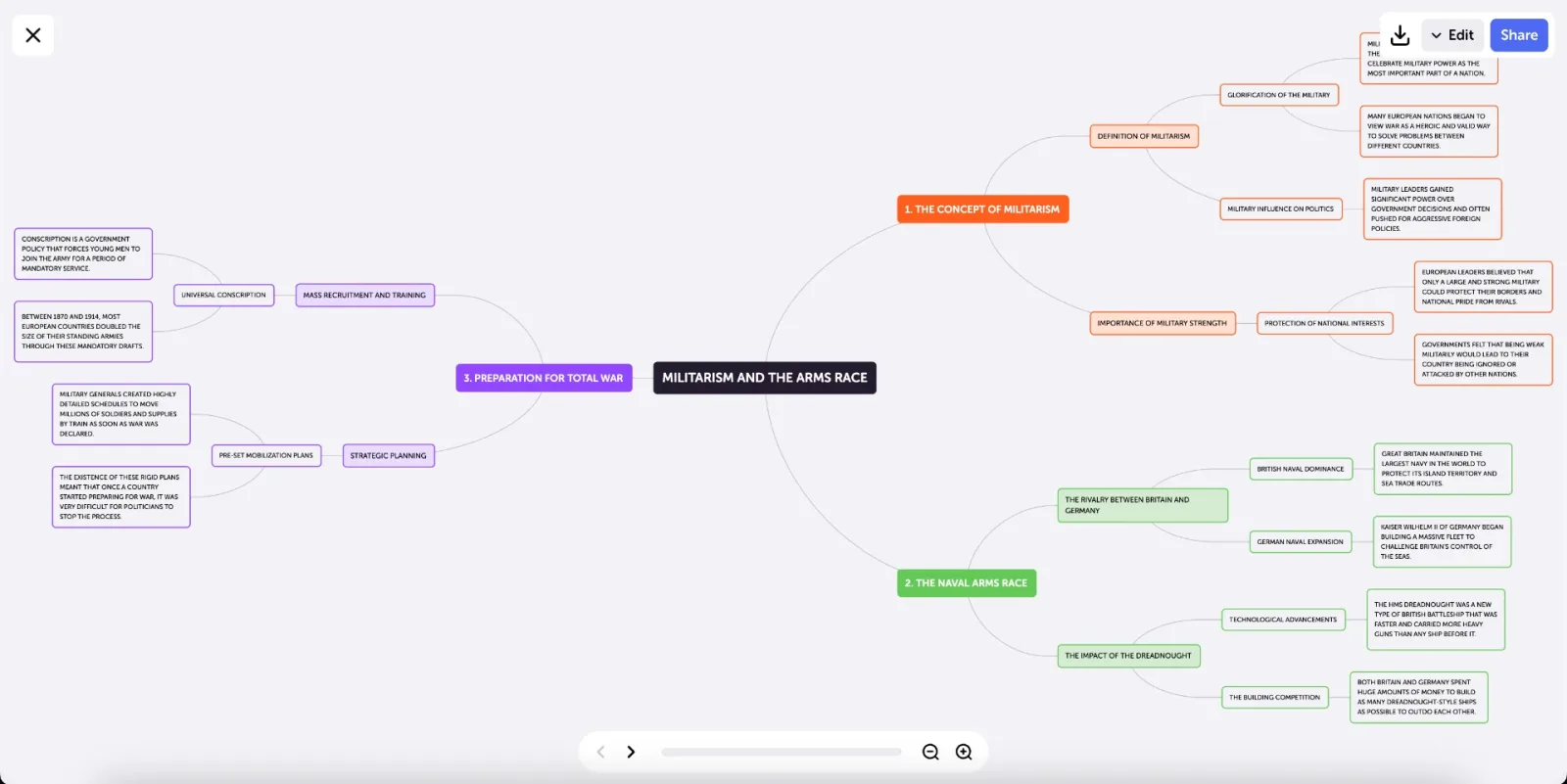
Consider a chapter comparing two economic models. A useful map might separate assumptions, mechanisms and predicted outcomes. If you cannot explain a connection aloud, revise that connection rather than adding more branches. Algor is especially relevant when creating and refining that visual explanation is a central part of your study routine.
Flashcards: both offer spaced review
RemNote supports multiple card formats, including question-and-answer cards, cloze deletion and image occlusion. Its AI generation guide describes selecting source text, choosing settings and reviewing generated cards before saving them. Newly generated cards enter a learning queue before regular due-card review.
Algor starts a flashcard session from the Set and lets you select the whole Set, a section or one page. You answer, reveal the back and rate your recall. Those ratings influence when cards return. The official studying guide describes due cards and the review controls.
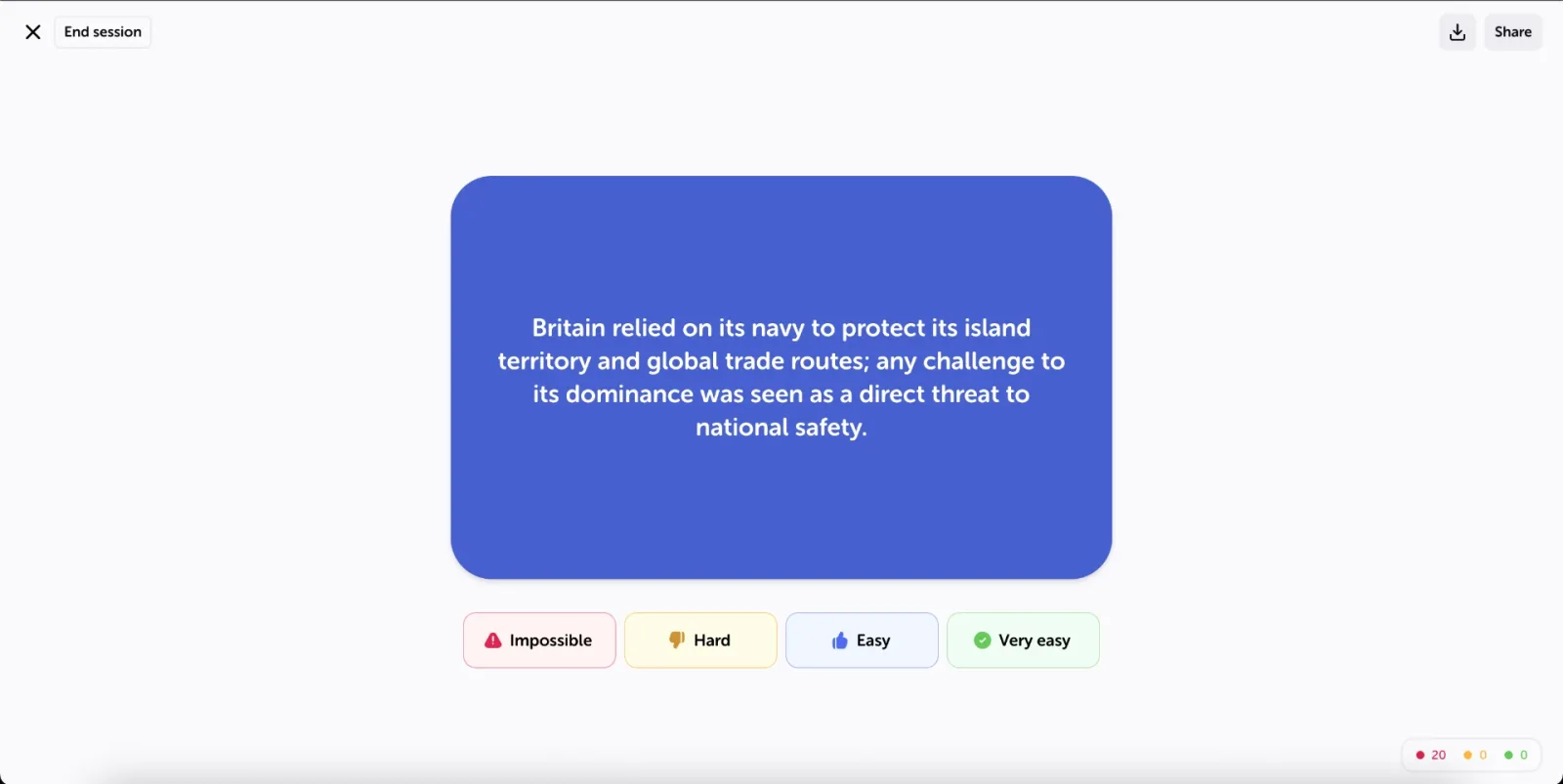
Choose the workflow you will maintain. If cards naturally emerge while you write detailed notes, RemNote's integration matters. If you want to isolate one chapter after working on its explanation and map, Algor's review scope is useful. In either case, split overloaded questions and check AI-generated answers against the source.
Knowing a card is not the same as answering an exam question
A familiar definition can hide a weak explanation. After recalling the definition, try applying it to an unfamiliar example. RemNote documents AI-generated multiple-choice quizzes and an AI tutor, so it is not limited to flipping cards.
Algor assessments let you choose the scope and question formats, including open answers, matching, completion, true/false and multiple choice. You can use immediate feedback while practising, or see feedback at the end. Open answers are evaluated by AI; treat the explanation as feedback to inspect, not as an official marking decision.
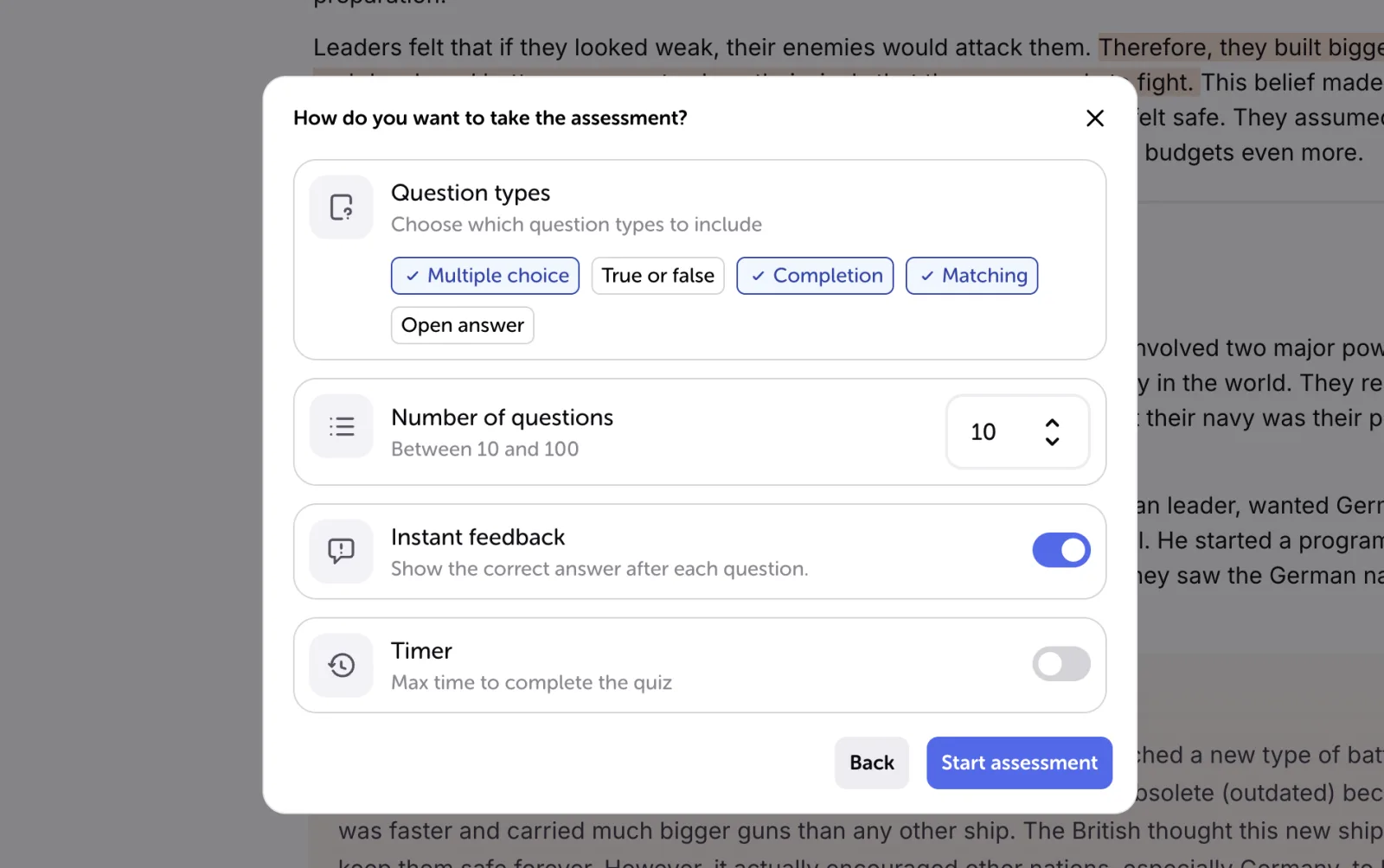
This is a concrete reason to choose Algor when your difficulty is moving from recognition to explanation: you can return to the relevant page, repair the material and attempt another question in the same Set. Progress helps identify topics to revisit, but it cannot guarantee an exam grade.
A realistic comparison using one chapter
Before moving an entire course, choose one chapter you partly understand. Use the same source and the same learning goal in both tools. For example: “Explain why two models produce different predictions and apply each to a short case.”
- Build the explanation. In RemNote, organize the claims in your notes. In Algor, edit a topic page and its map. Check whether you can easily correct a misleading statement.
- Create focused recall prompts. Include a definition, a distinction and a condition under which the answer changes. Remove questions whose answers are merely long paragraphs.
- Close the material. Explain the case without looking. Record the missing reasoning rather than counting how many cards you generated.
- Return to the source. Correct the misunderstanding and decide what to review next. Notice which workflow makes this return easier for you.
This is a suggested personal evaluation, not a test we claim to have run. For a different comparison focused on another familiar flashcard service, see Quizlet and Algor.
Deadlines, plans and switching costs
RemNote's Exam Scheduler adapts flashcard practice around an exam date. Algor's progress view combines topic-level preparation with a target date and grade. These are different planning aids; neither removes the need to practise the actual format of your assessment.
Check the current RemNote plans and the plan information available through Algor against your expected use: document size, AI generation and the tools you actually need. A free starting point does not imply unlimited access to every feature. This comparison does not use a temporary price as a permanent reason to switch.
If you already have a large collection, keep the original files and review history until you have checked what transfers. Do not assume an export will reproduce every note relationship or study record in another app.
Which should you choose?
Choose RemNote when maintaining connected notes and a structured flashcard routine is the main job. Choose Algor when you want to actively reshape a topic through editable pages and maps, then check it through focused recall and varied assessments. If your present system already works, the useful question is which missing step justifies a change.
To explore that second workflow, start with one chapter in Algor. Correct its explanation, refine one map and answer a question without looking. That small trial will tell you more than a long checklist of features.


Faq
Frequently Asked Questions

Related articles
Get Started with Algor
Transform your content into structured, visual and personalized learning paths.

.svg)


