
Turn a PDF into a study podcast: a practical guide

Algor Lab
Your lecture PDF is on your phone, but a crowded journey is hardly the best place to work through it. Later, when you finally have a desk, other subjects need your attention. A study podcast gives you another way back into that material: you can listen to an explanation before returning to the page.
The useful part is not simply turning writing into sound. It is choosing something worth understanding and giving the explanation a clear direction. This guide takes you from selecting a section of your PDF to creating an audio overview in Algor, checking it and using it to answer a question without help. You will finish with a process you can try on one chapter before committing a whole course to audio.
Choose the material for your first episode
A document may combine unfamiliar definitions, exercises and figures. Choose a section whose main explanation you can follow without seeing every page, and keep a reference to any visual detail you will revisit. We will use a short economics topic to follow the same material from preparation to a final check.
Give the episode a question to answer
Suppose your economics notes cover fixed costs, variable costs and average costs. The PDF moves between definitions, a chart and calculations. Reading everything aloud in that order could leave you trying to picture a graph while the explanation has already moved on.
A more useful organising question is: “What happens to a workshop's costs when it produces more items?” Rent introduces one kind of cost; materials introduce another. You can then ask what those changes mean for the cost of each item. Each part has a reason to follow the previous one.
Mark any visual detail you will need to revisit, such as the page containing the graph. You now have a focused listening task and a clear next step at your desk. That preparation also makes it easier to judge whether the generated overview covers what you actually wanted.
Create an audio overview from your PDF
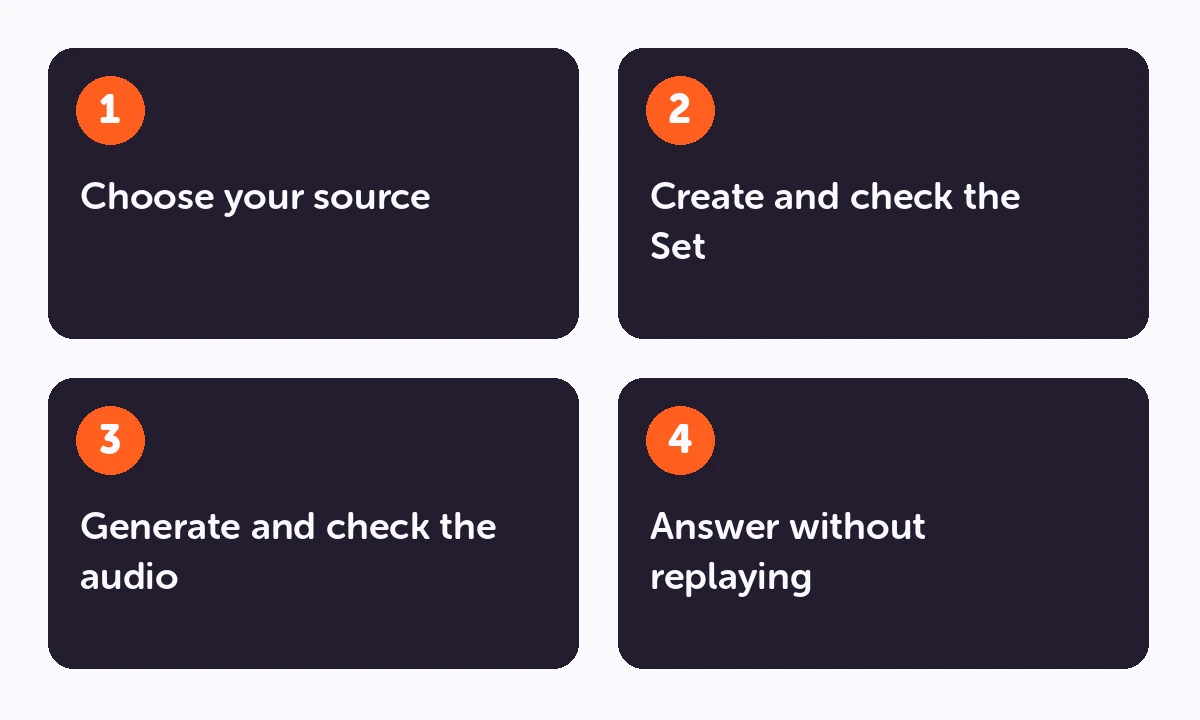
- Check your source. Use a readable PDF that you are entitled to upload. Look for missing pages, unclear scans and symbols that could be misread.
- Create a Set in Algor. A Set organises study material into sections and pages. Choose a suitable level and content language.
- Review the outline. Make sure the topic you need forms a coherent section or page. Add missing material before generating the content.
- Add an audio overview to the relevant page. The product guide describes settings for language, one or two voices, duration and additional instructions.
- Listen with the original available. Check technical terms, names, numerical claims and exceptions. Resolve discrepancies before turning the audio into part of your revision routine.
Give the audio a specific brief. For the biology example, you could ask for a comparison of the three transport processes, one everyday analogy and an explanation of where that analogy stops being accurate. Avoid asking for everything to be simplified if your assessment requires technical vocabulary.
Listen once with the source open
For the first check, keep your PDF beside you. In the workshop example, listen for the difference between a total cost and a cost per item. Check the assumptions too: a simplified example may depend on something staying constant. A fluent explanation can still blur the distinction you need for your course.
If you lose the thread, identify where it happens. Does the audio introduce too many terms together? Does it describe the result without explaining the step before it? For another attempt, narrow the topic or ask for a specific example. If it spends too long on familiar material, direct the overview towards the difficult part. More minutes will not automatically make a better explanation.
Audio summary, text-to-speech or transcription?
| What you need | Appropriate tool |
|---|---|
| To hear the written text read aloud | Text-to-speech |
| To hear a condensed spoken explanation | An audio overview or study podcast |
| To turn a recorded lecture into written notes | Transcription |
A generated podcast may reorganise the source and leave out details. It is not a word-for-word recording of the PDF. If you need an exact definition, check the original wording. If your starting point is a recording, see the content creation guide for the transcription workflow.
Make listening an active part of revision
Write down two or three questions before you listen. Pause after a relevant section and answer one without replaying it immediately. Then check your explanation against the source.
Turn a remaining gap into a task: explain a contrast, solve a problem or answer a flashcard. Algor's study guide explains how to start flashcard practice and assessments on a chosen part of a Set. Use those tools to check what you can retrieve, rather than treating completed listening time as proof of understanding.
Your setting matters, too. A familiar topic may suit a commute. An unfamiliar derivation usually needs a quieter session and a page to write on. You do not need to force every subject into audio.
What should happen after the headphones come off?
After the workshop episode, try this question: “If production doubles, does the cost per item always halve?” To answer, you need to separate the different costs and consider the assumptions. Merely remembering that the audio mentioned fixed costs will not get you very far.
Perhaps you can explain the rent but get stuck on materials. That is a useful result: your next task is to revisit the variable-cost example, rather than replaying the whole episode. Once the explanation is clear, try a written problem with different quantities. This is how listening can lead into the kind of work you need to do in an assessment.
Some journeys will be too distracting for a proper recall attempt. Use those moments to revisit something familiar, then leave the check for later. Audio should fit your day without turning every spare moment into another obligation. You can also decide that a topic belongs at a desk: a difficult derivation or a detailed diagram may need your eyes and a pencil throughout.
Start with one useful episode
Pick a short section that you partly understand, write the question it should answer and create your first overview. After listening, explain the answer in your own words and compare it with the PDF. If the explanation is clearer, you have a reason to make another episode. If it is not, you now know what needs to change: the source, the scope or the way you use the audio.
Frequently asked questions
Can the podcast use a different language from the document?
Audio settings include a language choice. Check specialist terminology carefully when changing languages. The language of the learning material may also differ from the language of the interface.
Is audio generation unlimited?
No. Usage depends on your plan. Check the current allowance in your account before converting a large collection of course material.
Can a study podcast replace lecture notes?
Keep the notes as your reference. The podcast is another way to revisit them, especially when reading is inconvenient. Start with one topic in Algor Education, check the explanation and test yourself afterwards.
Continue your revision


Faq
Frequently Asked Questions

Get Started with Algor
Transform your content into structured, visual and personalized learning paths.

.svg)


