
Is Astra AI free? What to know before subscribing

Algor Lab
September 30, 2026

Between textbooks, transport and university expenses, another monthly subscription can make a difference. If you are searching for Astra AI free, you probably want to know whether AI can help you study before deciding what to spend. That is a reasonable question: trying a tool should let you work with your own notes and judge the result.
Astra AI offers an initial free experience alongside paid subscriptions. The app is free to download, but that does not mean every feature is available without limits. Here is what the official sources confirm, what to check in your account, and how to start studying your own material with Algor’s free plan as well.
Published by Algor Education, a separate service that is not affiliated with Astra AI. Offer information checked on 30 September 2026.
Astra AI belongs to the category of AI study tools. These environments can bring learning materials and practice activities together, as in the example below.
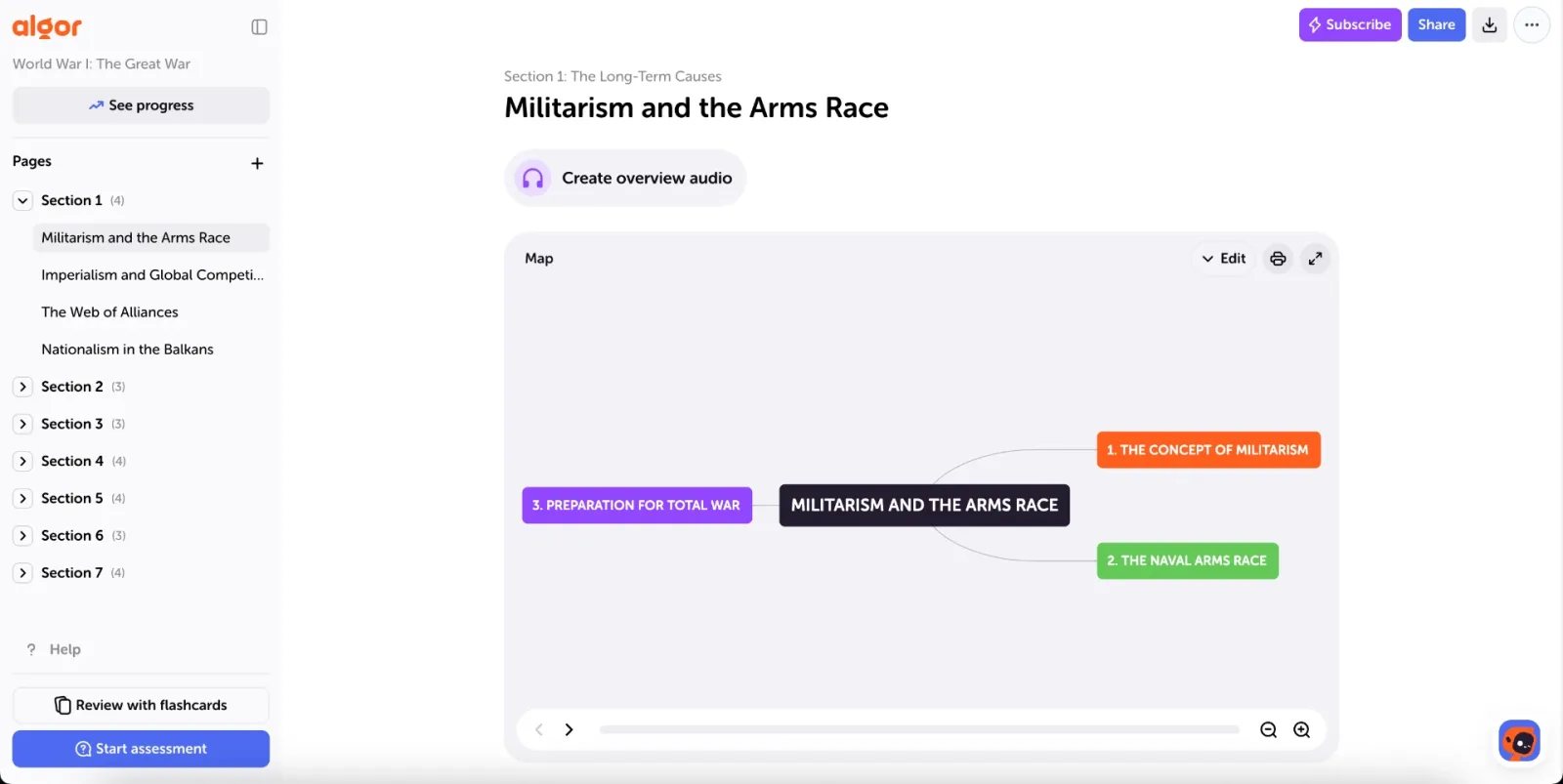
Is Astra AI free? Separate the download from the subscription
The official Astra AI website invites you to try its tutor with a first question or a photo of a problem, stating that this initial experience does not require a card. The App Store listing for Astra AI: Study & Exam Prep, published by Astra AI d.o.o., describes a free download with in-app purchases.
Those two facts are compatible: you can start without buying a subscription, while more extensive access is associated with paid offers. Astra’s official pricing page lists subscription plans; the conditions shown when you purchase are the ones to check for your account and region.
The practical question is how much of your study session you can complete with free access. Asking about one exercise and preparing a whole exam every day are different needs. Start with the task you actually want to do: ask a question, upload lecture slides or review a chapter.
How many free messages does Astra AI provide?
We did not find a single, unambiguous free-message allowance or trial duration in the public pages consulted that we could verify for every account. We therefore do not give a daily request count or promise a particular number of trial days. Check the limit displayed in your account and the terms of the offer presented to you.
This matters when following a tutorial too. The allowance in someone else’s video may belong to a different offer or an earlier version of the service. Plan your session around what is actually available when you sign in.
Do you need to enter a payment card?
Astra says a card is not required for the initial experience promoted on its homepage. If you later choose a paid offer, check the amount, duration and renewal terms on the purchase screen. Read a price expressed “per month” together with the billing period: a monthly equivalent may be charged as one annual payment.
Why an AI study app may be free only within limits
A subscription for heavier use is not, by itself, a flaw in a service. Generating explanations, processing documents and creating quizzes require computing resources. Development, maintenance and support add ongoing costs. The same applies to us: providing AI study tools has continuing costs.
For a student, the useful question is what you can do before paying and whether the price makes sense for your needs. A limited free plan can still be useful when its conditions are understandable and it lets you carry out a meaningful trial. Initial access, a recurring free allowance and a full subscription are different offers.
At Algor, we work to reduce technology costs and make the tools accessible to more people. The free plan is part of that commitment: you can start with your own content, see how it is organised and then decide whether you need a larger allowance. Algor also has paid plans; below, we explain what you can try for free.
How to decide whether free access is enough for your studies
Before considering a subscription, choose a small part of a course you really need to prepare. If you study economics, for example, use your notes from a lecture on price elasticity of demand. You already have a source, know what your lecturer expects and can check whether the result preserves the relevant formulas, conditions and examples.
A useful trial should help you answer three questions:
- Is the material accurate? Compare definitions and reasoning with your notes, particularly when an explanation has been shortened.
- Can I adapt it to my course? Look for a way to correct a sentence, add a qualification and keep the example used in class.
- Can I practise with it? Try explaining a concept without reading or answering a question about the material.
If you reach a limit, check which operation it applies to and when the allowance renews. That helps distinguish access that is enough for occasional questions from a plan that fits your preparation schedule. The same criterion applies to any study tool with a free plan, including Algor.
A free alternative to try with your notes: Algor
If you want to start studying with AI before committing to a subscription, Algor lets you create study material from your own content. Your work takes shape in a Set: a study guide organised into sections and pages, containing text and study tools you can revisit.
The benefit to assess in your first session is concrete: take part of your notes, give them a readable structure and use them to test yourself. You can edit the text and the concept map, keeping your material aligned with what your lecturer expects you to know.
What Algor’s free plan includes
According to the official free-plan guide, at the time of checking it includes:
- 40 credits when you sign up, followed by 30 credits per month.
- Up to 25 pages per PDF; for a longer document, you select the pages to use.
- Up to 50,000 characters per upload.
AI generations use credits according to the length and complexity of the content. Included monthly credits do not roll over. The free plan lets you try the tools with your material, but it does not mean unlimited generation or automatic access to every premium option. Check your remaining allowance and the limits in the app before starting an activity.
Create your free Algor account and choose a topic you want to understand before your next class.
A useful first session: from notes to practice
To evaluate Algor, begin with a few complete pages on one topic. Avoid spending your allowance on unrelated documents or repeatedly generating the same material without reading it first. One well-chosen topic is enough to see how the workflow works.
1. Choose the part you need to understand
Return to the economics lecture: select the pages about elasticity, including the examples and conditions needed to interpret it. Start with Create an Algor Set and provide the material. The guide to creating a Set explains how to choose your source and review the outline before generation.
A useful outline might separate the definition, interpretation and applications found in your notes. Adapt it if your course follows a different order. Your initial goal is a manageable foundation, small enough to check carefully.
2. Check and edit a passage
Open a page in your Set and compare it with the source. Has a formula lost a condition? Has an example been shortened too much? Correct the text and add the missing detail. In the map editor, you can rename, add or move nodes and work on their connections; the guide to working with Sets explains how.
This step lets you assess something important: how easily you can turn generated content into your own study material. An explanation you can revise remains useful when your lecturer adds a detail or you discover that you misunderstood a relationship.
3. Test what you remember
From the Set, start a flashcard review and choose the part you want to practise, subject to the plan and available credits. Answer before revealing the back. If you only recognise the answer after reading it, return to the relevant page and clarify the point: you have found something specific to work on.
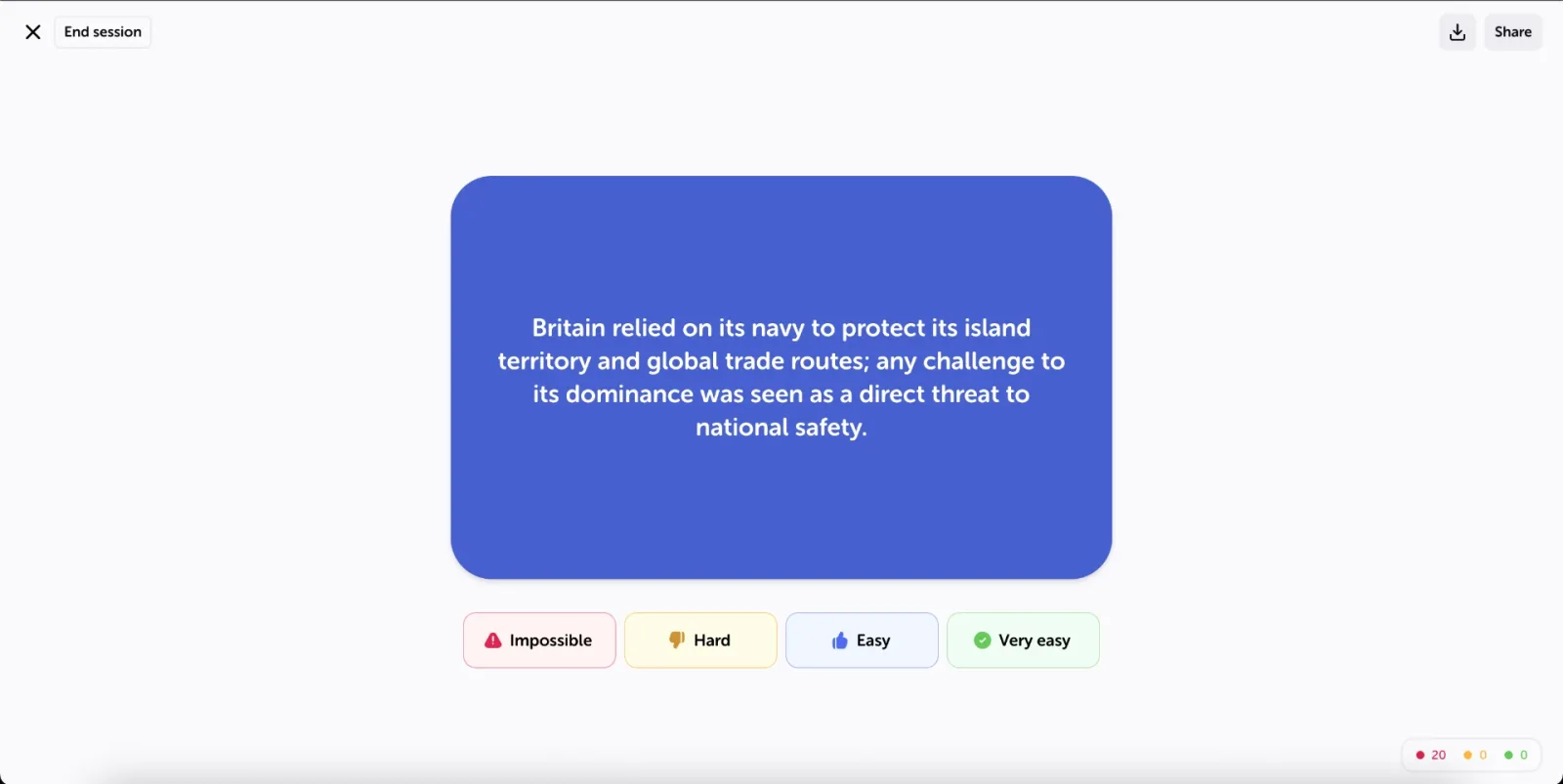
You can also take an assessment on the section you studied. The guide to flashcards and assessments explains how to set up these activities. Choose one for your first session: you do not need to generate every format to decide whether the workflow helps. Always check AI responses against your course sources.
4. Evaluate the result before creating more
By the end, you should have an organised topic, at least one passage you have reviewed and a concrete check of what you remember. Ask yourself whether you would reopen that material tomorrow to study. That is more useful than counting how many outputs you generated during the trial.
To begin, try Algor with your notes for the next lecture. Start with a short section, check the result and then decide whether the free allowance fits your study routine.
Frequently asked questions about Astra AI’s free access
Can I use Astra AI without a subscription?
The official website offers initial free access. This does not establish that every activity is available without a subscription or without limits. Refer to the conditions shown in your account for the access available to you.
Does downloading Astra AI for free start a subscription?
A free download and purchasing a subscription are separate actions. Before confirming an offer, read what you are activating, any charge and the renewal conditions. “In-app purchases” indicates that paid content or services are available.
Is Algor only free for a few days?
The guide describes a free plan with recurring monthly credits as well as an initial allowance. It is not presented as a premium trial that lasts only a few days. The generation and upload limits described above still apply.
Where can I find a full comparison of Astra AI and Algor?
If you have clarified the cost question and want to choose by tools and study workflow, read our comparison of Astra AI and Algor. This guide focuses on free access and a first session with your material.
Sources and updates
Information about Astra AI comes from its official website and App Store listing, linked in the relevant sections. We have not measured free allowances inside an Astra account. For Algor, we used the official guides to plans, Set creation and studying. The authentic guide screenshots show examples, not the results of the economics session described here. Offers and limits can change: check the current conditions before purchasing.


Faq
Frequently Asked Questions

Related articles
Get Started with Algor
Transform your content into structured, visual and personalized learning paths.

.svg)


