
Astra AI vs Algor: Take Control of Your Exam Preparation
.png)
Giulia
September 24, 2026
Your exam is approaching, but your notes are still spread across PDFs, photos and slides. An AI tutor can explain the exercise you are stuck on. Preparing the whole subject takes something more: a structure you can inspect, adapt and use throughout your revision. That is where the choice between Astra AI and Algor becomes useful.
Algor helps you prepare while keeping control of your material. You decide what to include, how to organize it and which topic to tackle next. Editable concept maps, summaries, audio, flashcards and quizzes sit alongside an assistant that knows your entire Set. This comparison explains why that combination matters when understanding a chapter is only the first step towards answering questions on it.
Astra AI and Algor: an overview
What does Astra AI offer?
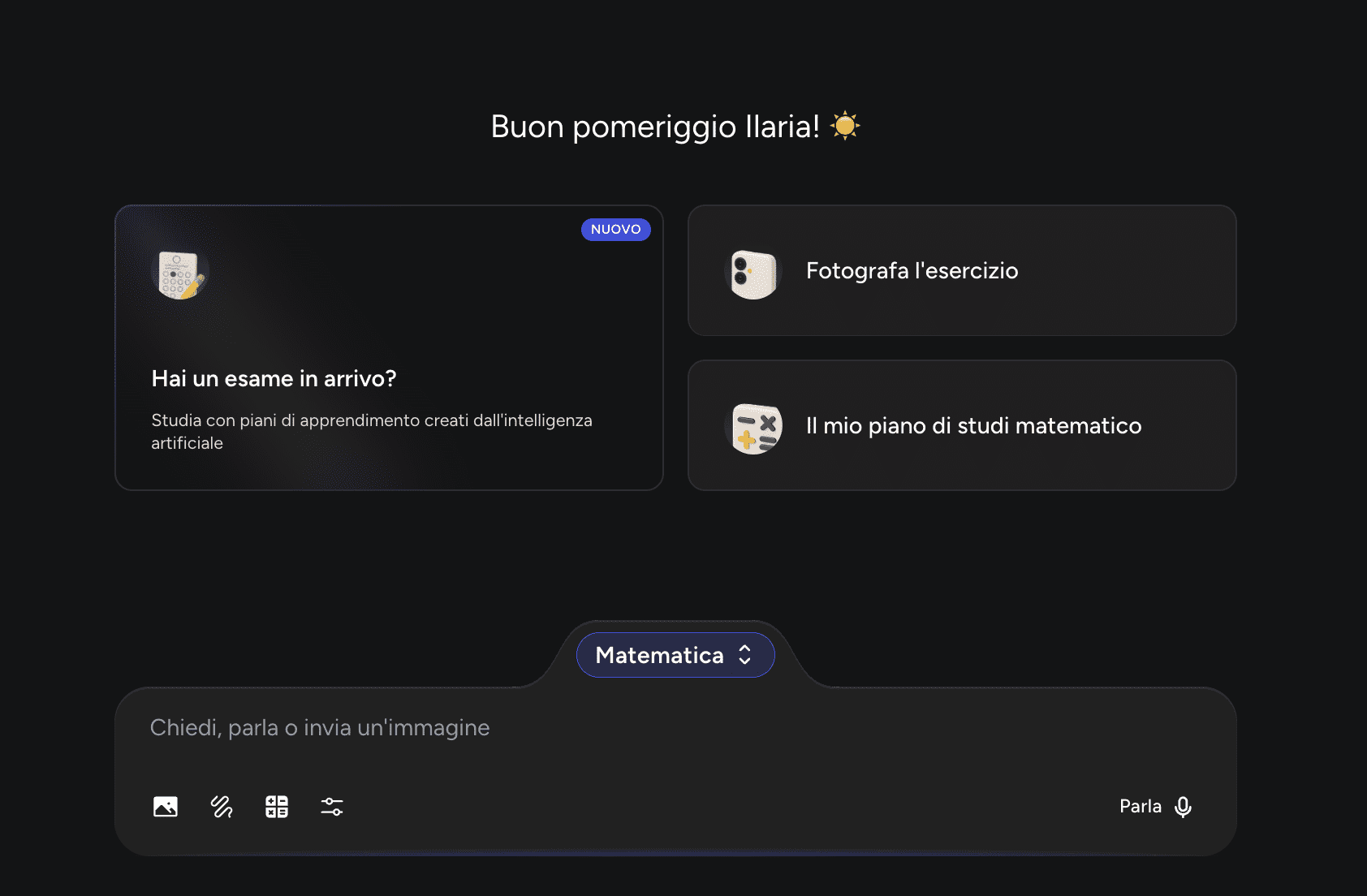
Astra AI is an AI study platform. Its official presentation includes uploading documents, photos, slides and links, alongside tools for planning and revision. The offering includes flashcards, quizzes, podcasts and practice for written and oral assessments. It would therefore be misleading to describe Astra as nothing more than a homework chatbot.
The important question is what happens after the explanation or first set of resources appears. Can you reshape the material around your course, make the relationships visible and choose how to practise? To understand Algor’s advantages, we need to look beyond whether both products have a feature called “quiz”.
What does Algor offer?
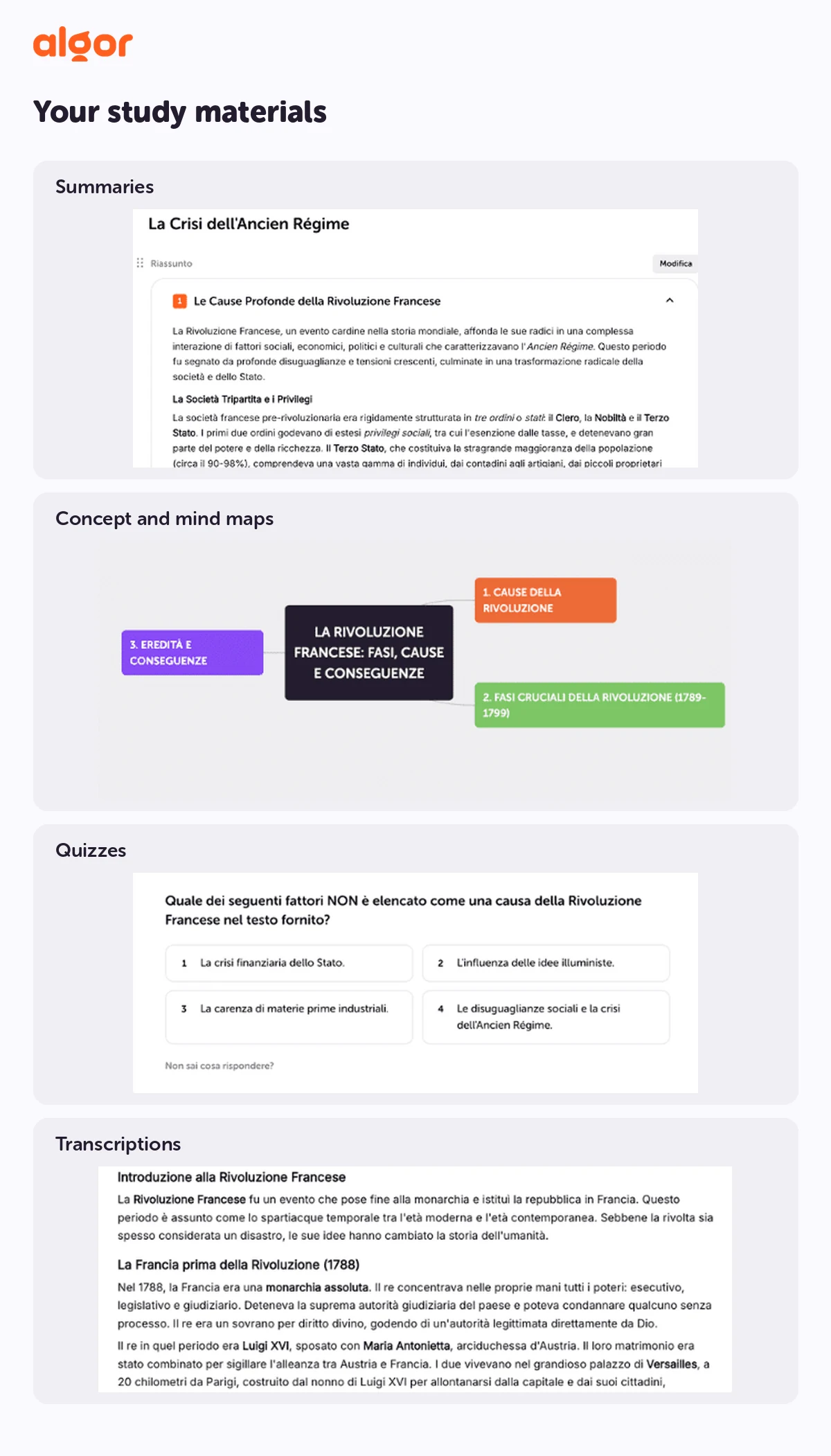
Algor Education organizes your material into a Set: an interactive study guide containing sections and pages. You can start with a PDF, a Word document, a photo of your notes, pasted text, a web or YouTube link, or simply a topic. Recorded lessons can first be transcribed and then used as study material, subject to the supported transcription languages.
During creation, you choose the audience, language and presentation style, then review the proposed outline before generating the Set. Pages bring together the topic text and tools such as concept maps, summaries and audio overviews. Flashcards and tests run on the Set, with a choice of which material they cover.
Algor is useful across subjects, from history and literature to medicine, economics and science. You are working with your course material rather than fitting every subject into the same series of chat messages.
The central difference: control of your preparation
When an important exam is coming up, you need to know what is in your study material. In Algor, you can revise the outline before generation and edit the content afterwards. Add a missing explanation, move a page, reorganize a section or focus on the chapter your lecturer has just emphasized.
You can follow the suggested order, but you do not have to. Start with a map to understand the topic, read a page in detail, ask the assistant a question or test yourself on a particular section. Your quiz results contribute to the progress view, helping you decide where further work is needed.
Imagine revising biology. You connect structures and functions in a map, add an image that helps distinguish them, and use colours to separate categories. A classmate can work on the map with you in real time. Discussing where a connection belongs becomes part of learning, instead of another task in a separate application.
Astra’s tutoring tools and the wider study workflow
Getting help with an exercise
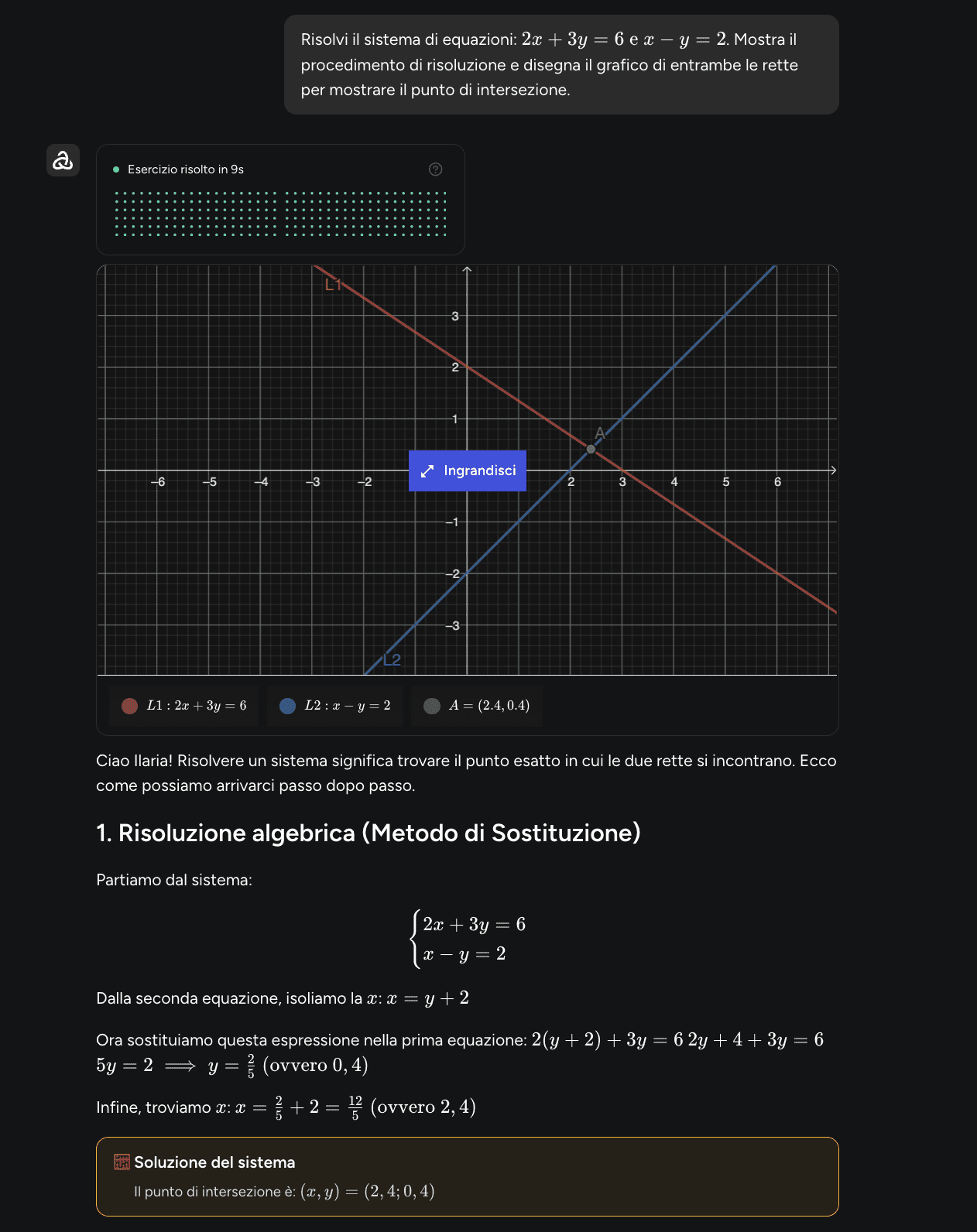
A photograph of an exercise can be the starting point for a step-by-step explanation in Astra. Algor’s assistant can also help you work through a problem. Its wider value is what you can do next: return to the relevant page, improve your explanation, adjust the map and practise the same topic.
Understanding the reasoning
A question-led approach can help you think through an answer rather than simply copy it. In Algor, the assistant in a Set uses the context of your material, including the maps. You can ask why two ideas are connected or how a concept relates to an earlier chapter without reconstructing the whole context in every message.
Preparing for an assessment
Astra also presents exam-preparation activities based on uploaded material. With Algor, you can choose the scope of a test, question types, number of questions and available test settings. The results help you identify weak topics and decide whether to revise the explanation, practise again or move on.
The practical criteria are therefore control over the syllabus, freedom to edit visual material, collaboration and the ability to take useful resources onto paper. These are concrete reasons to choose Algor, rather than a claim that another platform cannot explain a question.
Algor’s maps: a complete editor inside your study environment
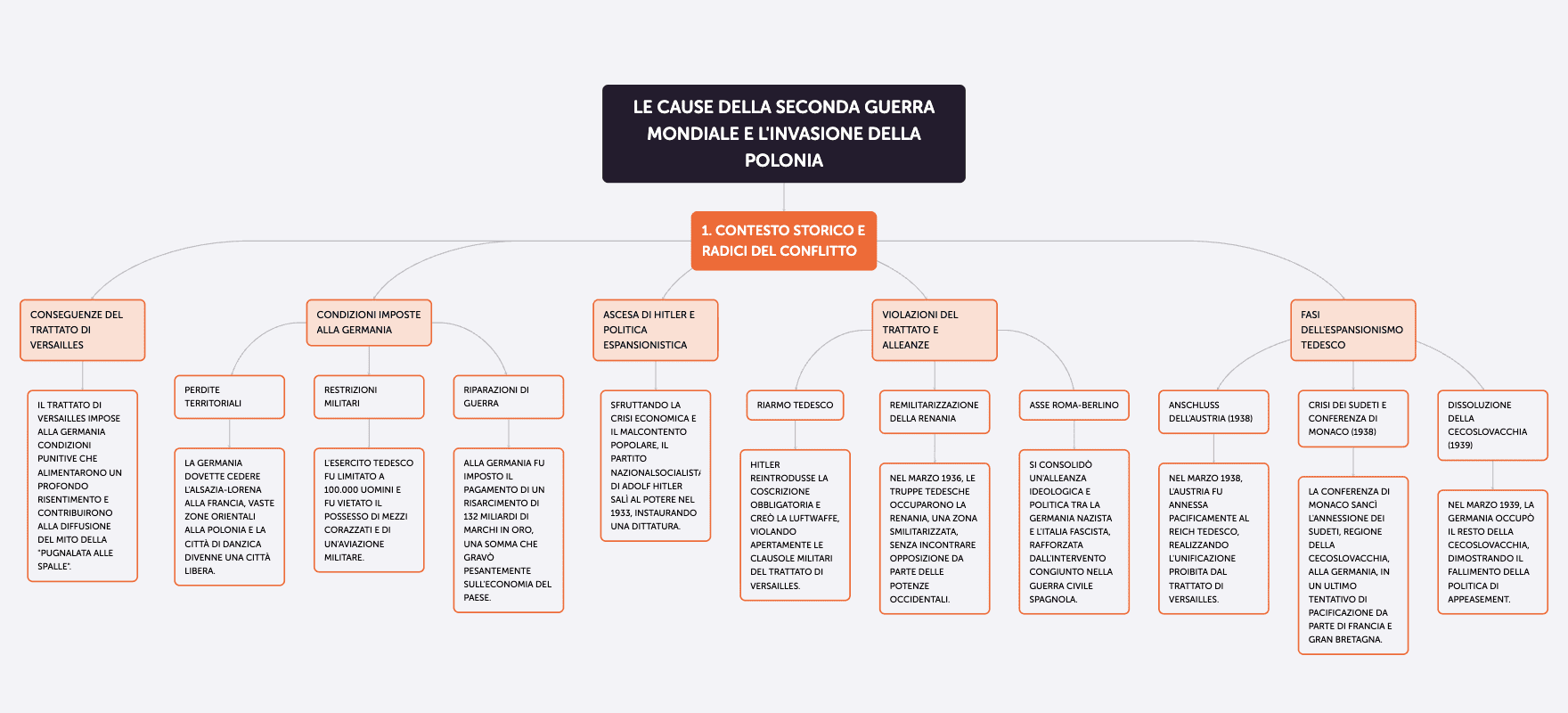
An AI-generated map is a starting point. In Algor’s editor you can move, rename, add or delete individual nodes and connections. Change the layout, colours and fonts, include images, video or audio, and ask the AI to expand an idea or shorten a branch.
You can also listen to node text with text-to-speech, translate a map and print it using layouts designed for study. This matters when you want to read aloud, annotate a printed sheet or work through the structure away from a screen. The map remains part of your course material throughout.
A Set connects maps, summaries and revision
The same source material can support several activities: a map to see relationships, a summary for a quick review and an audio overview to revisit the topic by listening. Flashcards support recall through question-and-answer or completion formats. Configurable tests let you check your understanding through different question types.
You do not have to move the chapter into another application each time you switch activity. After a test, return to the page you found difficult, fix the explanation or map connection, and ask the assistant for help. Organization and flexibility work together.
Spaced repetition and progress
After answering a flashcard, you rate how well you knew it. Spaced repetition uses that feedback to bring difficult cards back more often and spread out cards you know well. Test results provide another perspective: how your preparation is progressing across the topics.
These tools help you direct your next session; they do not replace checking the syllabus or understanding a difficult explanation. A manageable set of clear questions is more useful than a huge pile of generated cards you never review.
Reading support and accessibility
Algor includes read-aloud tools, audio overviews and a highly legible font option intended to support readers with dyslexia. You can request simpler language or a more structured presentation during creation. Concept maps offer another way to work with material that would otherwise be a long passage of text.
The useful point is being able to choose between reading, listening, visual organization and active practice within the same study environment. These options can support different needs without promising that one format will suit every learner.
Astra AI vs Algor: the advantages of Algor
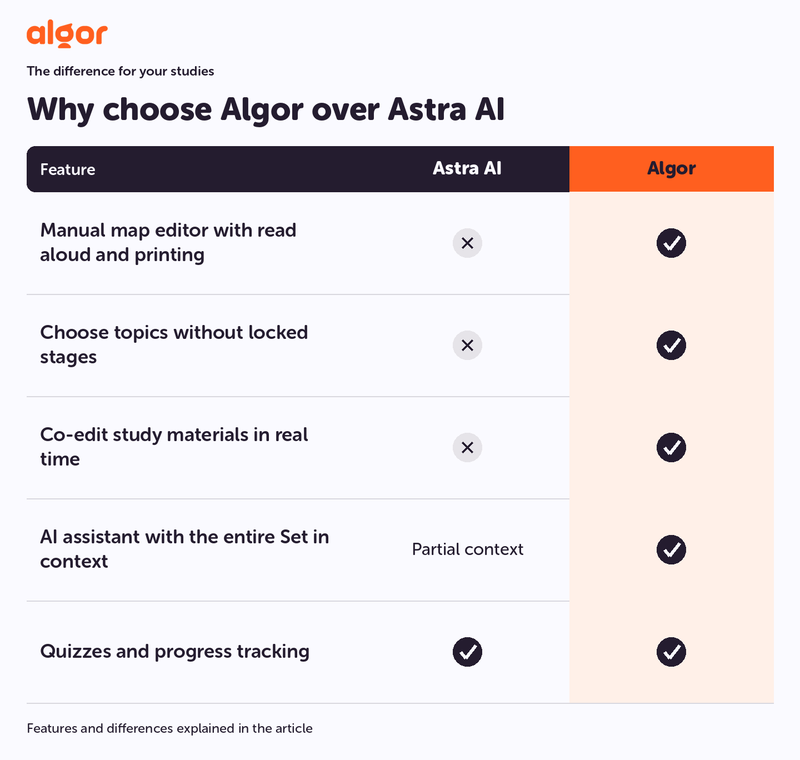
- Map editor with text-to-speech and study-friendly printing
- Visible, editable Set material in the order you choose
- AI assistant with the context of the entire Set
- Quiz results connected to topic progress
- Real-time collaboration on study materials
For a whole-subject exam, Algor’s strength is the connection between your resources and your decisions: inspect the material, adapt the maps, practise the relevant section and use the results to decide what comes next.
Which should you choose for your situation?
If you are stuck on a calculation, a worked explanation can help you restart. If you need to prepare the entire chapter, Algor also gives you the editable material and practice tools to continue beyond that one answer.
If you are preparing history, law or medicine, arrange the programme in the order your course requires. Use maps to connect causes, rules or structures, then use quizzes to identify what still needs work.
If you are revising for an oral exam, start from a concept map and try explaining the connections without reading the paragraph. Ask the Set assistant about the point where your reasoning breaks down, then improve the map.
If you need to remember definitions, dates or formulas, combine flashcards with spaced repetition and tests on the relevant material. You can move between recall and understanding without abandoning your notes.
Our recommendation: Algor for an integrated, editable study process
Choose Algor when you want to manage your preparation from the source material through to the final review. Its map editor, reading tools, assistant, flashcards, tests and progress view belong to one environment that you can adapt to your course.
Start with the chapter that feels least clear today. Create a Set, check the outline and improve the map before testing yourself. Use the mistakes to choose your next task. The free plan lets you try the workflow within its included limits; consult the current plan information for availability and allowances.
For the practical steps, see the guide to creating content and the guide to editing and organizing Sets. Try Algor for free with a chapter from your own course.


Faq
Frequently Asked Questions

Related articles
Get Started with Algor
Transform your content into structured, visual and personalized learning paths.

.svg)


