
How to Automatically Transcribe Audio and Video with Algor

Claudia
November 11, 2025
Get the transcript of any audio or video in just a few simple steps!
Taking note of every single concept explained by a professor during a lesson is practically impossible. That’s why many students, often worried about missing important details, choose to record their lectures so they can listen back and transcribe them. However, manually transcribing hours and hours of audio is not only a boring and tiring process, but it also steals precious time from actual studying. In short: it’s a time-waster you can easily avoid.
At Algor Education, we decided to solve this problem: our learning platform now includes automatic transcription from audio/video to text! This brand-new tool, powered by Artificial Intelligence, allows you to convert an audio or video files into written text, saving you both time and energy. This way, you’ll no longer have to worry about taking notes and you’ll be able to follow your lessons more attentively.
Keep reading to learn how to turn audio or video into text in just a few clicks with Algor Education!
1. Log in to Algor Education
First, log in to Algor Education from the login page. If you’re not registered yet, you can sign up for free through the registration page. Enter your email, choose a password, then select “Proceed.” If you prefer, you can log in directly with your Google account. Complete the registration by filling in the required fields, click “Register,” and that’s it—you are officially part of Algor Education!
2. Select the “Transcribe” tool
Once logged in, simply locate the “Transcribe” button inside your Personal Area. Click “Transcribe” to go to the dedicated page.
The first transcription is free, doesn't consume credits, and can last up to 2 hours. From the second transcription onward, the cost is 1 credit per minute.

3. Upload your audio or video files
You will then be asked to upload the audio or video file you want to transcribe directly from your device.
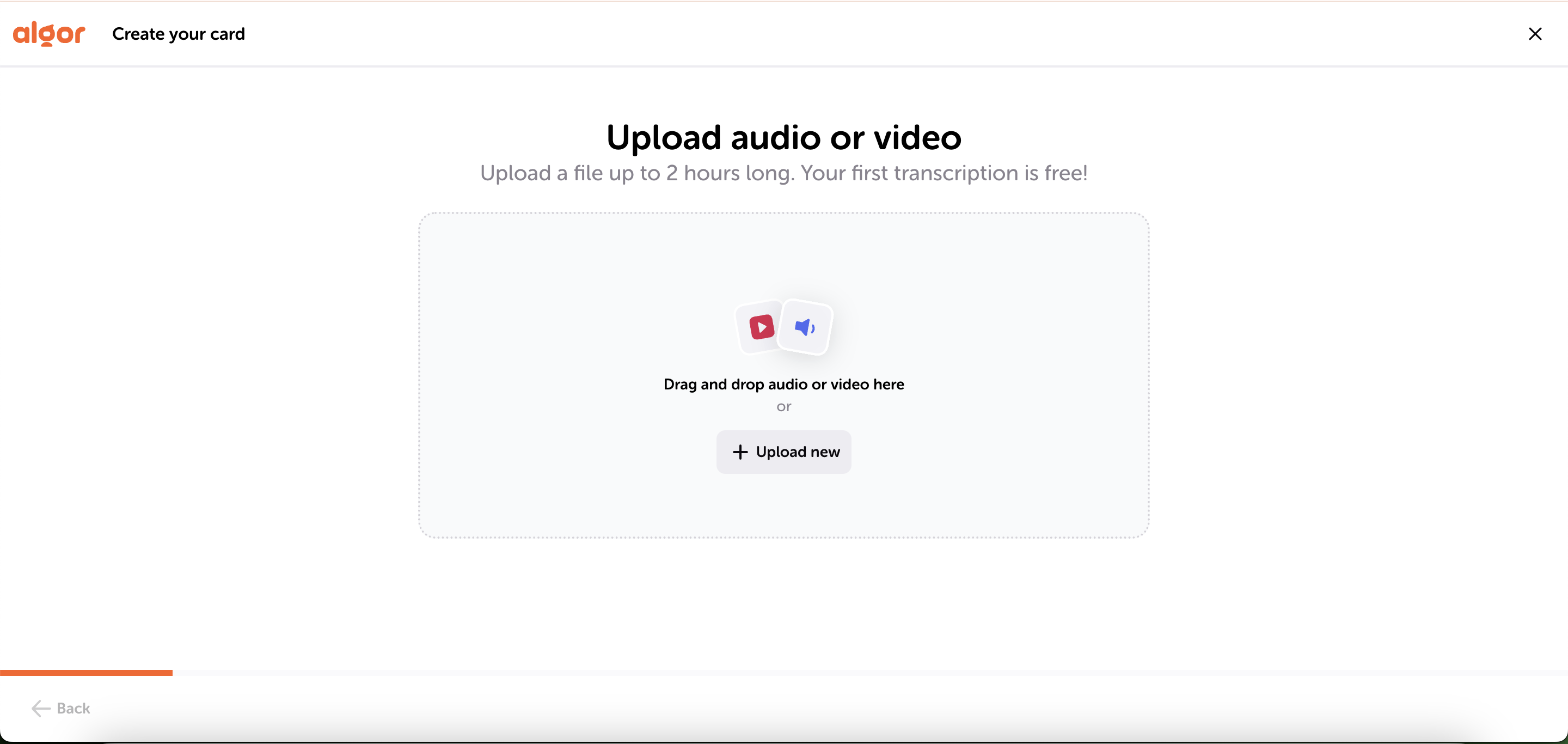
A few things to keep in mind when uploading your file:
- The maximum size allowed for each file is 0.5 GB.
- Supported formats: mpeg, mp3, wav, webm, m4a, mpga, mp4.
If your file format is not supported, you can convert it using an online converter.
You must also ensure that the duration of the file does not exceed the number of credits available in your account. In any case, you can always switch to a plan with more credits whenever needed.
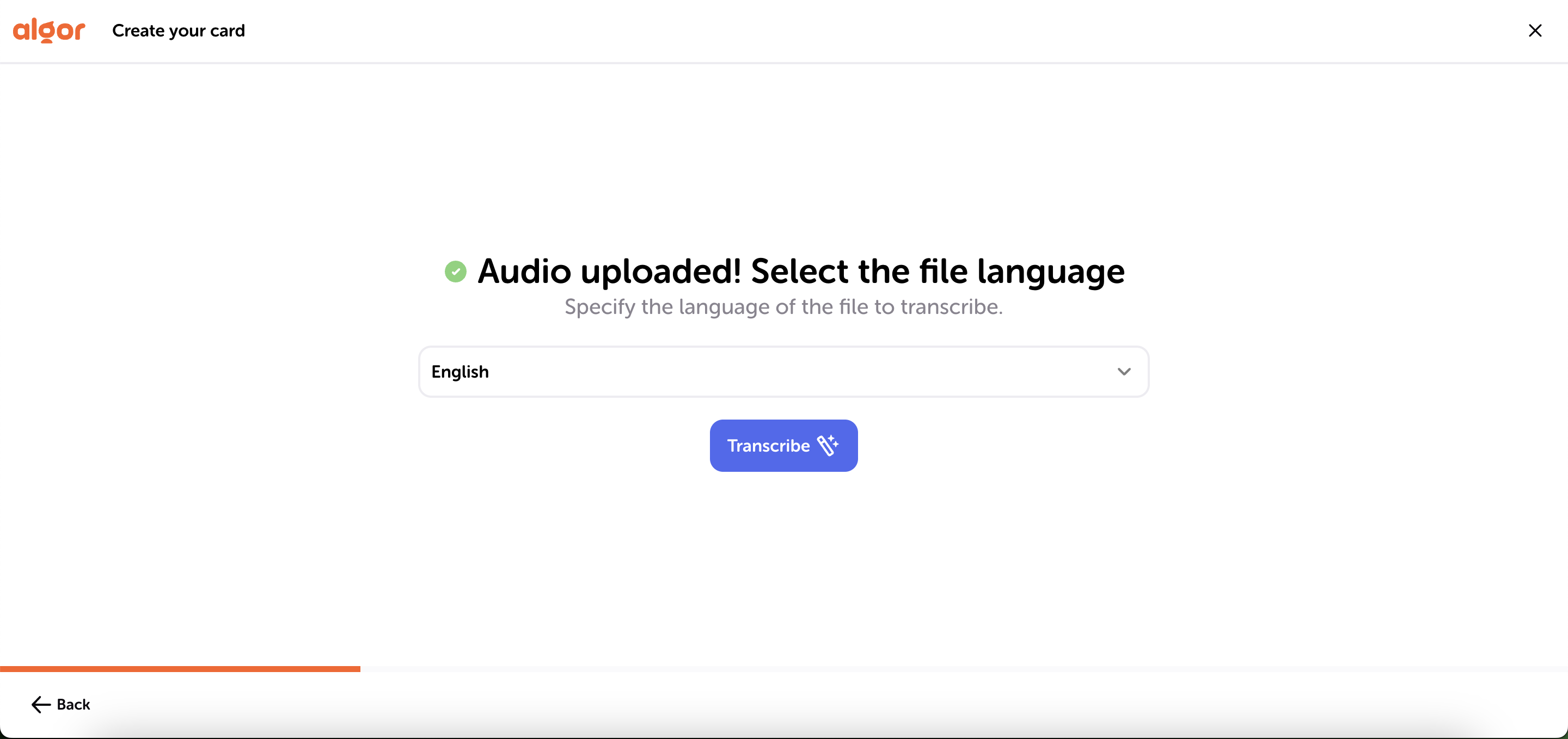
Once you’ve selected the file, choose the language of the audio or video and click “Transcribe.”
4. Your transcription is already organized into a concept map and summary
You’re all set: you now have the full text transcription of the audio or video you uploaded. You can use the editing tools to modify the content however you like. When you're satisfied with the result, you can download your document by clicking the "Print" button in the top right of the page. Your file will be downloaded as a PDF.
But that’s not all: along with the faithful transcription of your audio or video, you also get two extra tools that help you access the information more quickly. You’ll have a summary map and clean, organized notes generated from the full transcription.

5. Try Transcription now and discover all the other automatic tools of Algor Education!
Algor Education continues to push forward in offering the best possible study support, harnessing the potential of Artificial Intelligence. The automatic Transcription feature, the perfect time-saving solution for those who consider notes an essential part of studying, is now added to the package of automatic tools designed to support thousands of students (and not only students!).
You can try all of Algor’s tools, such as:
By signing up for Algor, you'll receive free AI credits to test all the platform’s automatic features. By choosing a subscription plan, you can get more credits plus additional extras like Text-to-Speech or Premium Printing. Visit the subscription page now to choose the plan that suits you best.


Faq
Frequently Asked Questions

Wie funktioniert Algor Education?
Lade dein Lernmaterial hoch, ob Text, Bilder, Audio oder Video, und lass dir von der KI beim Lernen helfen. Mit verschiedenen Vorlagen fasst du Inhalte zusammen, löst Aufgaben, ordnest Ideen und erstellst persönliche Lernhilfen. Algor erzeugt nicht nur Tools: Es hilft dir, Themen wirklich zu beherrschen und deine Lernziele zu erreichen.
Für wen ist Algor Education?
Algor ist für Lernende und Studierende, Lehrkräfte und alle gemacht, die ihr Lernen verbessern wollen. Ob Prüfungsvorbereitung, Ordnung im Lernmaterial oder Unterrichtsmaterial: Algor ist dein KI-Lernbegleiter und macht Lernen schneller, smarter und interaktiver.
Was unterscheidet Algor von anderen KI-Tools?
Andere KI-Tools erzeugen statische Inhalte. Algor ist ein KI-Lernbegleiter und bringt Informationen in dynamische, interaktive Formate. Statt Text nur zu Text zusammenzufassen, hilft Algor dabei, Ideen zu ordnen, komplexe Themen sichtbar zu machen, Aufgaben zu lösen und für Prüfungen zu üben, alles auf einer Plattform.
Welche Formate akzeptiert Algor?
Algor unterstützt viele Dateitypen: Textdokumente, PDFs, Bilder, Audioaufnahmen und YouTube-Videos. Unsere KI verarbeitet die Inhalte sofort und macht daraus interaktive Lernhilfen wie Mindmaps, Zusammenfassungen, Tabellen, Karteikarten und Quiz. So wird Lernen effizienter, lebendiger und persönlicher.
Was sind Algor Templates?
Algor Templates sind KI-Lernhilfen, die Lernmaterial so strukturieren, dass du es besser verstehst und behältst. Auf der Templates-Seite siehst du, wie sie funktionieren.
Was kostet Algor?
Algor kannst du kostenlos testen, Premium-Funktionen gibt es zusätzlich. Alle Details findest du auf der Preisseite.


Jetzt mit Algor starten
Verwandle deine Inhalte in strukturierte, visuelle und persönliche Lernwege.

.svg)


