
Best Concept Map Maker

Cecilia Ganapini
October 10, 2022

7 tools for creating Concept Maps
Concept maps are a very useful tool for studying that allows you to reorganize ideas and information in a concise manner. They can be used to delve deeper into a study topic, establish key concepts, or as a graphical aid for verbally presenting a subject.
Moreover, creating concept maps in a group can be very effective for brainstorming. There are various tools for creating concept maps online easily and effectively. Building concept maps online allows you to take advantage of various digital benefits: time-saving, flexibility, and customization.
In this article, we will examine different tools for making concept maps:
1. Algor Education
Algor Education is a web application for creating, customizing, and sharing concept maps online in a simple and intuitive manner using AI. It's accessible from any device through a browser (e.g., Google Chrome) and does not require downloading. This site offers a very modern multimedia editor that allows you to modify your maps in real-time with other users. Among the main features of Algor Education are:
- Automatically creating concept maps from a keyword, from photos of book pages, or from a long digital text using AI functions.
- Creating concept maps from scratch or starting from a ready-made map.
- Customizing maps with different layouts and adding images, videos, audio, and web resources.
- Sharing maps with other users and making real-time modifications.
- Uploading PDF documents and integrating them with the mapping environment in a few clicks.
- Listening to the text of the maps or documents with text-to-speech.
- Printing and exporting maps as images or PDFs.

Maps and documents in Algor Education are organized into convenient folders, distinguished by colors and icons. All materials are accessible from different devices using the same account.
The advantages of Algor Education are certainly its ease of use and automatic functions from text, which make creating online concept maps much simpler and more interactive. Among all the sites for making concept maps, Algor is the only one that allows for the automatic creation of maps. The ability to create maps from documents, such as digital books or note files, is extremely useful: with just a few clicks, it's easy to transition from the document to the map.

To make the most of all its features, it is recommended to use Algor on a PC with the Chrome browser. Algor offers a Free Plan, which is always free and allows the creation of a limited number of maps without multimedia elements. There are also various paid plans to take advantage of multimedia maps, automatic functions, and speech synthesis. It's possible to try it for free by registering at app.algoreducation.com.
2. Ayoa
Ayoa is a web application designed for creating concept maps, blending visual brainstorming and idea management in an intuitive, user-friendly interface. It supports collaborative efforts, allowing teams and individuals to visually organize thoughts, tasks, and projects efficiently.
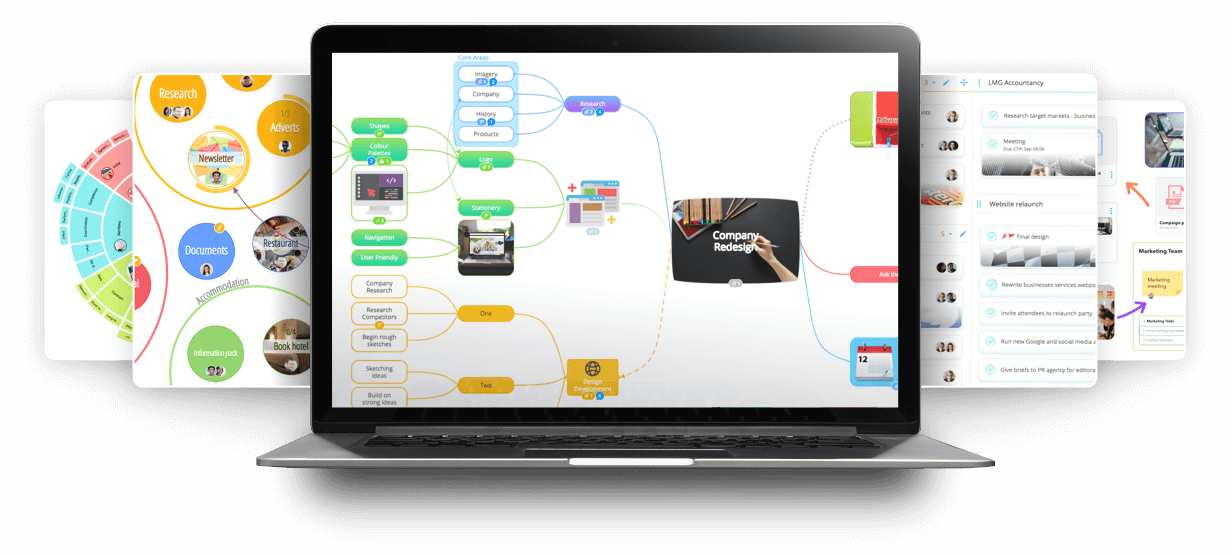
With features like drag-and-drop editing, customizable templates, and various styling options, Ayoa makes it easy to create detailed, visually appealing concept maps suitable for a wide range of purposes.
Ayoa has integrated AI in its editor for idea-generation, question-answering and topic explanation from topics or concepts of the map. However, it still doesn't have a text-to-map complete feature that allows to synthesize long texts from different formats. Its strength are its complete editor and customization possibilities, which are extremely suited for brainstorming in large teams.
3. GitMind
GitMind is a web-based application designed for creating concept maps and mind maps. It offers a straightforward, user-friendly interface that allows individuals and teams to visually organize and structure ideas and information.
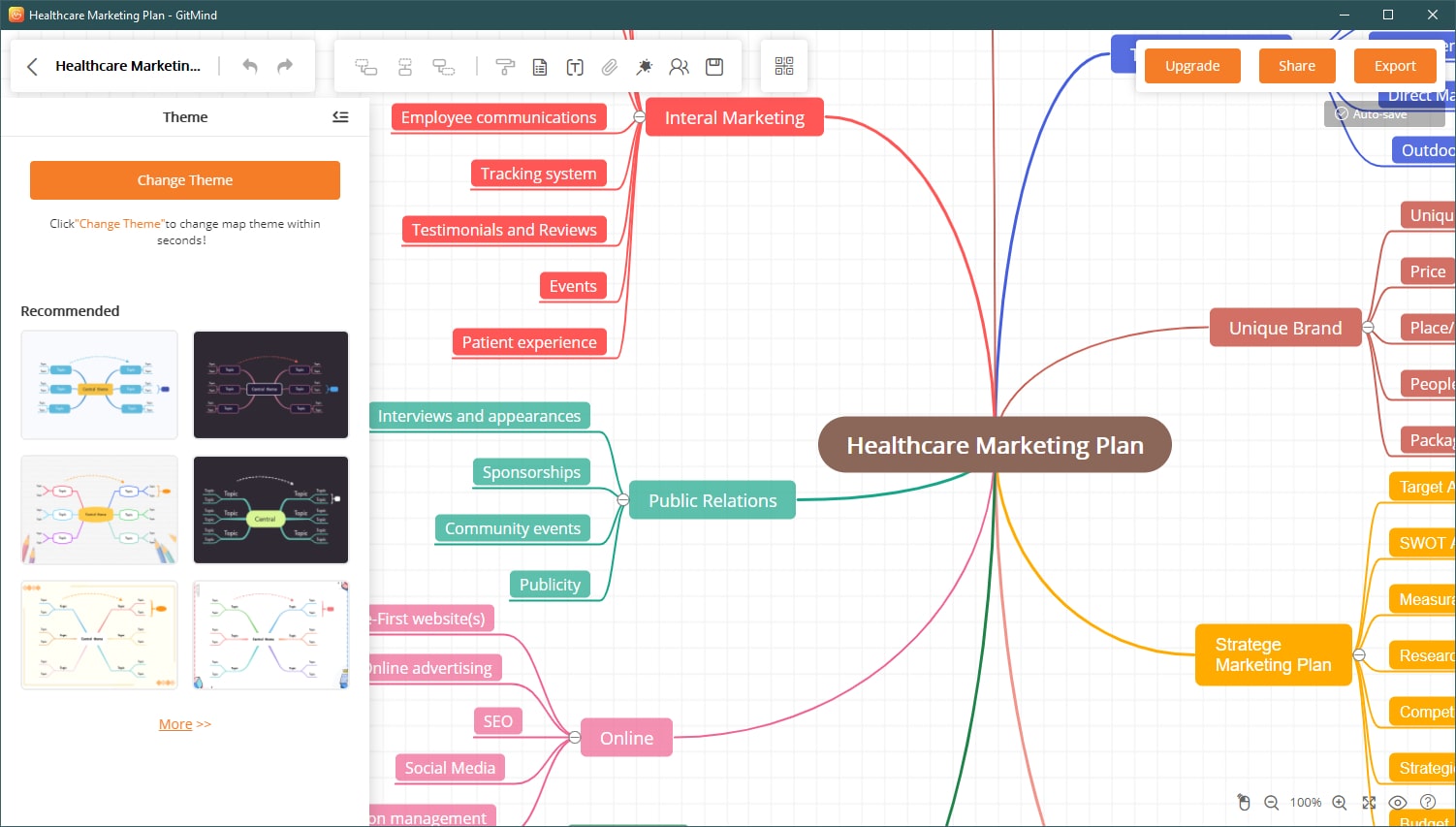
GitMind features a variety of templates and customization options, enabling users to easily create and tailor maps to their specific needs. With its intuitive design and collaborative capabilities, GitMind is a useful tool for brainstorming sessions, project planning, and complex information breakdown.
This tool has also integrated some AI-powered tools for idea generation from topics and text summarization. However, the quality of the text-to-map feature isn't still high. GitMind advantages are surely its high variety of templates, layouts and customization possibilities.
4. CmapTools
Cmap Tools is a free software developed by the Institute for Human and Machine Cognition of the State University System of Florida that allows the creation, sharing, and printing of concept maps. The software is available for Windows, Mac, and Linux.
Cmap Tools offers a wide range of features, including the ability to create customized concept maps, add images, and share maps online. It enables users to create graphic nodes representing concepts. These can then be connected using lines and linking words to form a network of related propositions representing knowledge of a subject.
The software is available both as a downloadable version and a web version. To use the downloadable version of Cmap Tools, one must first download the program from the official website. Once installed, users can start creating maps using the user interface.
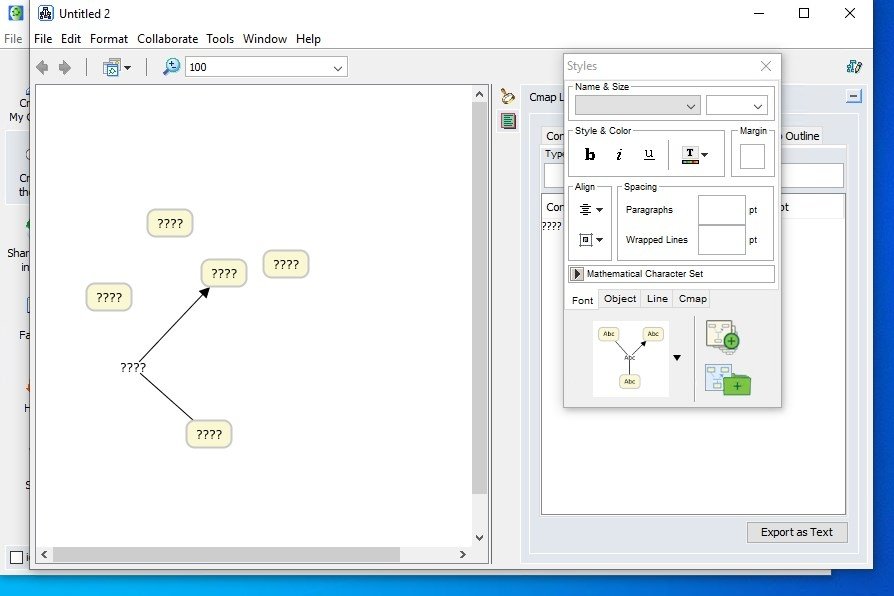
The main advantage of Cmap Tools is that it is a free software, also available in an online version. However, its weaknesses include an unappealing and outdated interface, as well as the lack of many features compared to paid web apps: AI-powered tools, PDF document uploading, real-time collaboration, and speech synthesis.
5. FreeMind
FreeMind is a free software for creating concept maps. The software is available for Windows, Mac, and Linux. FreeMind offers a wide range of features, including the ability to insert links and images into the map, modify the map layout, and export the map in PDF or HTML format.
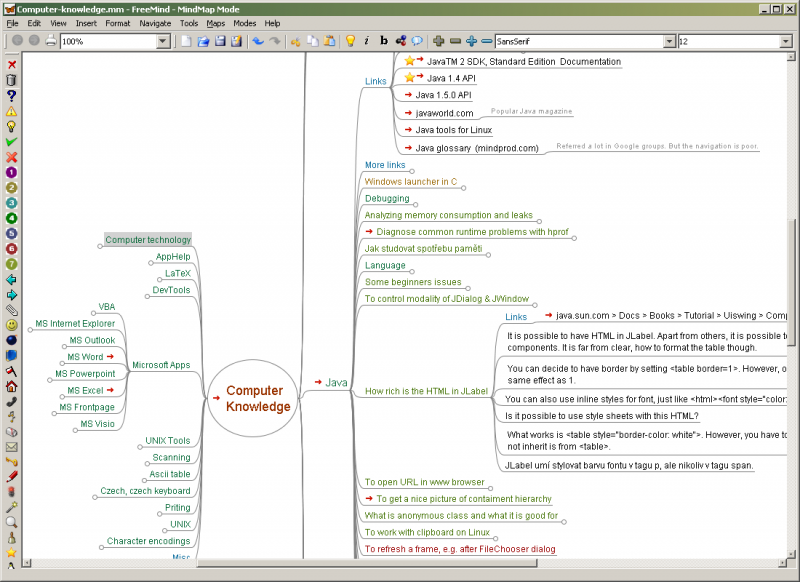
Here are the main features of FreeMind:
- Folding branches of the map.
- Inserting icons on nodes.
- Hyperlinks to the web and to files from nodes.
- Exporting to HTML.
- Exporting images in PNG, JPEG, and SVG formats.
The advantages of FreeMind are that it's free, open-source, and can run on any PC. The disadvantages are that it doesn't have a web application, so it must be downloaded. Additionally, it is not as user-friendly as other more modern programs and can be a bit complicated to set up, especially for less experienced users.
6. Vue
Vue is an open-source downloadable software that allows building maps, changing shapes, colors, creating connections, and inserting images, audio, video, texts, links. The resulting map can be saved in various formats, so it can be used on devices where the software with which it was created is not installed, and the ability to build maps even starting from Excel.

Vue, which stands for Visual Understanding Environment, is a free software, therefore accessible to everyone. However, the fact that it must be downloaded makes it technologically obsolete. The interface is not very appealing, and the features are limited compared to more modern software or web applications.
7. MindMup
MindMup is an English-language application for creating concept maps and mind maps designed to be run in browsers. Indeed, the maps created are saved to one's online account. With MindMup, the user can:
- Create maps with different layouts in a convenient interface.
- Convert maps into PDF for printing.
- Publish and share maps online.
- Save their maps to Google Drive.
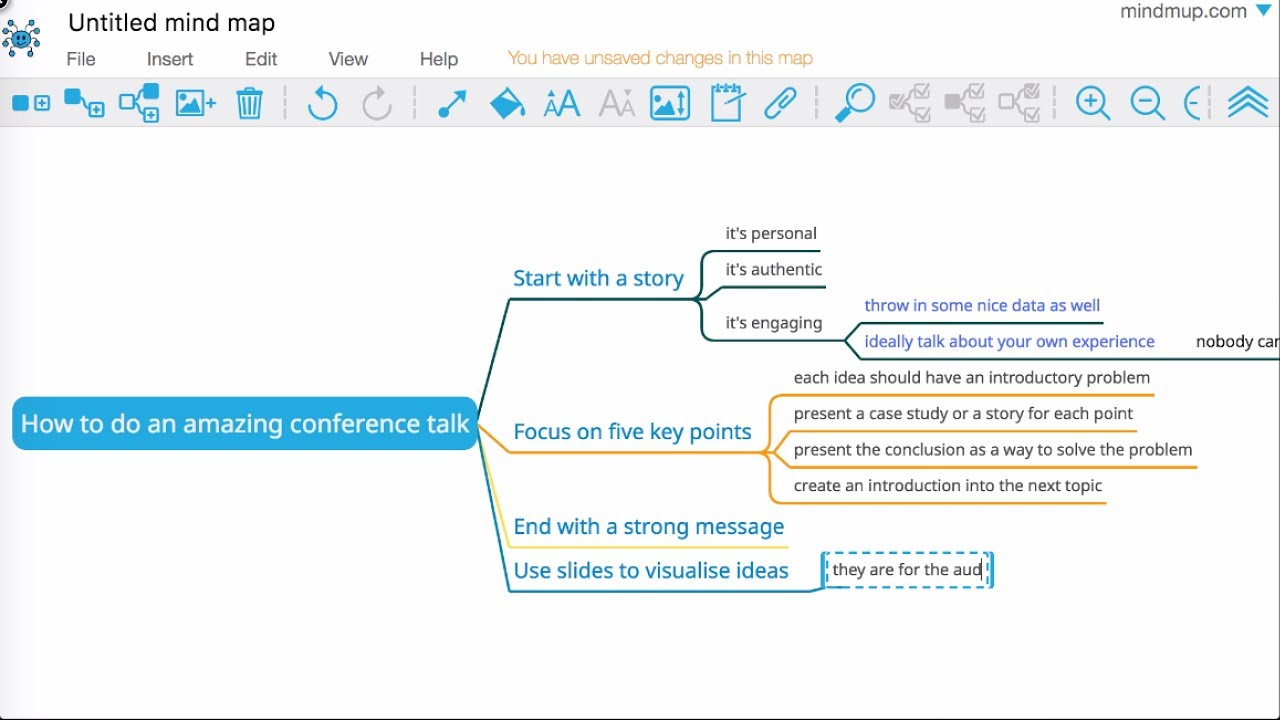
MindMup is available with a free plan lasting 6 months, which includes various storage limits and functionality restrictions, such as uploading attached documents in one's maps. There are also various paid plans available for less storage limitations on materials and collaboration with other Gold users.
The application interface is simple to use for creating maps from scratch, even though the commands are available only in English. MindMup does not integrate speech synthesis on maps and documents and does not allow for the creation of concept maps from documents and digital books.


Faq
Frequently Asked Questions

Related articles

Jetzt mit Algor starten
Verwandle deine Inhalte in strukturierte, visuelle und persönliche Lernwege.

.svg)


