
How to automatically make Concept Maps on every topic
.png)
Giulia
September 20, 2022

From a keyword to a Concept Map in a few clicks
Do you want create an online concept map on a topic but don't know where to start? Would you like to learn more about a topic but are running out of ideas? Algor Education is the first web app that allows you to create concept maps automatically from the text. With the new function Quick Map you can go from a simple phrase or a keyword to your map in a few clicks.
Choose a topic that you want to learn more about, our algorithm will guide you in the creation of the map, automatically suggesting the main concepts.
How does the Algor Quick Map work? Follow these 5 simple steps:
1. Log in to Algor Education
If you already have an Algor Education account, all you need to do is log in from a PC or tablet with any browser. Otherwise, create a new personal account on app.algoreducation.com If you have a Google account you can register in a few clicks.
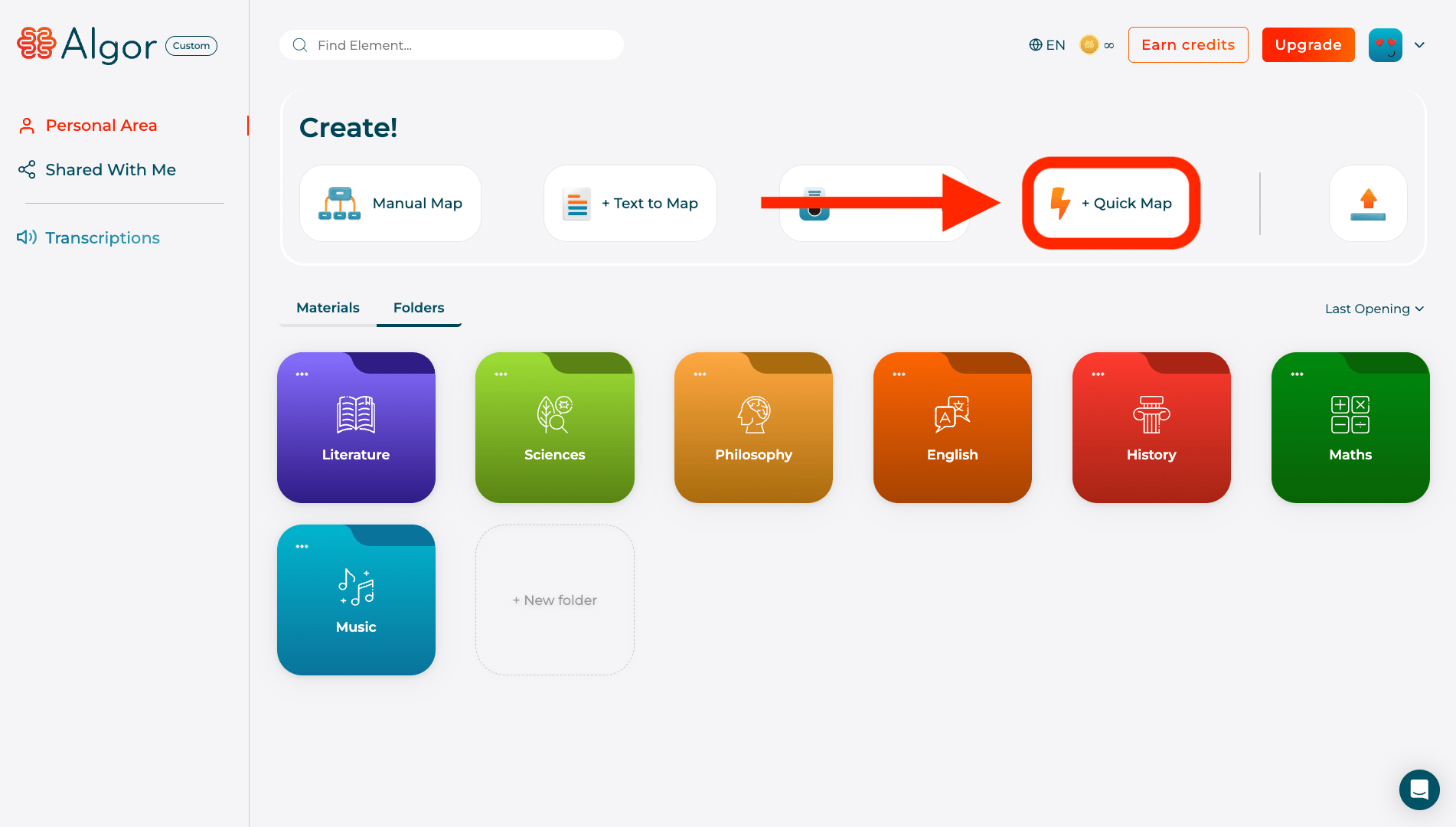
2. Click on the Quick Map button
Once logged in, you will find yourself on the Algor Education Home screen, where you can view the material (concept maps and documents) organized in folders. By clicking on the button with the robot “+ Quick Map”, you will be asked to enter a topic on which to create your concept map. Choose the topic carefully, it will be the main theme of your map.
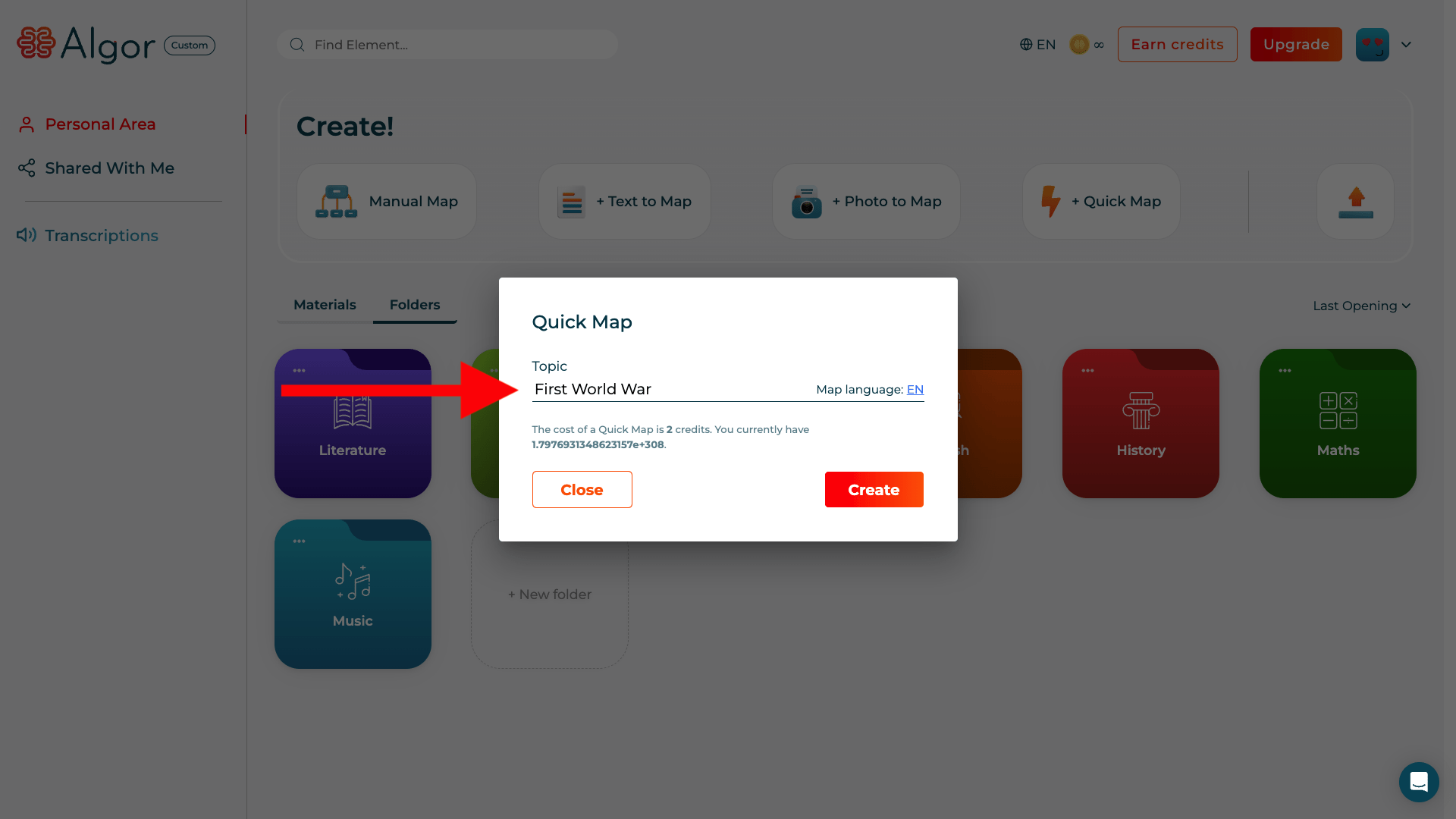
3. Enter the topic of your Concept Map
Once you've chosen the main topic of your concept map, all you have to do is type it. Just write one in the space provided short phrase or keyword (such as the name of an event, of a historical figure, the title of a work, etc.). At this point click on the orange button”Create” to automatically obtain a first draft of a map with the key questions.
4. Get the map with the key questions automatically
In a few seconds, Algor will offer you the first level of the concept map with Top questions that you should bring up about the starting topic. If you want to add other questions you can do so by creating a child node starting from the title (clicking on the “+” button) with another question written “by hand”. Don't forget to add the final question mark!

5. Expand your map with Algor's automatic suggestions
At this point, Algor helps you to answer the questions generated, automatically suggesting answers. Just nail the knot with the question that interests you (e.g. "What were the main events of the First World War?”) and click on the button with the robot and the “+” symbol. You'll automatically get ideas for answering the question in the form of map nodes.
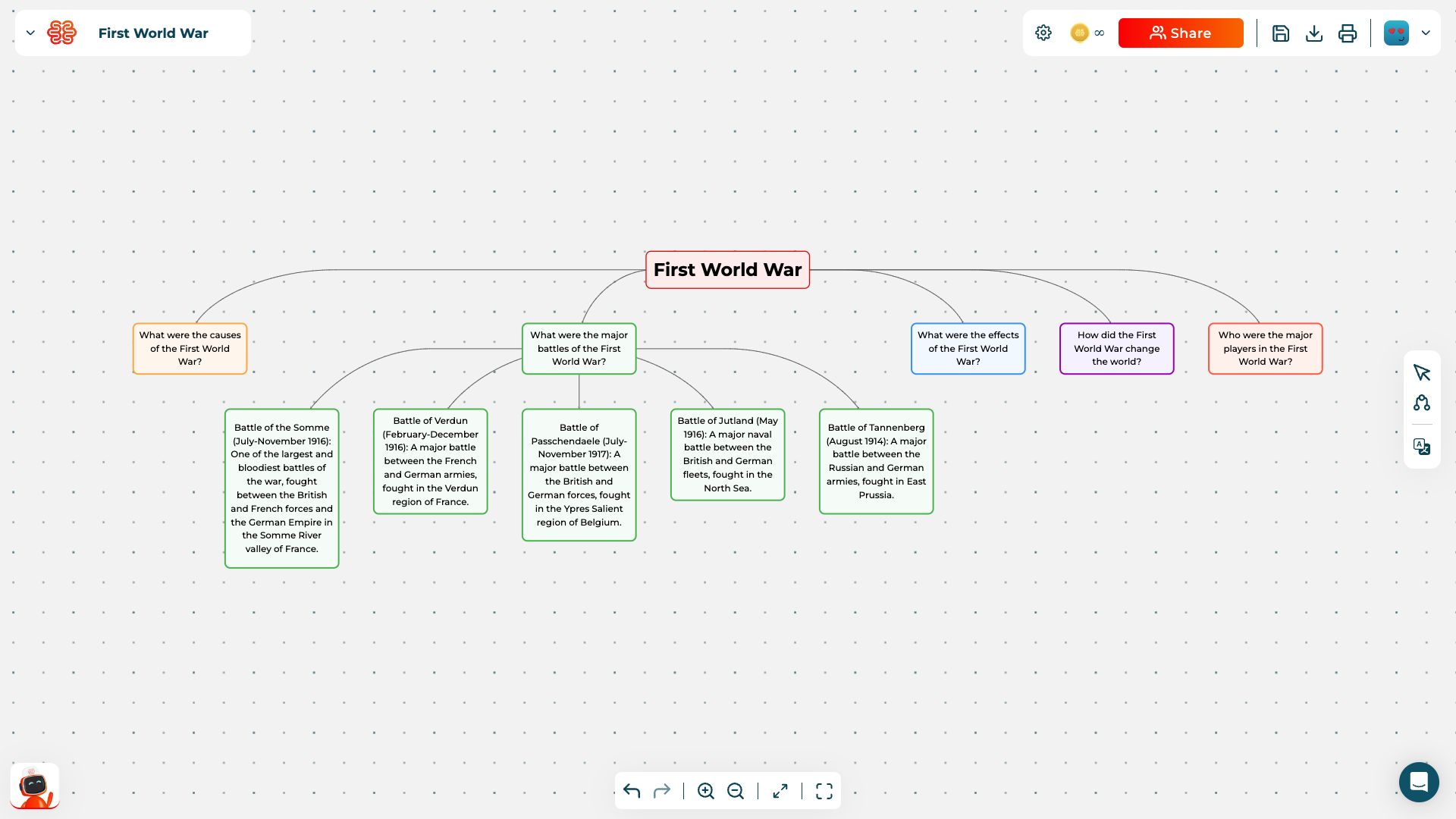
You can continue to expand your concept map by answering other questions. The procedure is the same, select the node with the question you want to answer and click on the robot icon to get ideas and suggestions for answers. Each request to the algorithm (each click on the robot) will cost you 2 AI credits.
Remember that with Algor Education you can customize your map in our editor with nodes written by you or with other multimedia elements: you can insert images, videos, links to web resources. You can also collaborate in real time with other users, get information from your PDFs, use the text-to-speech and go from document to map in a few clicks.
Try the Quick Map now for free!
Fare online concept maps on any topic with the Algor Education Quick Map it becomes simple, fast and fun. Algor's suggestions help you ask yourself the main questions about the topic you've chosen and guide you to answer them correctly. A unique support that is not a substitute for studying, but is designed for stimulate creativity and release new ideas for creating the nodes of your map.
All you have to do is try the Quick Map by Algor Education, here at the top you will find a short video-tutorial. Sign up now To receive 30 free AI credits to be used immediately to create concept maps online with the support of our algorithms. If you subscribe to the Pro Plan, you will have 700 AI credits per month to create maps automatically.


Faq
Frequently Asked Questions


Jetzt mit Algor starten
Verwandle deine Inhalte in strukturierte, visuelle und persönliche Lernwege.

.svg)


